Next.js Ecommerce: When It Actually Pays Off
Most Next.js eCommerce projects don’t fail because of the framework.


This guide is geared toward operators that are currently trying to figure out if it is worth the time to take on Next.js eCommerce. This guide will go over situations where Next.js helps with the eCommerce project, where it hurts, how much it hurts, how stacks are built today, and how to plan a migration without breaking revenue at cutover.
What Next.js Ecommerce Actually Means
Next.js eCommerce is simply a storefront and nothing more. Next.js builds the pages that a storefront will display to a shopper. Another system, such as Shopify, BigCommerce, WooCommerce, Medusa, or Saleor, still holds the catalog, cart, checkout, orders, tax, and shipping. That separation and division of labor is the goal of the system. It allows you to build and change your storefront with no disruption to the backend of the system.
The commerce backend retains control over components that are costly to rebuild accurately; these include product variations and prices, cart sessions, shipping options, payment, order status, and the taxes and duties that vary by SKU and jurisdiction, all of which are very complex. A thorough recent analysis of a Headless WooCommerce architecture built with Next.js illustrates the appeal and the friction; store owners appreciate a fast, customized storefront paired with an admin they already know how to use, while the friction shows up in the work of keeping the back end and front end reconciled once real orders start coming in (Headless Next.js Commerce Lessons).
What typically draws our customers to Next.js is that conversion is slow due to page load time, store admins are unable to make simple changes, or the store’s merchandising requirements are not satisfactorily met by a store’s theme. Generally, themes or marketplaces provide enough flexibility that the most common workflows do not warrant the complexity and cost of a custom Next.js build. Our Next.js Website Operator’s Guide provides more context on the trade-offs of using Next.js.
Traditional, Hybrid, Headless: Which One Fits
In the real world, commerce projects typically fall within a few specific architectures, and the precise names are not important. What is important is the distinction each one makes in terms of where responsibilities lie.
The Traditional model maintains all components within one solution. This architecture is best suited to stores with a small catalog, an accelerated timeline to launch, and little need for customization of the buying process. Long after many agencies would recommend against this model, it is appropriate for stores in this situation.
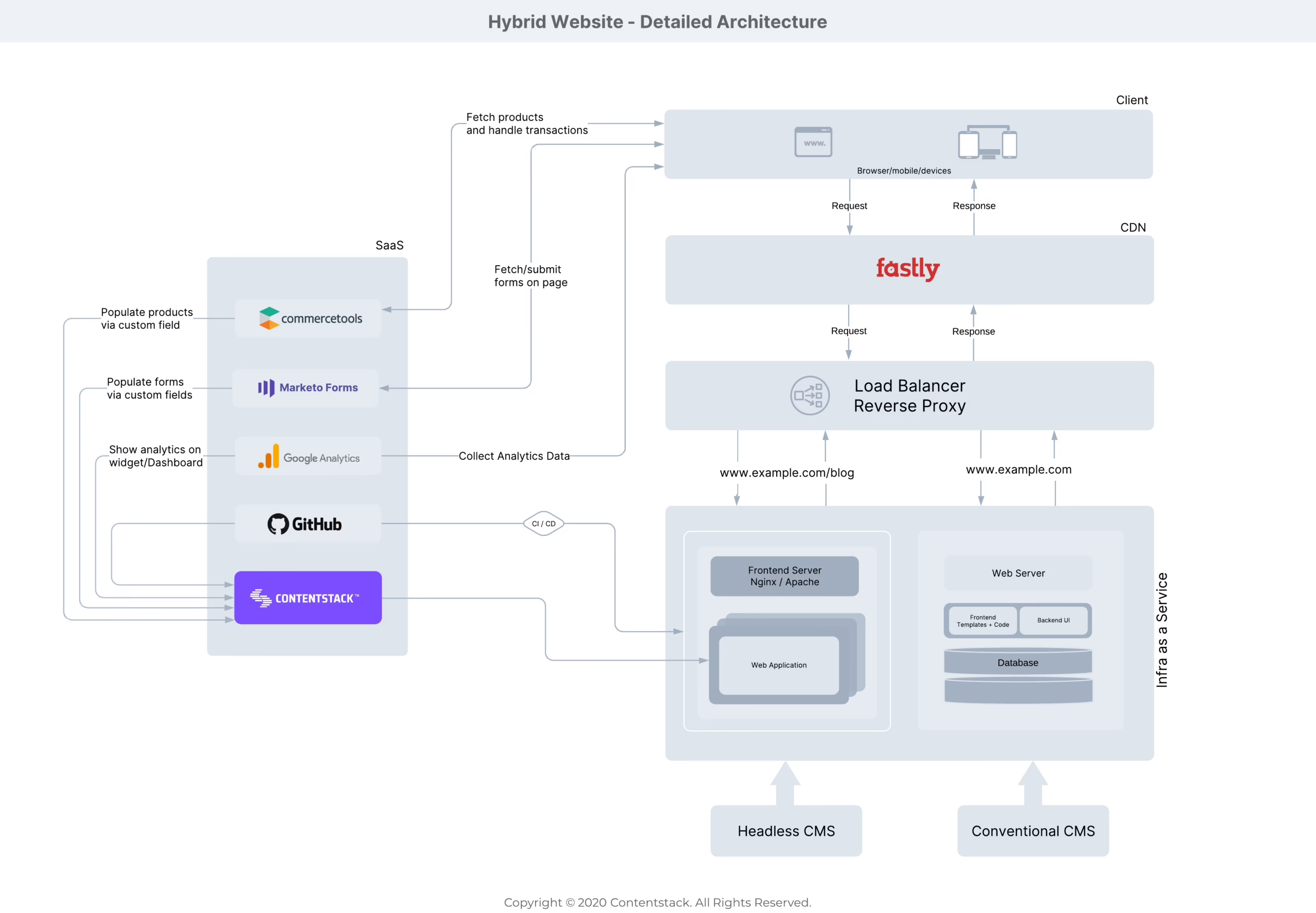
Hybrid: With Next.js, you design the storefronts while the Commerce platform retains control over the catalog, checkout, and orders. Customers browse the Next.js storefront and are directed to the hosted checkout for payment. This is the most financially beneficial option for brands looking to develop. You gain considerable control with product pages, campaign pages, and content pages without having to worry about the hardest parts of a headless system.
Headless: Most things become separated. Next.js will take care of the front end. Meanwhile, other services including commerce, content, search, payments, and even customer accounts, live in separate services connected by APIs. This is a good option if a business’s central way of making money revolves around custom merchandising, complex pricing, workflow for multiple regions, or B2B. This is not a good option just because a similar competitor’s site looks nice. Evaluating your needs carefully is important. These are more realistic headless Shopify Plus implementations than what most vendors showcase.
A Quick Comparison
| Dimension | Traditional | Hybrid | Headless |
|---|---|---|---|
| Brand control | Limited by theme rules | Strong on key pages | Full control across the experience |
| Operational complexity | Low | Moderate | High |
| Launch effort | Lowest | Middle | Highest |
| Best fit | Small or straightforward stores | Growing brands with custom frontends | Complex catalogs and buying journeys |
| Ongoing maintenance | Predictable | Manageable with clear ownership | Requires specialist support |
A store with 50 SKUs and an urgent launch must use a traditional platform. A brand that is heavily impacted by the ability to engage in interactive product discovery, editorial merchandising, or bundle logic may justify headless. Most businesses are between these and should start with hybrid and make their way from there. When it comes to Shopify headless commerce, we look into the GMV band where the cost curve actually turns in your favor.
The Tradeoffs Practitioners Keep Learning the Hard Way
Building with Next.js can be a double-edged sword. Four things deserve your attention before you think about quoting the build.
Performance is real, and easy to lose
Performance is a significant revenue lever, not just a developer preference. Research conducted on Next.js ecommerce builds shows that reducing the Largest Contentful Paint time from 2.5 seconds to 1.3 seconds increased conversions from 1.50% to 2.25%, and at 50 ms response time, conversions were at 4.44%, where they were at 3.91% at 200 ms (Next.js ecommerce performance research). In 2023, only 39% of ecommerce sites passed all three Core Web Vitals, compared to the global average of 42%, thus indicating a gap wherein a well-designed Next.js store can outperform the competition (Core Web Vitals architecture notes).
Conversely, Next.js’s newest primitives are the same ones most teams misuse. For example, Server Components, partial prerendering, and the recent “use cache” directive can cause a store to degrade into unusable speeds when the boundaries of the cache and the revalidation strategy are unclear. There is a lot of commonality in the complaints brought up in these discussions. For example, there are routes that take a thousand seconds to load, hydration mismatches on product detail pages, and ISR (Incremental Static Regeneration) that refuse to settle. This is worse with templates, since they hand teams patterns those teams did not write and do not fully understand. Test your product grid on a slow phone before you optimize your home page. Real customers will land here first.
Assembly is the hidden line item
Building an e-commerce site isn’t as simple as finding a single framework. It’s Next.js with a commerce API, authentication, payments, content, search, email, analytics, observability, and a deployment target. Each element has an owner, failure modes, and a monthly charge. Modern web application work has been aptly described as “mostly config and plumbing, not code” by Andrej Karpathy, and that is generally the case. If your team has not factored in the plumbing, the timeline will slip long before any product detail page is finished.
State and rendering choices decide the shopper’s experience
Cart state, inventory, and personalized prices sit at the seam between static and dynamic rendering. Static rendering is fast and SEO-friendly, but it serves stale data unless invalidation is planned carefully. The rest of the community tends to use either Zustand or React Query for client state, with per-request server rendering for everything user-specific. It’s a legitimate answer, but it needs to be applied thoughtfully. Threads about cart quantities not updating across pages are usually a symptom of the wrong boundary, not a bug in Next.js.
Cost outlives the launch
Next.js hybrid stores have real and ongoing costs: Vercel or an equivalent host, a CMS, monitoring, and image processing, plus an active engineering retainer to keep dependencies up to date. A headless build has additional costs. If your store is still proving demand, spend on merchandising and acquisition first. Architecture usually doesn’t pay dividends at a small scale, where you shift from deciding what to sell to actually selling.
Wondering how your store shows up in AI search? We put together a short visibility snapshot. Get the snapshot.
The Stack Most Teams End Up With
A default 2024 stack has emerged for teams building Next.js commerce services and is proving successful. It won’t be the only stack that will work, but it is the one with the lowest assembly cost.
- Storefront: Next.js on the App Router, Tailwind, shadcn/ui, TypeScript, React Query for server state, Zustand for cart and small client state.
- Commerce backend: Shopify Storefront API for most direct-to-consumer stores. BigCommerce or Medusa when you need multi-warehouse, deeper B2B, or self-hosted control. WooCommerce when the marketing team already lives in WordPress.
- Content: Sanity or Contentful when marketers need real freedom for buying guides, editorial pages, and campaigns. Shopify’s native content tools when they don’t. Add a CMS only when you can name the workflows the platform can’t support.
- Payments: Stripe as the default. Adyen or Braintree for larger international operations. PayPal, Apple Pay, Klarna, and Afterpay added by customer demand, not by wishlist.
- Search: Shopify Search or Algolia for most catalogs. Typesense or Elasticsearch when relevance tuning, synonyms, and filter depth are core to how customers find products.
- Data and auth: Supabase or Postgres with Drizzle when you own customer data. NextAuth or the commerce platform’s own auth otherwise.
- Deploy and ops: Vercel for zero-config paths. Cloudflare Workers or a container platform when you have a real reason to avoid Vercel pricing at scale.
The vendor list is less important than the service ownership map. Each service in the diagram must have someone responsible for receiving alerts and documented failure modes. We go deeper on the content layer decision in our headless ecommerce CMS guide, and the Next.js development services buyer’s guide goes more in depth on what a real-world build requires.
Some retail categories are beginning to have regulatory requirements that affect the stack. If you are in fashion or textiles, the EU’s Digital Product Passport is beginning to transition from proposal stage to a defined timeline. Tools like DPP Grid’s Shopify integration show where product passport data is starting to live in PIM and content systems. These are easier to accommodate with hybrid or headless systems where a new data source becomes a new API.
Planning a Migration Without Breaking Revenue
Let’s say you have a 2,000 SKU apparel brand on WooCommerce with sluggish pages and increasing ad spend. A full rewrite means significant risk. A phased migration takes considerably longer in a planning document and less in practice. Shopify’s enterprise migration case study over 16 weeks and 11.1 million data points is a good case study at scale for what the word ‘careful’ means, even if your project is much smaller.
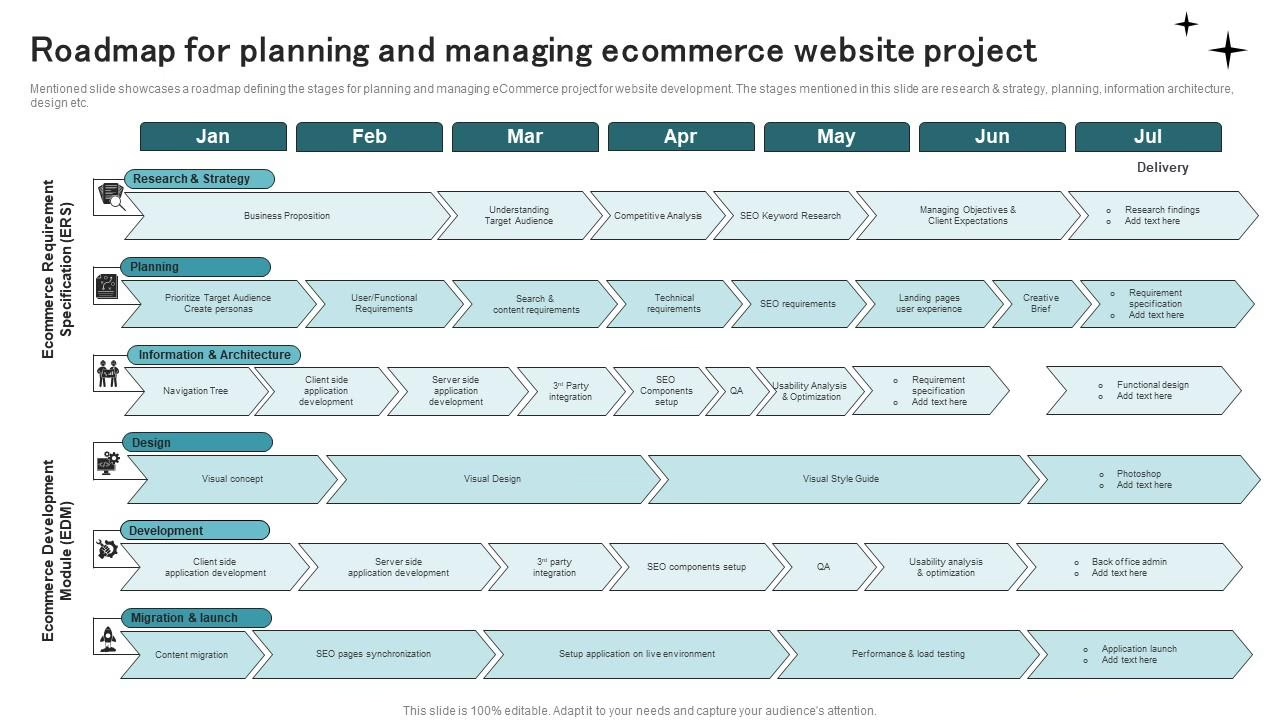
The phases used in ecommerce are intentionally simple and restrictive.
First, audit. Before any large-scale changes can happen, document current URLs and redirects, the top 100 revenue and traffic pages, product schema, all third-party integrations, every critical plugin the store relies on, and the weekly tasks the merchandising team actually performs. Any migration scope missing this step will end up discovering it in production. Our replatforming playbook explains some archetypal patterns that the audit must address.
Begin with a ‘wedge.’ Begin the migration of the homepage, category, and product detail pages to the Next.js framework while leaving the checkout as is. This keeps the risk associated with the changes isolated, and will allow you to quantify results of speed, SEO, and merchandising efforts, before influencing order flows.
Do things in parallel. Set up proxy rules, build redirect maps, test inventory synchronization, and verify the internationalization and SEO effort was maintained. Confirm that bot traffic still resolves, currency rounding matches, and order-confirmation events reach analytics and email.
Cut over with rollback ready. The launch should be uneventful. If your team cannot answer, in writing, how to roll back within one hour, it is not ready. Testing this is not optional. Evaluating external QA references like case studies on automated testing is a good way to make sure you’re pressing your vendor for a quality test plan.
What Real Projects Look Like
Two of our own projects are on either side of the Next.js ecommerce decision, and they demonstrate when the added complexity is warranted and when it is not.
NudFud, a plant-based snack brand from Toronto, had pages that explained their nutrition-dense products and helped to optimize the shopping experience. We stayed on WooCommerce for the commerce backend and focused our engineering efforts on the custom product modeling, content structuring, and fulfillment rules. Adding Next.js on top would have been a needless added cost as the issue was not rendering speed, but rather the merchandising and communication of the product.
Los Angeles-based florist Fiore Designs hit a new roadblock because Shopify’s checkout wouldn’t facilitate their zone-based delivery model. The custom checkout work drove the platform decision, not the storefront. That is the direction the hard question usually points. What can the current platform not do, and what does that capability actually earn?
The decision rule is dull, but useful. If you have no more than 5,000 SKUs and the differentiating factor is your brand and content, you can likely get the most benefit for the least money by going with Shopify’s interface and incorporating Next.js for the frontend. However, in the case of a larger catalog, price complexity, or if you have complex workflows, a headless implementation may be the best bet as long as your forecasted ROI is within twelve months of the implementation.
How to Move Next Week
Begin with the audit and not the framework. Before you enter into any discussions with vendors, make a list of your current platform, hosting, payment and shipping integrations, analytics, and email integrations and detail the functionality of your store that your team can’t modify without developer support. This becomes your brief.
Then work in this order:
- List must-keep integrations: inventory, ERP, tax, fraud, shipping, subscriptions, email, and customer support.
- Name three conversion outcomes you expect the project to move, in real numbers, not adjectives.
- Send the same brief to two vendors and compare how they scope, not just how they price.
- Ask each vendor to explain, in writing, who owns cart, checkout, tax, order status, cache invalidation, and rollback.
- Review actual storefront work, not just homepages. Ask about buying flows and content operations.
- Set a launch date. Let the date pressure-test the scope instead of letting scope pressure-test the date.
Next.js ecommerce is strong for a subset of use cases and weak for others. The vendor who articulates this honestly before building starts is the one worth contracting. If you want this level of clarity prior to writing one line of code, our ecommerce development team and Next.js practice conduct a discovery sprint that can provide the details in less than a week. The strategy phase is built with a money-back guarantee should the plan fail to hold up.
Building or replatforming a store? Let’s talk. Free 30-minute call, no pitch.

Saeedreza Abbaspour is the CEO of Refact, where he works across product, engineering, and sales. He sets the studio’s direction while staying closely involved in the work itself, from shaping product strategy and UX architecture to helping define the technical systems behind Refact’s projects. His role connects business thinking with hands-on product execution, giving him a practical view of how software should be planned, built, launched, and improved. At Refact, Saeedreza focuses on building a studio that can move quickly, solve real client problems, and turn ideas into reliable digital products.
More from Saeedreza Abbaspour

