Client Portal Software for Small Business: 7 Tools
In a 2024 Financial Cents survey of 367 accounting, bookkeeping, and tax firm owners
 Saeedreza AbbaspourOctober 12, 2026
Plenty of portals never get there. Clients forget their passwords, keep emailing, and the business ends up paying for a system that runs alongside the inbox it was meant to replace. This guide compares seven tools worth shortlisting. It also covers the parts most comparisons skip: why clients ignore portals, what “secure” actually has to mean, where the costs pile up, and when a custom client portal build makes more sense than another subscription.
Decide Which Job the Portal Has to Do First
“Client portal” doesn’t describe one kind of product. The name covers at least four different jobs. One is a secure workspace for swapping documents and messages. Another is an account and billing page, like Stripe’s hosted Customer Portal. A third is a status view for projects or requests, and the fourth is a self-service help center. A tool that’s excellent at one of these can be weak at the other three.
So start with the task that creates the most chasing right now. For an accounting practice, that’s usually tax documents and signatures. For a design agency, it’s requests and approvals. For a consultant, it’s often onboarding: a contract, an intake form, a deposit. Our guide to a client onboarding portal goes through that last case step by step.
A portal isn’t automatic, either. If you have a handful of clients or mostly one-off projects, email may be fine. Dubsado’s own help documentation says a portal may not be needed if your clients prefer emailed documents or don’t want to visit another webpage. A portal earns its cost when the same documents, approvals, and payments keep causing follow-up, or when the data you’re collecting (tax IDs, bank statements, contracts) shouldn’t be traveling through email in the first place.
The 7 Client Portal Tools Worth Shortlisting
These tools cover the most common small-business cases: service businesses that want a CRM and portal in one, agencies handling creative requests, firms whose main job is secure file exchange, and accounting practices. We haven’t listed exact prices. Plans change often, and the price that matters is the one you’ll pay at your real number of users, workspaces, and add-ons, which the pricing section covers below.
1. Dubsado: CRM, contracts, and billing with a portal attached
Dubsado works well when you want proposals, contracts, forms, invoices, payment plans, scheduling, and client records in one place. It suits consultants, creative studios, and licensed service firms that would rather run client work from one system than connect five separate tools. Templates and guided setup help if this is your first portal.
Check how the portal actually behaves before you commit. According to Dubsado’s help center, portals start out deactivated and staff have to switch them on. A client-specific access link and a public portal link have different login requirements. Items appear in the portal only after certain actions, and deleting an item from a project also removes it from the client’s portal. None of this is a flaw. It’s simply the kind of lifecycle behavior you need to understand before telling clients that everything lives in one place.
- Best fit: Solo operators and small service teams that need CRM, billing, and onboarding together.
- Watch for: The client-facing side is less flexible than a dedicated white-label portal, and advanced workflows sit on the higher tier.
2. SuiteDash: a broad operations suite with flat pricing
SuiteDash combines CRM records, projects, billing, e-signatures, support tickets, chat, file sharing, and task management behind a branded portal with a custom domain. For a growing team, its main draw is pricing that doesn’t climb with every staff seat. That makes total cost easier to predict than with tools that charge per internal user.
The tradeoff is setup effort. SuiteDash gives you a lot of parts, and you have to decide how they fit together. The interface puts function ahead of polish, so some clients may need a short walkthrough. SuiteDash’s own marketing makes one fair point: default fields like name, email, and phone stop being enough after a few months. Once you need to track package, entity type, or project parameters, those details end up back in spreadsheets unless you set up custom intake fields early.
- Best fit: Agencies and B2B service firms replacing several operations tools at once.
- Watch for: Configuration time, and the risk of spending weeks on features you didn’t need when the real problem was secure file exchange.
3. Assembly (formerly Copilot): a polished, brand-first portal
Assembly focuses on how the portal looks and feels to clients. It supports custom domains, branded home screens, forms, billing, messaging, CRM, and embedded apps. The embedded apps are useful when your work already depends on scheduling, forms, or databases, because clients get one branded space instead of five bookmarks. One accounting firm, Collective CPA, reported putting more than 200 tax clients through its Assembly portal in January 2025. That figure comes from a vendor case study, so read it as a sign of scale, not as proof of outcomes.
- Best fit: Agencies, consultants, and productized services where the portal is part of the brand experience.
- Watch for: A newer brand with a roadmap that’s still changing, and higher tiers for features like single sign-on and healthcare privacy support.
4. ManyRequests: request intake and approvals for agencies
ManyRequests is built around a repeating agency loop: a client submits a request, the team delivers, the client reviews and approves. Request forms capture what your team needs. Kanban and queue views manage delivery, design and video proofing cuts down long feedback threads, and Stripe billing handles recurring retainers.
It works best when your service repeats. If every engagement follows a different path, you’ll be fighting the structure. Extra internal seats also add cost as the team grows. Our comparison of agency client portals goes further into this category.
- Best fit: Design, marketing, and productized-service agencies.
- Watch for: Per-seat pricing, and uneven polish across modules.
5. Onehub: secure document exchange, nothing more
Onehub is the clearest choice when the main job is sharing sensitive files. It offers structured workspaces, granular permissions, audit trails, watermarks, NDAs, file previews, DocuSign integration, and white-label branding on a custom domain. It doesn’t try to be your CRM or your billing system.
That narrow focus is the point. If you need onboarding, invoicing, and project delivery too, you’ll have to connect other tools, and every connection is another place where data can drift out of sync.
- Best fit: Firms whose main need is controlled file sharing and document history.
- Watch for: Thin CRM, contract, and workflow features compared with Dubsado or SuiteDash.
6. Clinked: controlled collaboration for regulated work
Clinked suits organizations that need an ongoing workspace for client groups rather than a delivery page for a single project. It’s common in finance, legal, and accounting. It offers branded portals, detailed permissions, document management, audit trails, tasks, calendars, and messaging. It also holds ISO 27001 certification and encrypts data in transit and at rest.
It usually costs more than tools built for very small businesses, and the interface looks dated next to Assembly. With a regulated-data portal, the questions that matter most are operational. How do staff and contractor permissions work? What happens when an account is removed? How long is audit history kept, how are backups handled, and can you export your data cleanly?
- Best fit: Regulated or member-heavy organizations that need detailed access control.
- Watch for: Price as your client count grows.
7. TaxDome (or Canopy, or Karbon): portals built into accounting practice software
Most of the strongest evidence for portals comes from accounting firms, and most of those firms don’t buy a portal on its own. They use one built into their practice management software. TaxDome, Canopy, and Karbon each bundle client uploads, e-signatures, organizers, reminders, messaging, and billing with the firm’s internal workflow. That’s why they work. A document request becomes a task on someone’s list, not an email that might get missed.
Practitioner feedback is mostly positive, with clear limits. Accountants on X and in forums describe requiring TaxDome so they never have to email Social Security numbers. One CPA said clients love it, except for some older clients who can’t use any portal. Another praised Canopy’s built-in card payments. Firm360 case studies point the same way: Elser & Briggs, a 12-person Michigan CPA firm, reported saving more than 20 hours a week across the team after connecting its portal to UltraTax. Those numbers are published by the vendor, and integration with the tax software appears to have carried much of the benefit.
- Best fit: Accounting, bookkeeping, and tax practices.
- Watch for: These are practice-management platforms first. Outside accounting they don’t fit well.
How the Seven Client Portal Tools Compare
| Tool | Setup effort | Main job | Best for | Main tradeoff |
|---|---|---|---|---|
| Dubsado | Low to medium | CRM, contracts, invoices, scheduling | Solo and small service businesses | Portal lifecycle rules and less flexible client experience |
| SuiteDash | Medium | Broad operations suite with a white-label portal | Teams replacing several tools | Heavy configuration, dated interface |
| Assembly | Low | Branded portal with embedded apps, CRM, billing | Brand-led agencies and consultants | Changing roadmap, premium features on higher tiers |
| ManyRequests | Low to medium | Request intake, proofing, approvals | Creative and productized agencies | Per-seat costs, needs repeatable service |
| Onehub | Low | Secure file sharing with permissions | Document-heavy firms | Needs other tools for CRM and billing |
| Clinked | Medium | Controlled collaboration workspaces | Finance, legal, accounting | Higher pricing as you scale |
| TaxDome / Canopy / Karbon | Medium | Practice management with a built-in portal | Accounting and tax firms | Limited fit outside accounting |
For a wider view that includes tools aimed at larger teams, see our broader client portal software comparison.
Why Clients Ignore Portals, and What Gets Them to Log In
Adoption is the most common way a portal fails, and it’s rarely the vendor’s fault. One accountant on AccountingWEB reported that only 30 to 40% of clients signed up at first. On r/msp, managed service providers said clients “rarely” used the portals they had paid for. A marketing practitioner using Jira said they were “constantly having to retrain” clients who went on emailing anyway. A freelancer with 25 years of experience put it more bluntly: portals rarely worked for them, added admin, and made client relationships feel impersonal.
The objection behind most of this is simple. Clients don’t want another password. Even a magic-link login is still another platform to remember. One client summed it up: “I just want to send you my stuff via email.” Survey data backs this up. In the Woodard and Mango report on 287 US accounting professionals, 72% rated direct email or phone as effective for working with clients, compared with 58% for portals.
The firms that get past this tend to do a few specific things:
- Require the portal for one task, not all of them. Sensitive documents and signatures go through the portal. Quick questions can still come by email.
- Explain why. A firm using TitanFile found most clients accepted the portal once they understood it protected their tax data.
- Start with new clients. Making the portal standard at onboarding works better than moving everyone over at once, though adoption is still gradual.
- Offer an early incentive. One UK firm offered a small fee reduction and later reported 99% of clients using IRIS OpenSpace.
- Test with your least tech-savvy client. A partner at Foresight CPA said clients in their 80s could log in, upload, and pay. Another CPA said some older clients can’t use any portal. The difference usually comes down to the tool’s usability and the help clients get at the start.
- Keep a fallback. Phone, email, and even paper signatures stay available for the small group who won’t switch.
Make the portal work with email, too. MSP practitioners found that emails sent to their ticketing system automatically landed on the right contract, while tickets submitted through the portal sometimes sat “unassigned and unnoticed.” That’s worse than email. If the tool can pull email replies into the same request, turn that on. These tactics are anecdotes, not tested methods, but they show up again and again across bookkeeping, agency, and MSP discussions.
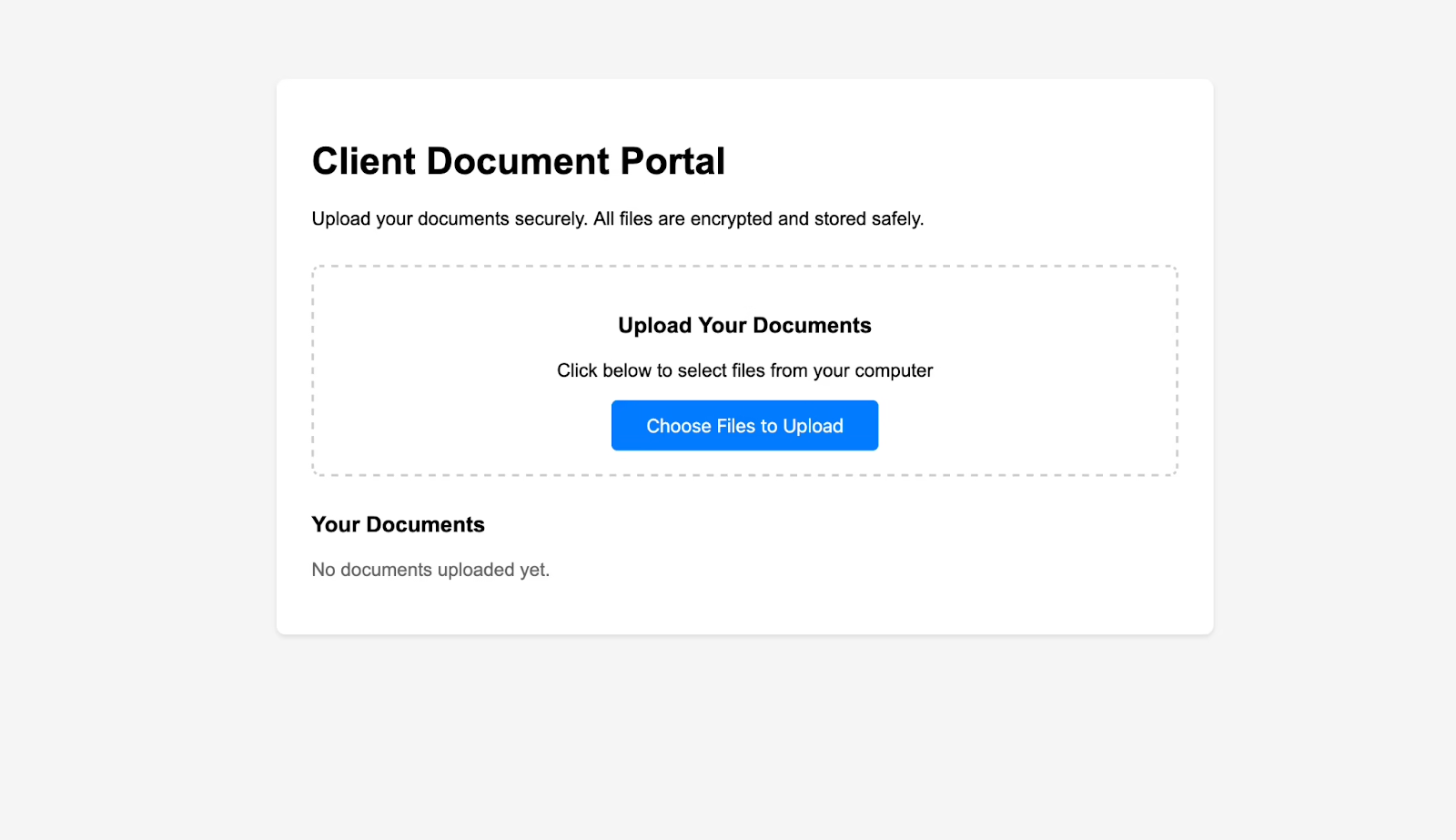
Secure Login Doesn’t Mean Each Client Only Sees Their Own Files
Every vendor advertises encryption and multi-factor authentication. Those matter, but they answer the wrong question. The bigger risk in a portal is a logged-in client seeing another client’s records. OWASP ranks this exact flaw, broken object-level authorization, first in its 2023 API Security Top 10. A portal is full of IDs and links pointing to documents, invoices, and messages. If the app checks that someone is logged in but not that the specific file belongs to them, changing one number in a URL can expose someone else’s tax return.
File sharing has its own risks. OWASP’s file upload guidance recommends limiting file size and type, generating file names on the server, not trusting the file type the browser reports, and scanning uploads. Many portals store files in Amazon S3 and hand out presigned links, which AWS describes as bearer tokens: anyone holding the link can use it until it expires. A forwarded link keeps working. A large upload over a weak connection can fail with no retry. A file can show as uploaded before scanning is done.
You don’t have to audit a vendor’s code to ask good questions. Ask these:
- How is every file and record scoped to a single client, and can you show me a cross-client access attempt being denied?
- Do shared links expire, and can a forwarded link be used by someone else?
- What happens to a contact’s access when they leave their company or a project closes?
- What does “delete” mean across copies and backups, and can I export everything with its client associations intact?
Login strength should match what’s at stake. NIST’s digital identity guidelines (SP 800-63, Revision 4, finalized in 2025) cover passkeys and stronger authenticators. Tax, legal, and financial records justify more than a password. A design proof doesn’t. Whatever you choose, make sure account recovery makes sense to clients and that staff can handle lockouts without falling back on unsafe workarounds like emailing the file anyway.
The FTC’s small-business cybersecurity guidance covers the practices underneath all of this: separate accounts, sensitive data limited to the people who need it, and vendor access restricted to the data and time required. The stakes are real. The Verizon 2025 small-business breach snapshot recorded 3,049 incidents at small organizations, 2,842 of them with confirmed data disclosure, and ransomware in 88% of reported SMB breaches. A portal should cut down the sensitive files spread across inboxes. It shouldn’t become one large, poorly governed store of them. Our guide to a secure portal for clients covers the compliance side in more detail.
Where Client Portal Costs Actually Pile Up
The listed subscription price is rarely what you end up paying. Costs grow with internal users, workspaces, branding, custom domains, and add-ons. One small business owner on r/smallbusiness said they’d happily pay around $1,000 a month for the right tool but objected to per-user fees for people who barely used it. An MSP worked out that a $40-a-month add-on came to $480 a year for a feature they used “maybe twice.”
Then there are the costs no pricing page shows: setup time, client support, staff training, and integration work. The OECD’s 2025 SME survey listed maintenance cost as a barrier to digital tools for 40% of small and medium businesses, and lack of time for training for 39%. CRS CPAs, a 50-person firm profiled by Firm360, ran its old and new systems side by side for a month during a four-month rollout and needed about three months to get all staff using it. Budget for that kind of overlap.
White-label branding is often where plans jump a tier. If a branded domain matters to you, our white label client portal guide explains what real branding includes and what it costs.
When a Custom Client Portal Makes More Sense
Off-the-shelf portals often get you most of the way. Sometimes, though, the part they can’t handle is the part your business depends on. A packaged tool is the right call if you need file sharing, e-signatures, intake forms, and basic billing. You’ll go live faster and take on less risk.
Custom work starts to pay off when several of these are true together:
- Your workflow doesn’t fit standard settings. Approval chains, eligibility rules, or multi-party clients don’t map to any vendor’s configuration.
- Your staff copy data between systems. The same client details get typed into billing, the CRM, and a spreadsheet.
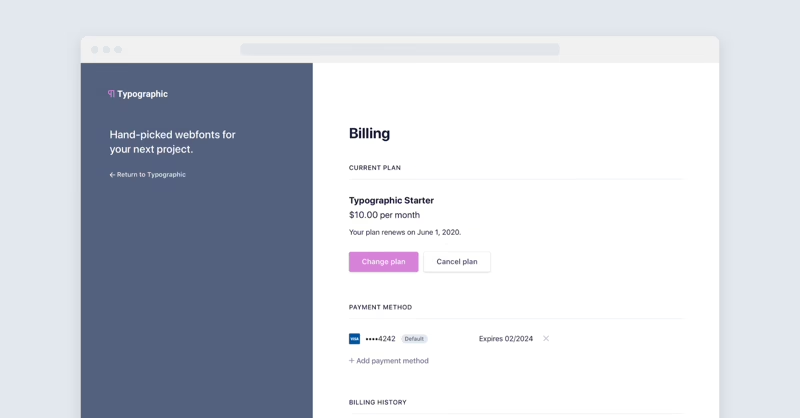
- The portal surface doesn’t own the work. Stripe’s Customer Portal, for example, handles billing only, and in some setups (usage-based billing, trials, scheduled changes) customers can cancel but not update a subscription. Someone also has to listen for webhooks so access is revoked after cancellation. A proper Stripe integration becomes part of the portal project.
- You’ve outgrown generic fields. The data your service depends on doesn’t fit name, email, and phone.
Building comes with its own risks. One widely shared story on X described a personal trainer who paid $2,000 over three months for a custom portal. He’d outgrown it by launch, it crashed at around ten users, and the developer stopped responding. Commenters pointed to scope creep and to a small operator stuck solving infrastructure problems when he should have been solving customer ones. A custom build also makes you responsible for the security work described above: per-record authorization, tenant isolation, upload handling, link expiry. If you build on Supabase, its documentation warns that row-level security isn’t “set and forget,” because service roles and database views can bypass it.
That’s why we start custom portal work with scope, not screens. When we built a user dashboard for Stacked Marketer’s paid community, the dashboard itself was the easy part. The work that mattered was deciding what members needed to see and how the dashboard connected to the products and accounts behind it. If you need more engineering capacity around a build, some teams also hire vetted remote developers. Just make sure someone still owns the architecture and the security model.
Accessibility belongs in the first version too. WCAG 2.2 accessibility guidelines cover keyboard access, readable forms, text alternatives, and clear status messages. These are the same details that help an 80-year-old client upload a bank statement from their phone, and they cost far more to add after launch. Our portal and dashboard development team designs these in from the start.
Run a Two-Week Pilot Before You Commit
Don’t judge a portal by its demo. Pick two tools from the shortlist, choose one real task (the one that generates the most chasing), and run it with five to ten real clients. Include at least one client who isn’t comfortable with technology. Then check seven things:
- Workflow fit: Can clients complete the task with less back-and-forth than email?
- Access boundaries: Can the vendor show that one client cannot reach another’s files?
- Lifecycle: Add a second contact, reassign a staff member, close a project, disable access. Does each step behave the way you expect?
- Uploads: Try a large file from a phone on a weak connection.
- Integrations: If a sync to your CRM or billing system fails, who notices, and how?
- Adoption: Count completed tasks and fewer follow-up emails, not invitations sent.
- Exit: Export a client’s records and files. Do they come out with their client links intact?
Measure against a baseline. Write down how long document collection takes this month before the pilot starts. Name one person responsible for staff consistency and client onboarding, not just for admin settings. That ownership is what separated the CRS CPAs rollout from the firms that gave up and went back to email.
A good client portal is a workflow decision first and a software purchase second. Get the task, the access rules, and the system that owns each record right, and most tools on this list will serve you well. If your pilot shows that none of them fit how your clients actually work, that’s the point to bring in Refact’s product design team. We map the workflow before anyone writes code, and the discovery phase comes with a money-back guarantee.
Building a product and unsure what to scope first? Let’s talk. Free 30-minute call, no pitch.

Saeedreza Abbaspour is the CEO of Refact, where he works across product, engineering, and sales. He sets the studio’s direction while staying closely involved in the work itself, from shaping product strategy and UX architecture to helping define the technical systems behind Refact’s projects. His role connects business thinking with hands-on product execution, giving him a practical view of how software should be planned, built, launched, and improved. At Refact, Saeedreza focuses on building a studio that can move quickly, solve real client problems, and turn ideas into reliable digital products.
More from Saeedreza Abbaspour

