B2C Portal Guide for Founders Without a CTO
Most portal projects hit a dead end before a single screen is designed.


A good B2C portal is not a design problem; it is addressing which ongoing issues you want to resolve and which of your services you are prepared to offer to customers without staff involvement. The Global B2C eCommerce market is predicted to move from approximately USD 7.7 trillion in 2025 to potentially reach USD 19 trillion by 2031. Most of this projected value will be processed through authenticated, account-centered experiences. This projected growth is the reason to be thorough in your planning and not the reason to opt for speed while building.
What a B2C Portal Actually Is, and What It Is Not
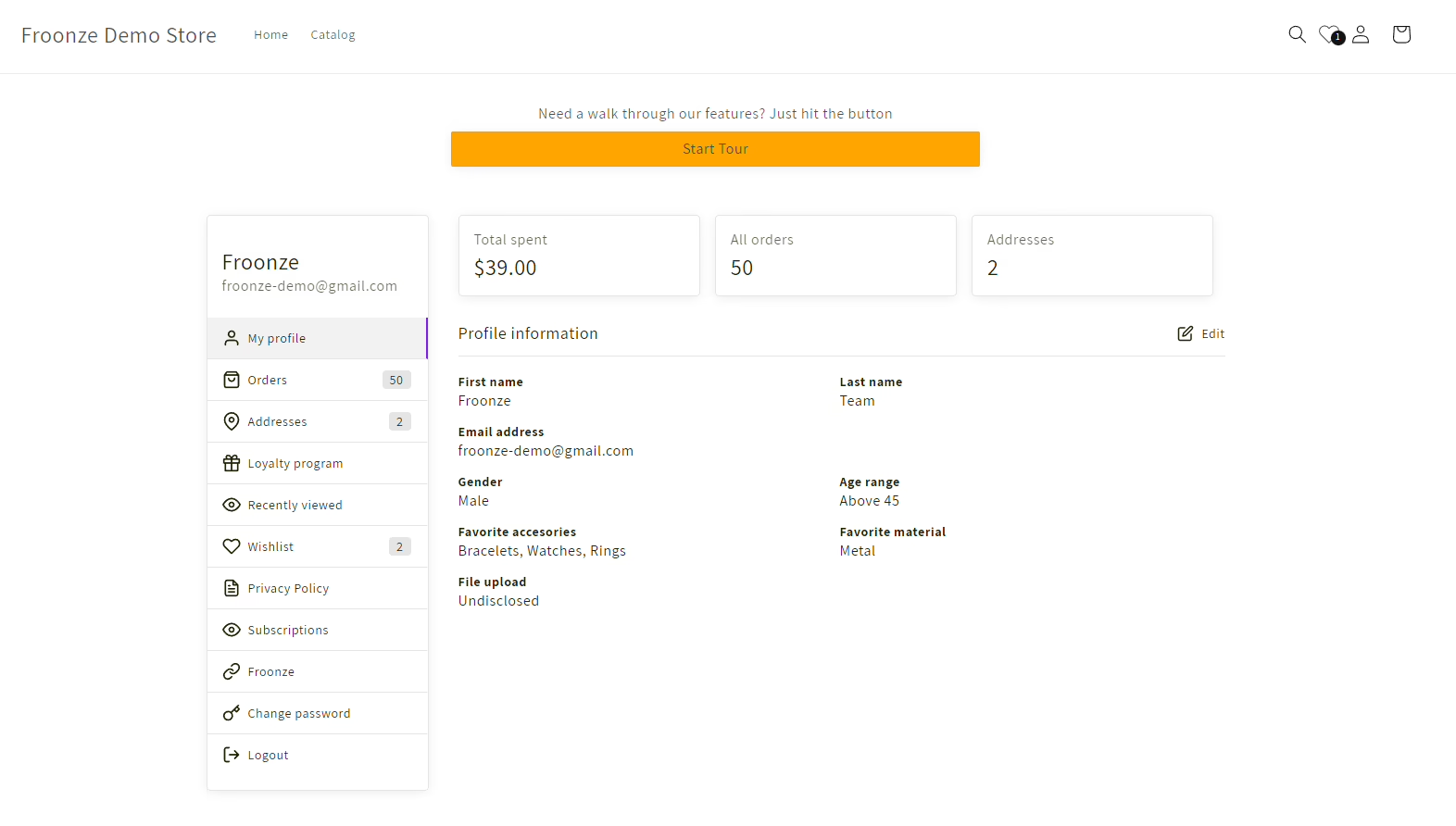
A B2C portal is the secured, private area of a consumer brand’s website. Each customer is presented with their specific, associated information: profile, orders, preferences, subscriptions, downloads, entitlements, and support. It sits between two things that are already familiar.
- The storefront attracts visitors and helps them buy.
- The help center answers general questions for everyone.
- The portal lets one specific customer manage their own relationship with the brand.
A help center cannot show shoppers order and payment method information. A storefront cannot usually manage subscription changes, warranty registrations, or member-only sections. A portal connects those actions to the business’s operations. You can find a more extensive explanation with the trade-offs in our customer portal guide.
A portal becomes necessary when customers return, configure something, refill something, use a warranty, or access member-exclusive info. Most customers who buy once will not justify the cost. A variety of businesses in the Direct to Consumer space, Clinics, Memberships, Education, and Hospitality (as well as most software) pass this test. Single-purchase businesses tend not to.
Before considering scope creep, take note. There is a known pattern among business owners. A small business owner often spends a few thousand dollars on a paid “client portal” and within three months outgrows it, only to watch it become unusable under a handful of concurrent users when the contracted developer stops responding to their requests. The software usually is not the problem. Constructing a portal prior to defining its core function is the issue.
Where B2C Portals Actually Pay Back
A portal earns its cost when it changes a business result. That result is usually one of three things: fewer tickets for a repeated question, a retained subscriber who would otherwise cancel, or a saved payment that would otherwise churn silently. Start there and let features follow.
| Use case | What the customer gets | What the business gets |
|---|---|---|
| Order tracking and reorder | Delivery status and a one-click repeat of a past order | Fewer “where is my order” tickets and a shorter path to repeat purchase |
| Subscription self-service | Ability to pause, skip, swap, or change cadence | Pause instead of cancel, which protects retention |
| Account and payment management | Statements, saved cards, address updates | Fewer routine calls and fewer failed renewals |
| Downloads and warranty | Manuals, receipts, and device history in one place | Less email delivery of PDFs and easier warranty support |
| Membership access | Gated content, bookings, replays | One system of record for access and entitlements |
Look at the pattern. Pet food brands shouldn’t make customers choose between accepting a shipment they don’t want and cancelling for good. A pause feature is better for the customer and less detrimental for the business regarding retention. We work with a Canadian direct-to-consumer brand on their subscription-only Shopify build. Broya treats those account moments as conversion moments, not admin. For every subscription control that a customer can operate, the support team doesn’t need to make a decision on their behalf.
The Features That Carry the Weight, and the Ones That Do Not
Feature lists in portal proposals are usually too long. The crucial, and often boring, building blocks of a portal are the load-bearing elements. Get these four right and the rest will fall into place.
- Authentication and recovery. Email login, social sign-in, or magic links, plus a self-serve password reset that actually works on mobile. If a customer cannot get back in, the portal becomes another support channel.
- One accurate account state. Orders, subscriptions, preferences, permissions, and entitlements need to resolve to one customer identity across systems. Two sources of truth will eventually contradict each other.
- Notifications the customer controls. Channel choice, frequency, and quiet hours. A portal that emails and texts every status change trains people to ignore it.
- Payment and cancellation flows. Show upcoming charges, store payment tokens through a compliant provider, and make refunds, cancellations, and card updates understandable in plain language.
The experience around those systems is what makes them usable. Put the account menu where customers look for it. Show customers recent activity. Use order statuses that customers would verbally describe instead of internal warehouse codes. Confirm that the customer wants to take a destructive action. Make empty states interactive and inform the user of the actions they can take to fill the empty states.
Mobile is the front door. Most portal visits start with a link in an email or a text, opened on a phone while the person is doing something else. Design that path first and treat desktop as the wider version, not the other way around. If your portal will also hold sensitive account data or documents, our notes on secure portal design are worth reading before you scope authentication.
The features that get demoed well but don’t make it to the first release typically include loyalty dashboards, wishlists, recommendation carousels, and community feeds. These features can be implemented after the core journey is implemented. They will not help save a portal if users can’t access invoices. AI-assisted answers and other self-service portal patterns (adjacent patterns) from the support automation world can serve as a reference for where those self-service features can be implemented, but only after the account layer is stable.
Build, Buy, or Assemble: Choose the Smallest Path That Fits
You have three main options. None of them is automatically correct, and the right answer depends on how much account logic you control.
The first option is to purchase a SaaS template. This option is appropriate if you need to build at some speed and can live without a fully customized account model. In this option, you get a working application and basic authentication and screens. You hit the ceiling of this option if your data model starts to diverge or if a core operation relies on a feature that will take an unreasonable amount of time to build. Our comparison of client portal software outlines where those ceilings typically are.
The second option is to go with no-code tools. This can work for relatively simple workflows and if one team member is able to take ownership of the configuration. This can support simple membership and subscription add-ons integrated with a payment gateway. This falls apart with added complexity (permissions, access controls, etc.). Tool integration adds a lot of complexity, and unexplained limits appear suddenly.
Custom development is required when the portal is part of the product itself. You maintain control over the account rules, integrations, onboarding, and pace of change. The challenge is scope. A team that agrees to “just order history” and develops support, loyalty, and community features before the first client even logs in will spend more than any template would cost. A detailed build vs. buy analysis should be conducted, on paper, prior to pursuing this route, especially when a fractional engineering team is involved.
Four questions determine the actual choice.
- Runway. How long can you fund both the build and ongoing maintenance?
- Control. Do you need to change account logic without waiting for a vendor?
- Data ownership. Can you export customer history and move platforms later?
- Reliability under load. Will the setup hold up during a promotion or a launch spike without taking checkout down?
Choose the smallest path that safeguards the data and workflow that will be needed next, not the path that puts a demo online first.
What a B2C Portal Actually Costs
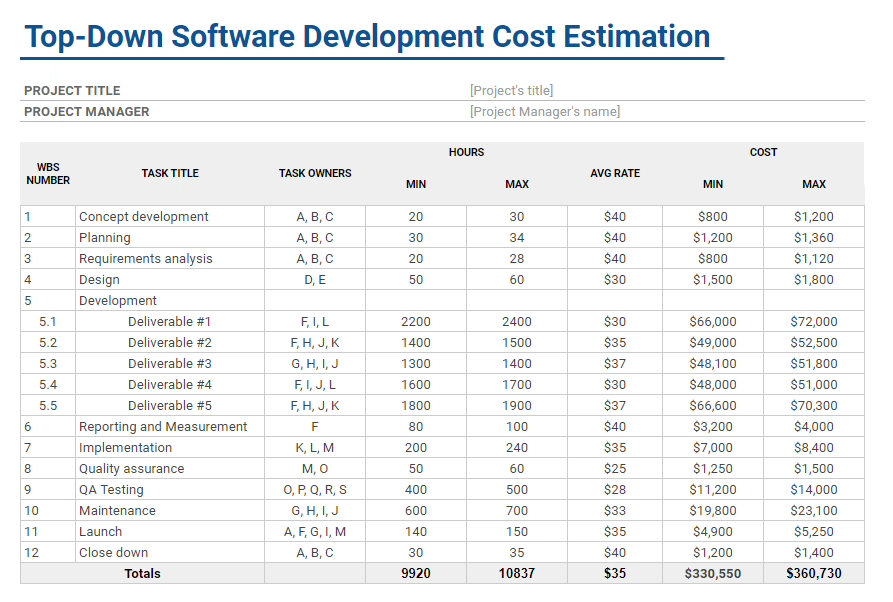
Founders request a single portal price. That question cannot be answered until the account states and integrations are known. A portal with a single payment flow and three screens would be a completely different project from one that manages subscriptions, fulfillment, support, inventory, and client data. Use the figures below as planning estimates and to assess the reasonableness of quoted prices.
| Path | Typical cost | Typical timeline | Main cost drivers |
|---|---|---|---|
| Thin no-code portal | USD 5,000 to 20,000 | A few weeks | Tool setup, payment connection, basic access rules, content |
| Assembled stack with a light backend | USD 20,000 to 60,000 | Two to four months | Data model, integrations, custom screens, testing |
| Custom build with a small studio or fractional team | USD 60,000 to 180,000 | Four to nine months | User states, payment flows, support tools, design, security, migration |
The numbers increase if users have different permission levels, if systems conflict over identity, or if the portal has to deal with refunds, cancellations, device history, or complicated permissions. Sophisticated design increases complexity. More complex data and opaque business rules often add more.
Calendar time disregards the extra work that founders forget to budget for. Compliance review, content migration, integrations, approvals for user acceptance testing, and internal training all add time after the screens are built. Do not settle for a timeline that only accounts for the coding. Ask when the team will map data, test failed payments, verify account recovery, and do a private beta. Those tasks decide whether the customers can use the portal once it is built. For lean product work, our MVP web development guide provides a similar approach for first releases.
A Seven-Week Launch You Can Actually Run
The first defensible launch begins with a business problem, not a feature list. Assign each week a decision and a stopping point. If a week ends without a decision, you are not ready for the next week.
For the first week, give the core job a name. Write one complete statement: ‘Customers use this portal to ________.’ Choose the journey that is currently draining the team. If you cannot name it, then you are not ready to choose a stack.
For the second week, draw the real journey on paper from login to completion, and include the failure modes such as forgotten passwords, expired cards, and cancellations with a clear path for the user to escalate the situation to a human. Consult this customer onboarding guide if you want to think through the first login experience systematically and with a good structure.
For the third week, make a decision on what must connect on day one. Write a list of the systems the portal will not be able to function without: ecommerce, subscription billing, CRM, a support desk, and fulfillment, etc. Everything else has to wait.
Week four, build only the load-bearing parts. Only a couple hard-stop actions. Don’t even think about adding a loyalty screen while customers continue to struggle to find an invoice.
Week five, test using actual account state data. Incomplete profiles, lapsed payments, subscription cancellations, missing orders, chargebacks. Address the paths which generate support tickets.
Week six, perform a private beta. Give access to real customers and see what they actually do, where they stop, and which support requests still come into your system.
Week seven, launch and monitor. Leave the escalation path in place. Review support requests for two weeks to determine where you should focus before investing in improvements.
When we rebuilt the ordering platform for Fiore Designs, a Los Angeles florist whose delivery rules didn’t fit a standard Shopify checkout, the sequence above is essentially what we ran. As with most portal development, delivery zone logic is the backbone of the solution. Everything else could wait until customers were able to add orders without a phone call. When undertaking a portal development project, the same level of discipline is crucial. If your company’s internal team doesn’t have any product decisions paired with engineering, then it is often more cost effective to hire a portal development company than to build that combination in-house for a single portal development project.
What to Do This Week
Do not start by buying software. Start with the customer journey that wastes the most team time.
- Audit one painful journey. Pick order questions, subscription changes, or account documents. Count the tickets or staff hours it produces in a normal week. That number is your baseline.
- Write a one-page portal brief. Customer, core job, systems involved, required account states, and the single action that must work on launch day.
- Pressure-test three routes. Compare a template, an assembled stack, and custom development against your timing, data needs, maintenance capacity, and expected traffic.
When you are having vendor discussions, bring up the real support workload (not made-up targets) and ask what option will allow the employees to complete the work within the planned timeframe without the need for additional engineers.
If you are looking to build a customer portal, and looking for a way to turn one particularly painful customer journey into a scoped build, rather than another proposal, then you will find Refact’s portals practice built to bring clarity to the situation. Bring the most requested item, systems involved, and an approximate time frame. The first decision is likely to be smaller than what you were contemplating.
Building a product and unsure what to scope first? Let’s talk. Free 30-minute call, no pitch.

Saeedreza Abbaspour is the CEO of Refact, where he works across product, engineering, and sales. He sets the studio’s direction while staying closely involved in the work itself, from shaping product strategy and UX architecture to helping define the technical systems behind Refact’s projects. His role connects business thinking with hands-on product execution, giving him a practical view of how software should be planned, built, launched, and improved. At Refact, Saeedreza focuses on building a studio that can move quickly, solve real client problems, and turn ideas into reliable digital products.
More from Saeedreza Abbaspour

