Website Maintenance Plan: An Operator’s Guide
You will not find the root of most site outages in the code.


That is what a website maintenance plan is for. It is the operating layer of any site you rely on for your revenue, leads or customer trust, and its job is to make those moments less likely and far less costly when they do occur. If you view it as a checklist it is an expense you will come to resent; see it as risk insurance for the business and it is some of the cheapest operational discipline you can have.
We have put together this guide for the one who has to make the call on what goes into a plan, how much to put down for it and whether it is doing its job.
What a Website Maintenance Plan Actually Is
Put simply, a maintenance plan is the day-to-day running of a production system. There are security patches, backups, monitoring for uptime and performance, checks for broken links and errors, the human review of it all and the necessary hygiene for your certificates and DNS. You could say the industry has a good handle on the minimum scope. Anything beyond that is up for negotiation and that is where you run into overpricing and confusion.
It is worth making a distinction between three items that tend to get muddied in a contract:
- Maintenance. This is the scheduled, preventive side of things. It happens on a regular cadence regardless of whether something is broken.
- Support. Ad-hoc work like content edits or small fixes made at your behest.
- Development. For the new features, integrations and redesigns.
Agencies and clients will argue over these if they are not clear. “Unlimited small updates” is a case in point. It is a generous sounding offer that has a way of turning into a mini-redesign every month. An experienced operator will put a cap on a “small change” by time and frequency – thirty minutes, for instance. We go into more detail on how to draw that line in a contract in our operator’s guide to website maintenance services.
Why the Reactive Model Is More Expensive
Some think reactive maintenance is the economical choice since you only pay when there is a problem. In fact, deferred maintenance has a way of compounding. That plugin you put off six months back is now at odds with a security patch you require. Your certificate expires on a Sunday morning and you do not notice. A migration wrecks your canonical tags and you are left to discover it three weeks on when your organic traffic has already taken a 30 per cent hit.
The figures speak for themselves. IBM puts the average cost of a data breach at $4.45 million in their Cost of a Data Breach report. Cloudflare saw DDoS attacks jump 65% in 2024. And while 99.9% is the expectation for a critical business site, analysis from the team at Instatus will tell you that web and software maintenance can run to nine times the initial build over the life of the product, a fact launch budgets are fond of overlooking.
You do not need to memorise them. Just keep this in mind: a few hundred dollars a month of prevention is a fair trade for the kind of four- or five-figure emergency or SEO collapse you would have to disclose.
The Cadence That Catches Problems Early
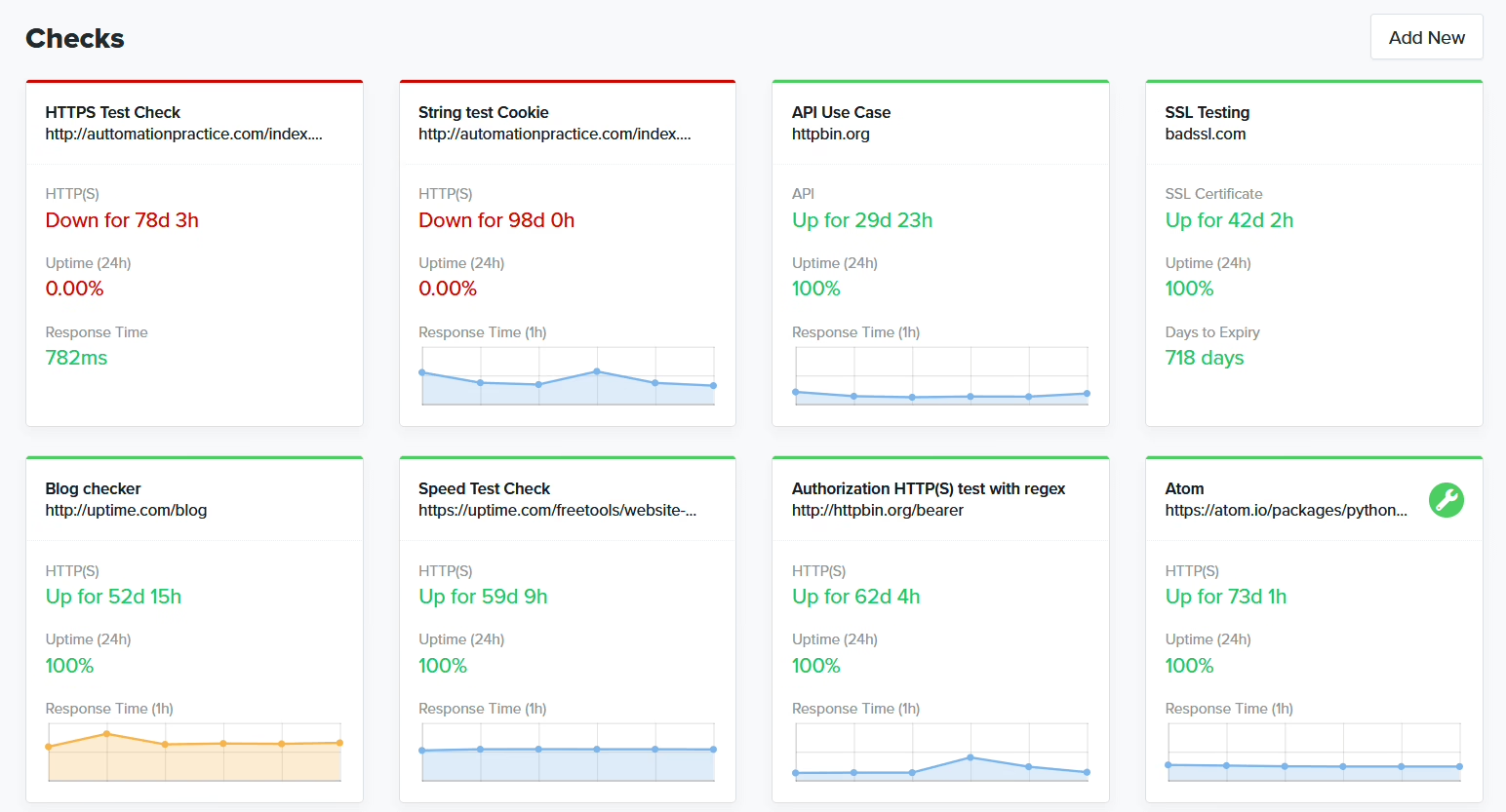
A good plan is driven by a cadence, not a ticket queue. Most seasoned shops, following the sort of rhythm Thundertech lays out, will have something like this:
- Weekly: Off-site backups, a look at error logs and uptime, and QA on any new content.
- Monthly: Patching the CMS, plugins and themes. Checking certificates and DNS. Measuring performance on Core Web Vitals.
- Quarterly: An accessibility and security audit. A proper restore test of a backup in a non-production setting.
- Annually: Review the architecture and your domain inventory. Put some time into internal training and documentation.
The point is the regularity. Websites tend to drift rather than fail in one go. A script will conflict with a tag manager, a mobile layout will break after an edit. The plan is there to put a stop to it while the fix is still inexpensive.
Backups Only Count If You Have Restored One
If you have not restored a backup, you are just hoping for the best. Untested ones have a predictable way of failing: they miss the environment variables and secrets, they leave out user-uploaded files, or they are sitting on the same server that has just given up.
A serious operation will document the whole scope of the backup, from the database and WAF rules to DNS records and configuration, and set clear Recovery Time and Point Objectives. You should be rehearsing a full restore once a year at least. If you cannot tell me in minutes, not hours, how long it would be to put the site back on a fresh server, then you are not done with your backup plan.
Certificates, DNS, and Configuration Drift
Then there are the outages that are hardly exotic but very embarrassing. An SSL nobody renewed, a TTL set too high in a migration, or a DNS record altered in secret. They are all Sunday-morning incidents in the making.
There is nothing glamorous about the remedy. You need a monitored inventory of your DNS and certificates with automated renewals where you can get them, and some control over changes to production. The same goes for configuration drift. Let three admins make ad-hoc alterations to staging and production over the course of a year and you will have edge-case bugs you cannot debug. Version control and the occasional access review will save you from having to spend your weekend on it. ZZBLOCK6ZZ
You will find that pricing is the one area where the buyer thinks he has been had and the provider feels short-changed. The trouble is “maintenance” is a word that can cover five entirely different scopes of work. Get the scope to align with the site and the price is an honest one.
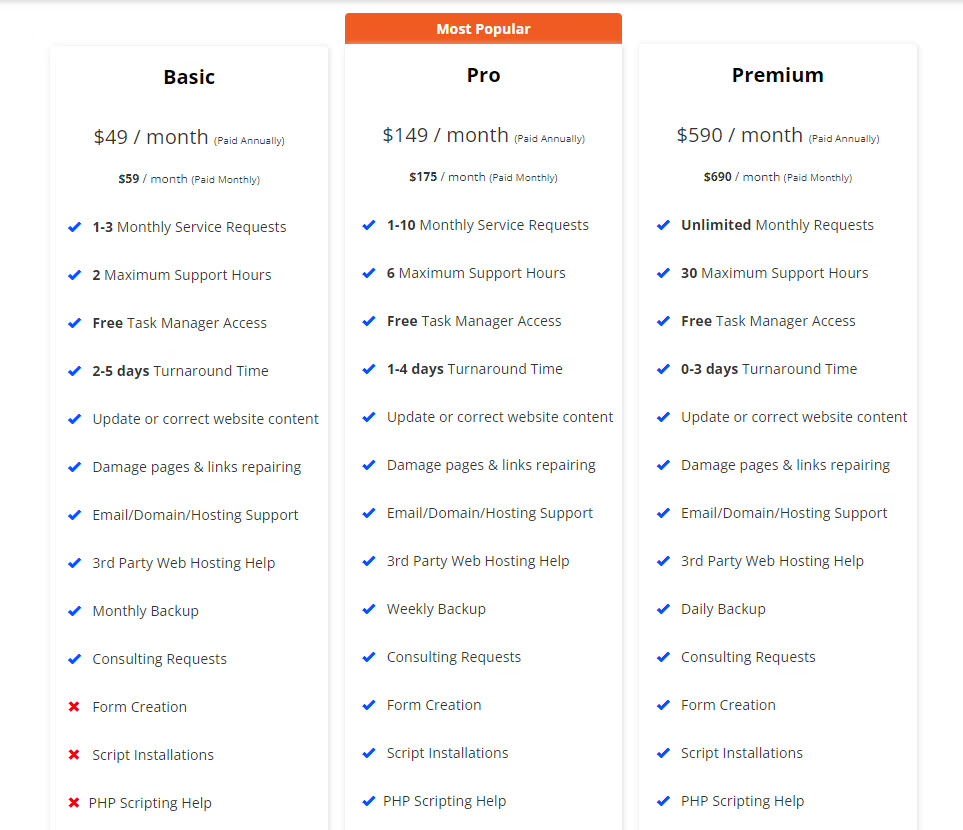
We have put together some typical bands from our own dealings with operators and the numbers Hyperping put in its 2026 breakdown here:
- Personal or hobby site: $5–$75 a month. You are paying for updates and backups.
- Small business brochure: $95 to $400. Covers light content edits, security, monitoring and the like.
- Active marketing site: $300 to $1,500. Now you add monthly reporting, conversion checks, performance tuning and SEO hygiene.
- Ecommerce / membership: $500 to $2,500 and up. For peak-season readiness, integration health and watching the checkout.
- Enterprise: $2,000 to $5,000+ depending on your in-house capacity, compliance needs and SLAs.
A couple of things to bear in mind. For one, the credible sources all agree on the low and mid tiers. With enterprise the figures can be off by a factor of five, so don’t take any one number as a benchmark. And it is not about hours; it is about risk and complexity. A WordPress site with a CRM and a daily publishing workflow has more ways to fail than a five-page brochure. Our guide to website maintenance cost goes into the why of it.
Not sure how exposed your own site is? We run a free WordPress vulnerability check that lists what needs patching first. Request the check.
DIY, Freelancer, or Agency
Put aside the emotion. It comes down to your risk tolerance and where you want your team’s time to go.
Sure, DIY is fine if you have a stable stack and an owner who will stick to the schedule. But we have done enough cleanup work to know the truth: most do not follow through. The sites that end up with us after being hacked or quietly losing their rankings are usually the ones where the owner said “I’ll handle it.”
Then there is the freelancer. They are good for the recurring tasks on a simple WordPress build but you have a single point of failure. When they go on holiday or leave for greener pastures, the knowledge leaves with them.
An agency should bring process and judgment, not just labour. Sites these days are no longer a matter of ticking boxes. As Elementor makes clear in its review of what modern maintenance entails, you have headless platforms, SaaS and microservices that require a level of monitoring your old “update the plugins and back up” plan would miss. Think of it as buying fewer surprises rather than more hours.
How to Choose a Maintenance Partner
Buyers have a habit of comparing the line items and the monthly tab then ignoring how the relationship holds up when things go sideways. That is putting the cart before the horse. The line items are easy. You need to ask the operational questions:
- What is your response time in an emergency and what is the process?
- Do you test on staging before you push to production and have a rollback in place?
- How do you report on what was done each month and what was averted?
- Who has the keys to the domain, the hosting, the CMS?
- What is in scope and what is going to trigger extra charges?
That last one is where you get the most friction. A bad partner will put “ongoing support” in the contract and let the vagueness work for him. The right one will make the scope boundary so specific it is hard to read. It is worth knowing the difference between an OLA and an SLA too; this primer explains what your provider is really promising.
And do not underestimate ownership. If a vendor has your admin credentials or controls your domain, they have the leverage when the relationship sours. You see this horror story in every practitioner forum and it is easily written out of the contract.
How long they keep a client is telling. One analysis shows the average runs under three years, so if a partner has been with you longer than that they are likely doing something right. We saw it with Teton Gravity Research: rebuilding the platform to move thousands of articles from a legacy CMS was only part of the job with TGR. The real work was in the continuity of an editorial workflow that runs day in and day out.
Maintenance That Touches the Business Calendar
The better plans are in step with the product and marketing calendar. You have your launch week, your enrollment window, your paid campaign push. Those are times for nothing but emergency work. You do your risky upgrades and structural refactors in the quiet periods in between.
Maintenance becomes an operations function, not a vendor relationship. We made that clear when we put on the premium newsletter Trends for The Hustle. The launch was two weeks, but the discipline in how we monitored and updated the platform in the two years following was what counted. A sound plan is there to protect that.
How to Tell If Your Plan Is Actually Working
“Nothing exploded” is hardly a standard to hold to. You should be able to put evidence to four questions every month to know a plan is working:
Consider what your maintenance is actually accomplishing. Have you blocked attacks and patched vulnerabilities? Are the certificates in order, renewed well before they are due? On the improvement side, you should see faster page loads and content corrections put out to pasture, with the logs showing fewer errors and any accessibility hiccups put right.
Then look at what is coming down the pike. An aging dependency, a hosting constraint or some part of the stack without an owner on record – those are the next risks. And if you turn a blind eye to them, what is the cost to the business?
If your monthly report doesn’t put answers to those questions on the table, then you are funding a recurring expense, not a proper plan. What you need is transparency, which is the most valuable upgrade you can make. A brief, forthright report from us will make the invisible work something a CFO can stand behind. It also provides a paper trail you will be thankful for in the event of an incident or a security review. For the latter, we have a website security audit guide that makes a good companion to the day to day.
Where Maintenance Meets the Next Decision
Eventually you will run into the limits of the platform. The plugins are at odds, the CMS is resisting your editorial process and no amount of tweaking will budge the page speed. When that happens, the sensible thing to do is not to keep maintaining but to plan a migration or redesign, making sure the current site is secure while you get the new one in place. Our how to migrate WordPress is written for exactly that discussion.
The truth is, most sites don’t call for anything heroic, just a level-headed approach. You want defined scope and a real cadence, backups you know you can restore and monitoring you can put your faith in. And a monthly report to show for it. If you are trying to figure out if your current plan is pulling its weight or what ought to be in it, we can provide that kind of early-stage clarity through our website maintenance and support. Because clarity before code is as important after launch as before.
Running a WordPress site that has outgrown its build? Let’s talk. Free 30-minute call, no pitch.

Masoud Golchin is a backend developer at Refact, working on server-side systems, internal tooling, and infrastructure. He builds and maintains the services that support both client projects and the team’s day-to-day development workflow. His work includes backend logic, developer tools, system reliability, and the technical foundations that allow products to scale and operate consistently. At Refact, Masoud focuses on creating practical engineering solutions that help the team move faster while keeping systems organized, maintainable, and dependable.
More from Masoud Golchin

