React CMS: A Practical Guide for Operators
Most decisions about React CMS platforms are made in the wrong order.


A React CMS is not a single structure. A React CMS consists of multiple variations with different owners, different failure modes, and varying costs. This guide is for the person who has to live with the choice; the operator, product owner, or engineering lead. The goal is to publish content faster without requiring a ticket to be created for each page update. If you want to read about when this pattern matters, we have written about how headless CMSs fit React teams in more detail in a companion piece.
What a React CMS Actually Means
There are systems that utilize React on the admin side of the CMS, and there are systems that allow disconnected, API-based delivery of content to a React frontend. Most systems today fulfill both of these needs. The Cosmic team states this well in their React CMS overview: When using React, the interface is built to control the content, and the delivery of the content to the platform is then handled by the CMS. A connection is made through an API.
The split is significant because it determines ownership. When dealing with a typical WordPress setting, the CMS takes care of rendering, routing, and SEO. When dealing with a React CMS, frontend teams take ownership of all three. This can be a burden or a relief, depending on the presence of a frontend team.
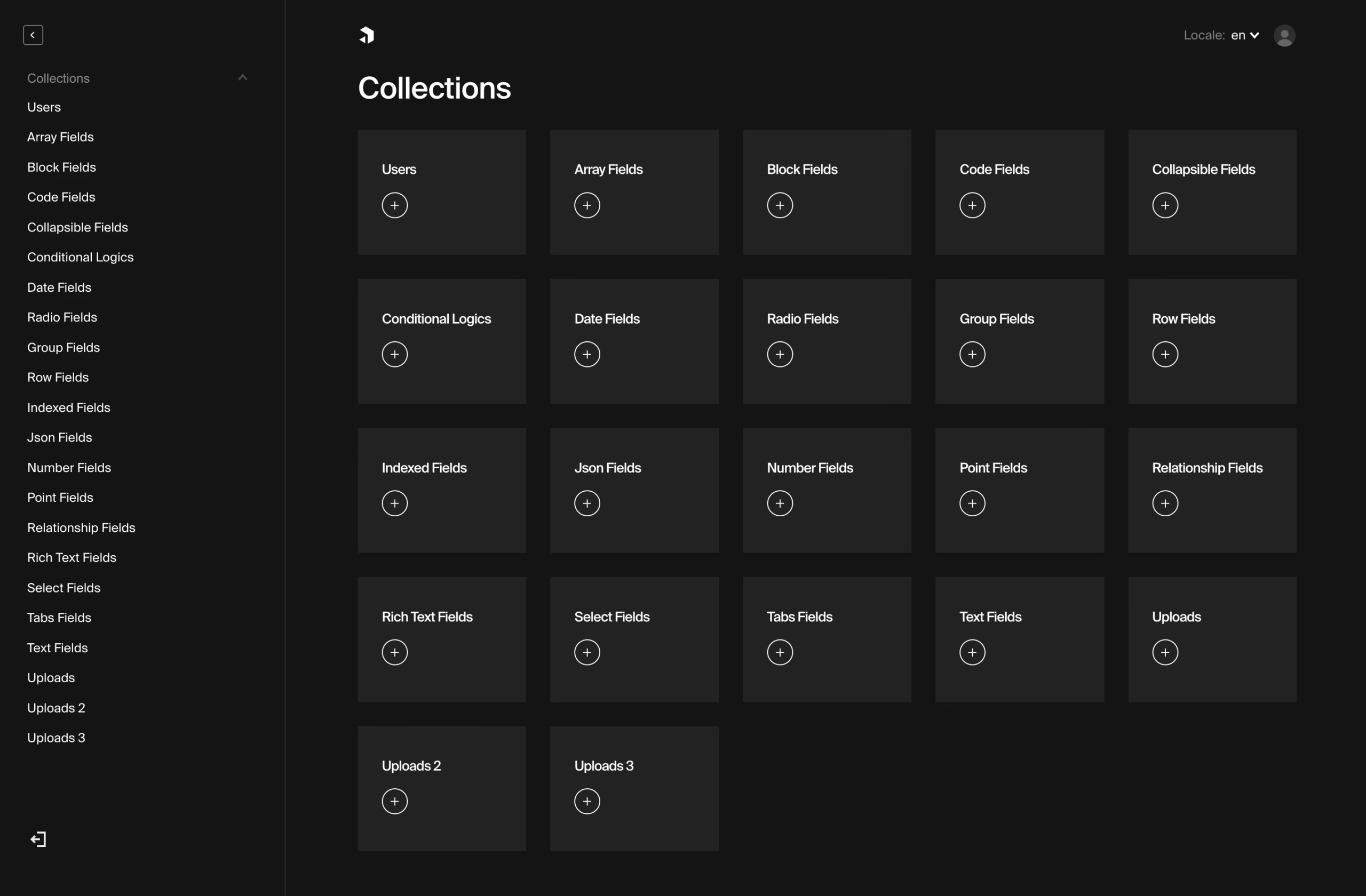
The Payload project should serve as a marker for where the category is/was going. It was started in 2021 and was designed as a self-hosted TypeScript CMS. By 2026, it had rebranded to Next.js and an instant backend and had reached over 44,000 GitHub stars. There is little to no distinction between the worlds of CMS and frontend frameworks, and Payload is a prime example of this.
The Four Archetypes, and What They Are Really For
Every single React CMS falls into one of four models. Get the model, and the framework that fits inside said model, should be easy to determine.
Headless API CMS
Payload, Keystone, Sanity, Contentful, Hygraph, Strapi. Content lives in a database. The CMS offers it via REST or GraphQL. React reads it, renders it, and owns everything downstream. This is the default for teams that with real editorial volume, multiple channels (web, mobile, in-product), and content models that will expand outside of a blog. The alternative is working with two separate systems, the CMS and the frontend that consumes it.
Git-based CMS
Formerly known as Netlify CMS, Decap has over 19 thousand stars. Similar to TinaCMS, which has 13.8 thousand stars, both solutions store content as Markdown or JSON files in your Git repository, which means that editors create and modify content via a UI, while developers work with the regular source files. This library embodies the concept where documentation, marketing sites, or publishing teams with a build step can thrive, while high frequency editors, content types with complex relations, and non-technical stakeholders can all fail to operate this system.
Visual builders and low-code
Builder.io, Plasmic, Webstudio, React Bricks. Compared to the others, the goal of Webstudio is for editors to create layouts page by page in a fully graphical environment and for the software to output React code to the editors. This approach, unlike the others, is geared towards placing a strong emphasis on editor autonomy. The designer in this tool, however, lacks structure and can easily lead to unstructured data. Useful for marketing teams that need to produce a high volume of campaign pages. Painful to product teams where the same content needs to be displayed across 3 different areas.
Lightweight custom
A JSON file, a build step, and an editing toolbar in a browser. Zero platforms. This approach is viable for brochure sites, portfolios, and MVPs as a one man content team. Skip this approach when you have editors, SEO involves stakes, and preview/approval workflows.
For teams that are making the structural choice beneath this all, our comparison of headless versus traditional CMSs describes where this choice can be rightfully justified and where it is not.
The 2026 Direction: Server-First and Typed
The last two years have seen significant shifts in how React can consume content via CMS. With the introduction of Next.js App Router, server components became the default. Additionally, the release of React 19 included View Transitions, fragment refs, and an API browser() to let the developer skip the client components from the server rendering. Payloads now use contracts-first validation with Zod and Suspense-based streaming has effectively supplanted client-side dashboards with spinning loaders and custom React components.
The most interesting takeaway is not that the existing client-side React CMS will become obsolete, but that it will actually need to move toward server-side rendering. Three factors will significantly change a traditional client-side React CMS. Those factors are:
- Preview and draft flows have to work in a server-rendered world, not just in a client SPA.
- Type safety between the CMS schema and the frontend becomes a real deliverable, not a nice-to-have. Zod schemas on the frontend that mirror CMS field definitions catch drift before it reaches production.
- Performance work moves back onto the frontend team. Web Vitals, cursor pagination, and parallel preloading with Suspense are frontend concerns, not CMS features.
Our Next.js website guide reviews the differences in the various rendering approaches and which are better suited to the App Router, Pages Router, or a more static site.
The Real Pain Is Not the Platform Choice
Stack Overflow is actually the better resource to describe all the bugs that come up with most common React CMS setups, rather than a vendor Website. The most up-voted posts on the subject almost never address the question of platform choice. They show the problems builders run into after launch.
Inserting CMS HTML in React. A post about parsing HTML from a CMS to React components has 52 upvotes and 7 answers, which is a lot for a niche idea. The pattern is pretty typical: dangerouslySetInnerHTML bypasses the virtual DOM, so internal links become full page loads, and any embedded widgets become non-interactive. The solution is to use an HTML to React parser that replaces anchor tags with your router’s link component. It isn’t especially hard once you know it, but it’s pretty expensive to figure out for the first time.
Image field errors in GraphQL. Users of Gatsby with Netlify CMS hit “Field ‘image’ of type ‘File’ must have a selection of subfields.” This is a GraphQL schema issue that isn’t really a platform bug, but it does stop the build and waste time.
Dynamic routes from CMS menus. Menus and pages in a CMS are generated at edit time, while React apps define routes during the build process. This 26-upvote question is asked repeatedly, and it is always about programmatically generating routes for this gap. It can be done in any framework, but a 5 minute answer for the App Router, Pages Router, and Gatsby combined will take 2 days of your time.
Sharing a CMS client outside of React components. People who use Contentful with Next.js localization run into this problem: the CMS client is in a React context and must be used in a middleware, or in a getStaticProps helper where context does not exist. Usually the answer is a module-level singleton, but a better answer would be to put it first in the docs.
Securing SSG routes for preview content. Static site generation works well for published content, but poses problems for drafts. You need a preview mode, a signed cookie, and a rendering path that bypasses the static site generation cache. Different CMSs have different approaches for dealing with these issues.
None of these are valid reasons not to choose a React CMS. They are reasons people end up overspending. The company will find you if the vendor’s pitch doesn’t touch on these topics.
How to Choose Without Regret
Feature grids don’t do justice to a CMS. When evaluating CMSs, prioritize workflow and engineering tradeoffs, and the total cost of ownership over individual features. Feature grids often obscure the most important factors.
Can your editors publish without engineering?
Ask a real editor to create a landing page in a sandbox environment. If they need DevOps to assist, you’re purchasing a workflow debt. It doesn’t matter how sophisticated the schema is. An elegant admin interface that no one can operate is a slower version of Google Docs. The team at Electe captured this notion well in their analysis of CMS training as hidden cost . The twenty to thirty percent of software features that teams end up using is always training, not a software feature.
Who owns the frontend at year two?
Using React CMS will require your frontend team to handle performance optimization, SEO, and preview flow. If you do not have a React CMS or if your CMS won’t exist in a few months, you will incur a higher cost with a more managed platform (Contentful, Sanity) versus a self-hosted stack that you won’t be able to support. If you have a strong frontend team, self-hosting Payload or Strapi will keep platform costs flat for your content growth. For more information about this operating model decision, you can look at our Sanity versus Contentful comparison, or our Strapi vs Sanity Post for more information about the self-hosted CMS option.
What breaks at 10x your current content volume?
Git-based CMSs are great for a hundred pages, but painful for a hundred thousand. Visual builders are great for page one, but then things get messy for page fifty when every landing page has a different layout. Headless API platforms have flat performance curves and steeper day-one costs. So, think about the shape of your business in eighteen months, not the shape thing have today.
What This Looks Like in Practice
Two examples from our own work show how differently this plays out depending on the business.
When rebuilding Teton Gravity Research, platform choice was just the beginning. TGR already had 10,000 articles locked in a legacy CMS that was barely online. Two migration attempts had already failed. The real challenge was deciding how to preserve editorial workflows, deciding whether to keep or delete user-generated content(which had become a legal and operational burden), and selecting a headless stack. Building the CMS was the means to that end.
The St. Louis Magazine migration had different issues. 30,000 articles, a slow website, an editorial team fighting against the tool on a daily basis, and a strong brand that had to look as good online as it did in print. While the platform selection was important, the real work was done with the content models and the migration plan. Both of these would have been equally important with any available React CMS.
In both cases, the actual platform selection was important, but the real challenge was something else, something upstream.
The Honest Shortlist by Team Shape
Not a ranking. A rough sorting hat for where to start.
- Small technical team, content lives in the repo. Start with TinaCMS or Decap. If you outgrow them, you will know.
- Product team building a Next.js app, wants CMS inside the stack. Payload. It is the shape the ecosystem is moving toward, and the type safety pays back quickly.
- Editorial team that needs custom content models and live collaboration. Sanity. Strong studio UX, real-time collaboration, and a content lake that treats content as data.
- Enterprise or larger editorial operation, prefers a managed service. Contentful. Mature governance, multi-language handling, and predictable operations at scale.
- Team wants API-first self-hosting on Node. Strapi or Keystone. Trade managed convenience for control and flat licensing costs.
- Marketing-led team that ships a lot of landing pages. Builder.io or Plasmic, with clear guardrails on your design system so the visual editor does not become a graveyard of one-off components.
What to Do Next
Before you sign anything, three things need to be done. A real editor should make a page in the demo, an engineer should make a preview flow, and the migration should be sketched, ideally in half a day. The demo or preview flow showing ugly edges should be the deciding factor. If any of the three things show something the vendor didn’t mention, that is a sign to walk away.
The teams that do this right think about their CMS as a deal that lasts two years instead of a purchase. During that time, the models, previews, and integrations start to stack on top of one another and the cost to switch continues to increase. If you are just starting and need a partner that has set up this type of publishing, e-commerce, or product platform, our headless CMS work and our publishing platform practice are good jumping off points to contact us. Making this decision should be done as early as possible to avoid making the wrong choice mid-process.
Building a product and unsure what to scope first? Let’s talk. Free 30-minute call, no pitch.

Masoud Golchin is a backend developer at Refact, working on server-side systems, internal tooling, and infrastructure. He builds and maintains the services that support both client projects and the team’s day-to-day development workflow. His work includes backend logic, developer tools, system reliability, and the technical foundations that allow products to scale and operate consistently. At Refact, Masoud focuses on creating practical engineering solutions that help the team move faster while keeping systems organized, maintainable, and dependable.
More from Masoud Golchin
