How to Build a Marketplace Website in 2026
Most marketplace ideas fail due to the same causes.


The real challenge behind learning how to build a marketplace website isn’t the technical stack — that’s just the visible part of the job. The harder part is defining the exchange narrowly enough that a stranger will trust it, seeding both sides with real activity, and handling refunds, disputes, and payouts without your team having to rescue every transaction. This guide walks through the decisions in the order they actually come up, from the first weekend of planning through the first thirty days after launch.
Why Marketplaces Are Harder Than Founders Expect
An empty marketplace is, most emphatically, a liquidity problem before it’s ever a software problem. Marketplaces need to have both buyers and sellers. If you don’t have either, then people will have no reason to enter your marketplace. Neither buyers nor sellers will want to enter your marketplace if the listings are poor.
The people who’ve made these things are candid. One of them built a rental marketplace that never gained traction and then called the category “brutal.” Another practitioner mocked the classic overconfident line, “how hard can it be?” What people learn when actual orders start showing up: bad supplier data. Paid products that are out of stock. Wrong products. Sizing mistakes. Refunds and cancellations. Chargebacks. Abuse. None of this is in a Figma file. All of it hits you a week after launch.
The massive size of the market tricks people. Facebook Marketplace has over 1.1 billion users per month, with around 250 million sellers across 228 countries (this clearly shows people are comfortable buying and selling with total strangers). It doesn’t mean your creation will find its space.
Progress should be tracked with the number of successful transactions. If a potential customer can find a ready service provider and complete a transaction without your team’s help, then it should be marked as a successful transaction. Otherwise, it is not useful. The number of screens shipped should not matter.
Plan the Transaction Before You Pick a Platform
Before opening a no-code builder or initiating the process to engage a development team, capture the transaction in simple English. “People buy services from providers” is too broad to design, while “a local homeowner books a vetted cleaner for a set time, pays through the platform, and leaves a review after the job” is specific enough to build.
The clearest evidence of the importance of scope discipline comes from a practitioner who explained two projects with nearly identical requirements. A project brief that read “build us a marketplace” took eight months and cost approximately $150,000 and was delivered over budget and with significant bugs. The other project brief for the same requirement read “build a marketplace for [niche] with [specific features] by [date] for [budget]” and took about four months and cost approximately $70,000 and was delivered on budget. While this is a single case study and not a benchmark, it does echo what other practitioners have shared.
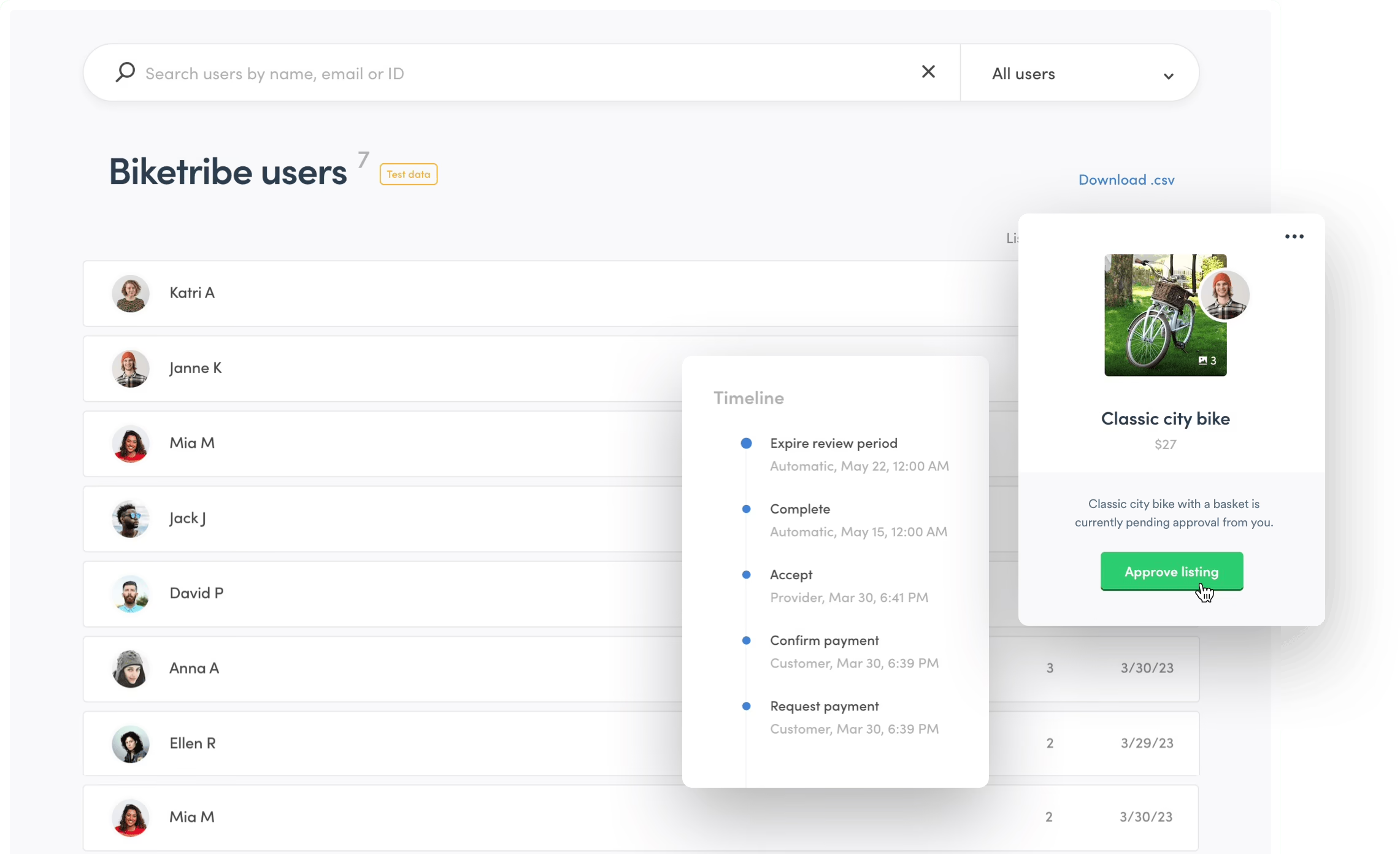
Map both journeys separately
Draw two distinct journey maps, one view for the buyer and one view for the seller. Buyer journey: discovery, comparison, contact, checkout, delivery, review, support. Seller journey: registration, verification, listing creation, inquiry, order acceptance, delivery, payout, review.
Beside each step, describe the trust gap. Buyers are concerned that a listing is inaccurate or that the seller will not fulfill their obligation. Sellers are concerned that a buyer will cancel a valid order or that the buyer will dispute the order and/or request a refund. If these concerns are not addressed in the business model, they will manifest themselves later as support tickets, refund requests, and decreased profits.
Your one-page business model should address the following:
- Who pays: buyer, seller, or both.
- How you earn: describe your revenue model, e.g. commissions, subscriptions, listings, access.
- When money moves: describe the payment flow, i.e. is payment facilitated at checkout or after delivery (fulfillment), or is payment facilitated after approval or (service) provision.
- Who carries risk: the business owner, the seller, the buyer, or a third party.
- What creates repeat use: what is the value proposition that drives/encourages frequent usage?
Two-sided pricing is an early consideration. Both sides will compare you to alternatives. A well-executed continuous product discovery process tests both sides of the model.
Choosing How to Build, and What Each Path Really Costs
There are three main options plus a hybrid. The correct approach will depend on the clarity you have regarding the exchange, not on the preference of the tool.
No-code is appropriate if it’s an unproven idea. Examples are platforms such as Sharetribe, which allow you to test listings, roles, and even some degree of transactions, in a matter of weeks. However, there will be a dependency. Custom logic is bound by the platform, and it will likely mean a rebuild to leave the platform.
WordPress together with marketplace plugins is a reasonable option. You have some control over the content, hosting, and extensions. However, as activity increases, it will lead to plugin conflicts and more complicated, unusual transaction rules. WooCommerce is the dominant plugin in this space. For this reason, the largest share of WordPress-based marketplace attempts begin with a WooCommerce plugin.
If the transaction model is clear and the product requires behavior that off-the-shelf tools cannot provide, then custom development is the way to go.
| Build path | Cost range | Time to launch | Typical failure mode |
|---|---|---|---|
| No-code platform | Free to $200/month | Weeks | Platform lock-in |
| WordPress with plugins | $5,000 to $25,000 | Weeks to a few months | Plugin conflicts at scale |
| Custom build | $40,000 to $150,000+ | Three to nine months | Spending on features nobody uses |
| Hybrid (no-code first) | Starts low, grows | Fast test, longer migration | Rebuilding rushed assumptions |
These are planning estimates, not quotes. Our own ecommerce website cost guide covers how the same store description can produce quotes ranging from $3,000 to $140,000, and why that gap usually reflects different assumptions about scope rather than dishonesty.
The order I would recommend: start no-code if the transaction is unproven, move to WordPress when content and commerce are both central, and only invest in a custom build once real users have shown you which flows are worth keeping. Doing it in reverse is how founders end up rebuilding twice.
What Belongs in the First Version, and What Does Not
Your first development project consists of small, necessary building blocks. It allows two user types to find one another, agree to a trade, complete the trade, and address the fallout from unplanned mistakes.
Because the risks are different, the account flows for buyers and for sellers have to be separate. Buyers need support, order history, and a profile. Sellers need verification, order updates, listing management, and payout details. Do not subject both user types to the same onboarding flow.
To keep the marketplace functional, listings must contain sufficient data and allow adequate comparison. The data must also allow search and filters to assist the buyers. This also decreases the supply of low-quality listings.
| Feature | Why buyers need it | Why sellers need it | Ship in MVP? |
|---|---|---|---|
| Accounts | Save orders, preferences | Establish identity | Yes |
| Seller verification | Reduce uncertainty | Signal credibility | Yes |
| Listings | Show options | Create supply | Yes |
| Search and filters | Discovery | Route relevant demand | Yes |
| Messaging | Answer questions | Close inquiries | Yes |
| Reviews | Signal trust | Build reputation | Yes |
| Notifications | No missed updates | Faster responses | Yes |
| Recommendations | Improve browsing | Extra exposure | Later |
| Automated matching | Less manual search | Routed leads | Later |
| Loyalty program | Repeat visits | Retention | Later |
Design the state of a single order. This means considering who can initiate, accept, cancel, complete, and refund an order, as well as who can initiate payment and a payout. Each order must document each action that is taken in chronological order. This data allows support to reconstruct the incident that caused order and payment state changes. Keep these states separate from one another.
There is a single point that deserves more attention when considering AI-based tools in application development. AI-based tools are genuinely useful for writing the marketplace’s underlying code. However, these tools are entirely inadequate for product decisions such as determining how to manage a failed payment or the issue of two potential buyers attempting to purchase the same item. Skipping these types of decisions leads to major issues in the product’s most critical software flows and ultimately results in bugs being shipped with the MVP (minimum viable product).
When developing a product, the first priority should be achieving the “boring path” – a path that includes a buyer finding a listing, contacting a seller, completing a purchase, receiving the product or service, and leaving a review. Only after this path is completed should other product features be developed.
Payments, Escrow, and the Trust Stack Behind Every Transaction
Payments, escrow, and trust systems shouldn’t be treated as three separate workstreams. They should be implemented as a single system that addresses the buyer’s basic concern about a product payment: what happens to the buyer’s money in the event the product seller does not complete the order.
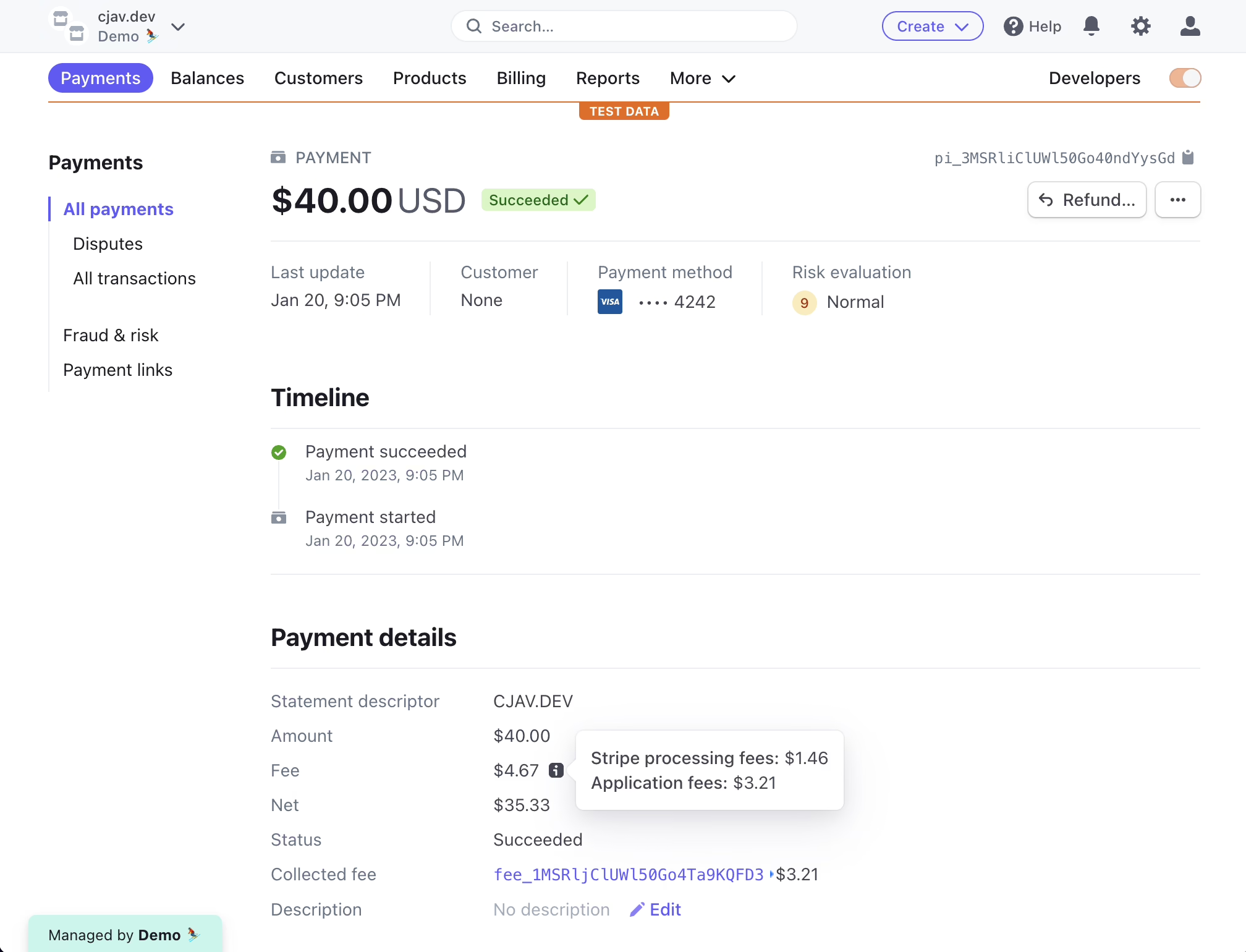
The first step in a product payment process is when the buyer makes a payment. An order is logged and the payment is processed, fees are paid, and the seller’s payment is placed in escrow and/or is routed according to the payment rules. In one example of a payment processing architecture, an individual payment is split into three payment units — the platform commission, payment processing fees, and the seller’s payment, which remains in escrow until the seller delivers the product. Formance’s marketplace payouts documentation walks through this exact pattern.
For the first pass, Stripe Connect or PayPal for Marketplaces or Mangopay should cover most if not all of the infrastructure. Stripe’s API is well documented and worth understanding before you write any code. When Checkout, Elements or Stripe’s mobile SDK is used on the client, the payment card details are tokenized. These tokens expire after a couple of minutes. Your server takes that token to create the actual charge, and for a marketplace, calculates the application fee your platform takes on top of the seller’s payout. Having the full billing address greatly lowers fraud and dispute rates. As long as you are using Stripe’s client-side tokenization, Stripe Radar is available. Our other Stripe integration guide, which is geared toward marketplaces, covers some aspects of Stripe integrations that most developers tend to underestimate.
Write the failure paths first
Dangerous payment design arises when teams only test successfully completed checkouts. Define how the process should be modified when:
- Verification fails: the seller should not be able to publish listings or receive payouts until the issue is resolved.
- Payment fails: Buyers see clear messages and can retry without creating duplicate orders.
- Delivery is disputed: Your team reviews the evidence and funds remain pending during the review.
- A refund is approved: Audit log ensures the order, payment, ledger, and seller balance are updated in one transparent transaction.
- A payout request fails: The reason is shown to the seller and the identity or bank details can be corrected.
- A tax obligation is created: The records your team kept and compiled will be needed for reporting.
Fraud remains the biggest challenge and it is no coincidence that the highest rated question about marketplaces on Stack Overflow is titled “what is the best way to avoid / decrease fraud in your marketplace app?”. Chargebacks end up on the platform and not the seller, and the tools to mitigate them such as AVS, saved card behavior and Radar rules work if the payment system is set up correctly.
There are also legal challenges to creating trust. Obligations such as the Digital Services Act and DAC7 in the EU and marketplace facilitator sales tax and 1099-K reporting in the US touch user product design. The 2025 ChannelEngine marketplace shopping behavior report is helpful regarding how the obligations correlate to the regional expectations of buyers. Most early stage mistakes are letting sellers circumvent the marketplace before fully understanding the risk. Another is collecting money before confirming your processor works for your category, territory, and the payout model. Restrictions can freeze funds or even close your account, so verify before launch.
A final live end-to-end test is needed to open the doors. Switch the gateway to production, connect a live bank account, make a purchase and initiate a refund. Validate all payment methods, fail cases, payout destinations, and messages processed by the system.
Launching With Liquidity, Not With a Website
Launch day isn’t simply the day you flip your domain live. You have to do enough manual work to create activity to get both sides to consider why they should return.
Seed your supply first in most categories. A credible offering to your buyers includes a few trusted providers with solid listings that you helped draft. Reach out to trusted connections, specialized groups, and providers personally. Offer the sellers concierge onboarding by either creating the listing for them or helping them fill out the form.
Here’s what your first-customer playbook should contain:
- Build a useful starting group rather than a large directory.
- Build a buyer waitlist. Find out what they need to trust a provider and when.
- Make introductory calls. Use email, phone, or in-platform messaging until automated workflows are built.
- Do your detective work. Watch all exchanges and record every objection, delay, cancellation, and question.
- Focus on what gets results. Cut everything but the top use case.
A soft launch permits access by specific users. It is used for focused order testing and problem resolution prior to a full launch. Avoid buying traffic until the supply and inventory systems are ready to support completed transactions. Track search-to-contact conversion, contact-to-paid conversion, time to first contact, cancellation rate, refund rate, dispute rate, and repeat purchase. Registrations help build a list of users, but do not indicate liquidity.
The First 30 Days After Launch
The first month should be used for observing real-world transactions and gathering data to determine if the model is worthy of further pursuit.
Weeks one and two: expose the broken path
Once a payment flow is working, the entire process should be tested. Do not stop the process at a completed checkout. Confirm delivery, payout, review, cancellation, and support. Interview at least ten transacting users during the month, buyers and sellers separately, because a smooth buyer experience can mask a difficult seller experience.
Instrument the events that matter:
- Buyer activation is defined as completion of the following: account creation, search completion, contact initiated, and payment started.
- Seller activation is completion of the following: account creation, verification, listing, and answering the first inquiry.
- Transaction completion is defined as the order being accepted, confirmation of delivery, and a review being submitted.
- The time to first transaction is defined as completion of a transaction from user creation.
- Experience per side is an NPS or similar measure of satisfaction, which is collected separately for buyers and sellers.
- The refund and dispute rate should include the reason for the refund or dispute, not just the outcome.
Write down your decision thresholds before week two ends. Specifically for each transaction, explain when another experiment is justified, trigger workflow changes, or stop the product from being offered. The deliberation on the numbers is important, but the point is to write them down before emotions or sunk costs take over.
Weeks three and four: change one thing at a time
For week three, you will run either a supply or demand-side experiment. For week four, analyze the evidence and decide if you’re going to continue as is, adjust the model, or shut the project down. We have detailed advice on how to run these cycles without dramatically expanding the scope in our MVP web development guidance.
This kind of narrow, evidence-first approach is how we tackle ecommerce and marketplace builds in general. When we rebuilt NudFud’s ecommerce platform, the harder challenge was nailing the logic on the product structure, certification content, and comparison logic to allow a first-time customer to make a confident purchase. Marketplace projects have the same structure, but are compounded; everything must be done to the satisfaction of two customers with competing needs, and the best design is most often the simplest.
Where to Go From Here
The foundation of all successful marketplaces is the same. A careful first transaction. A trust model aligned to the value at risk. Payment infrastructure built for failure. Manually kicking off the first one hundred transactions. A decision based on real-world numbers during the first month of operations as to whether your idea deserves more of your time and money.
If you already have the transaction, the first user group, and a rough business model, but you’re still stuck on how much to build, which platform to start on, or how to sequence the work, that’s exactly the kind of decision our team helps settle before any code gets written. Refact’s ecommerce and marketplace development services are built on just this early scoping work. We even have a money-back guarantee on the strategy phase, ensuring the lowest risk possible on your first commitment.
Building a product and unsure what to scope first? Let’s talk. Free 30-minute call, no pitch.

Saeedreza Abbaspour is the CEO of Refact, where he works across product, engineering, and sales. He sets the studio’s direction while staying closely involved in the work itself, from shaping product strategy and UX architecture to helping define the technical systems behind Refact’s projects. His role connects business thinking with hands-on product execution, giving him a practical view of how software should be planned, built, launched, and improved. At Refact, Saeedreza focuses on building a studio that can move quickly, solve real client problems, and turn ideas into reliable digital products.
More from Saeedreza Abbaspour
