Custom Web Portal Development: A Founder’s Guide
Most projects that attempt to create portals ultimately fail months before the login screen is built.


Custom web portal development is the next step when a need for custom software becomes economically unsustainable with the existing patchwork systems. Custom development is about much more than writing code. The decision becomes who “owns” the record, who has the right to change the data, which systems need to be integrated, and how the operational processes will change. This guide addresses the scenarios where custom development is warranted, the challenges of the custom development process, and why portals become underutilized after two weeks.
Refact is a product design and development company based in the U.S. with over 12 years of experience and more than 200 completed customer projects. Most of the customer work has been done in the space between “off-the-shelf almost works” and “we need to own the workflow.” The perspective presented in this article is from that customer work and not from a feature list.
Why Off-the-Shelf Quietly Stops Working
A membership director uses a SaaS to set up dues, upload 4,000 members, and get the community up and running within a month. Great choice! The organization then allows for the creation of chapters. Dues then get tiered, and continuing-education credits still have to be synced manually with an external LMS. They handle about 80% of the workflow, with the remaining 20% in Google Sheets, Zapier, an inbox, and a staff member who “really knows” how the system works.
Nothing here is actually broken — that’s exactly the problem. It works well enough to stick around, yet falls short in ways that quietly eat hours every week. Once everyday tasks depend on spreadsheets and manual checks just to get done, the software has stopped supporting the operating model. The team ends up propping up the software instead.
The key question is not “custom or platform.” It is, “What is the 20% that we should own?” Developers have been saying this for some time. Very few businesses choose to keep fully custom development over Shopify or WordPress, and most businesses will reject custom code that they cannot maintain. The more accurate pattern is using a combination of both. Let tools handle the normal work, and reserve custom development for your unique workflows, integrations, user permissions, approval flows, etc.
If your differentiation is lacking, don’t build your own system. Just squeeze more out of the existing SaaS setup and move forward.
What “Custom Web Portal” Actually Means
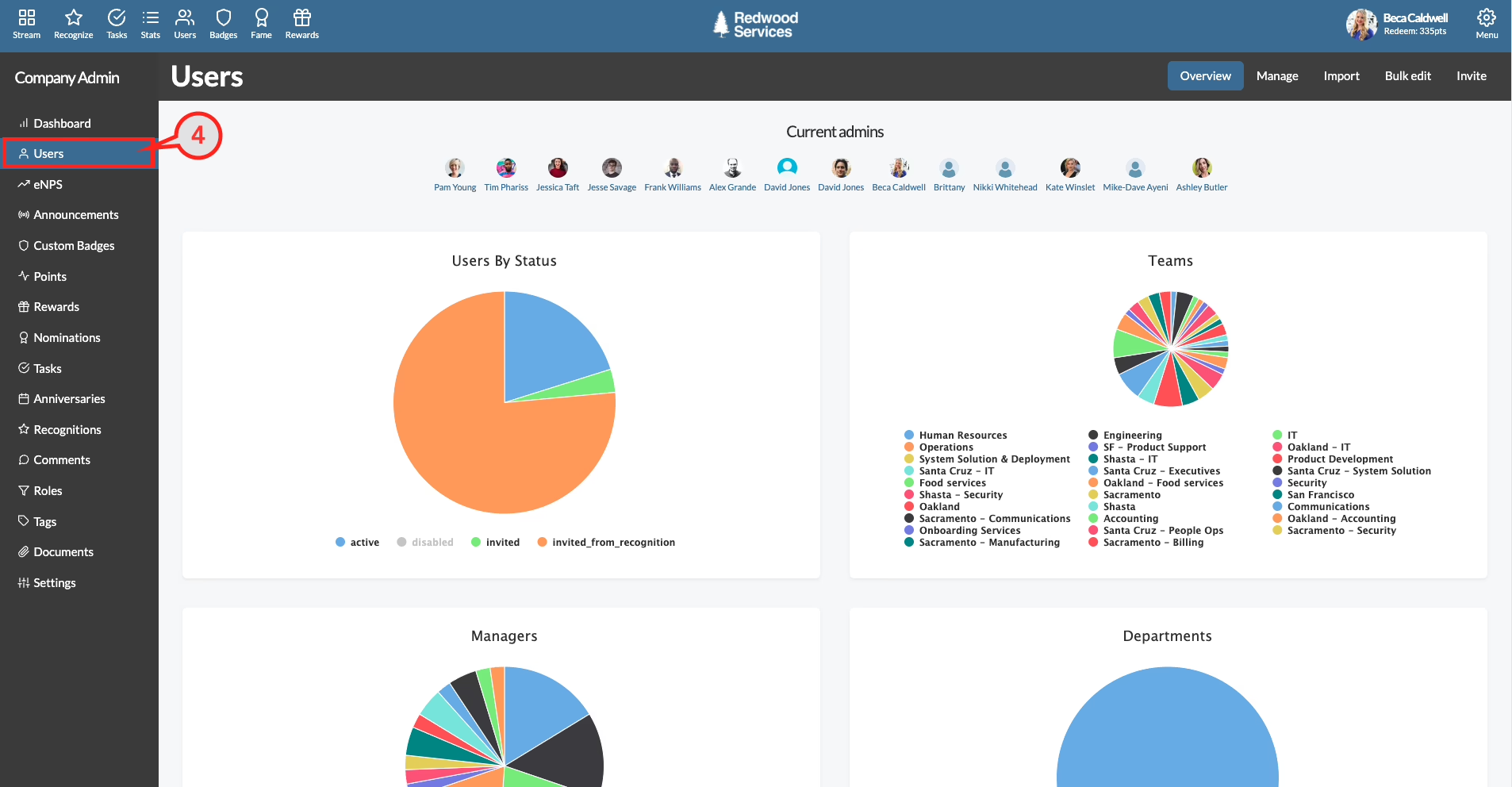
A custom web portal is a login-protected web application designed for a single organization’s operational framework. Members, customers, vendors, employees, or partners sign in to access the proper information and complete necessary tasks. Two logical portals usually reside in a single application: an administrative area where staff manage catalog, content, records, and permissions, and a user area where the external audience performs the required activities. This partition is not an elegant solution. It is a nearly universal outcome in most real-world portals, and is indicative of how work actually separates.
Behind a login, the components are largely consistent across industries:
- Authentication and account recovery, often with SSO for organizations already using Google, Microsoft, or Okta.
- Roles and permissions that decide who can view, edit, approve, or export each record.
- Dashboards tuned to each role, not one generic homepage for everyone.
- A data layer with a schema shaped by your business, not the vendor’s.
- Integrations with payments, CRM, ERP, event tools, 3PLs, or LMS systems.
- An admin panel that lets staff manage the portal without calling a developer.
This is usually the spot where custom-built portals quietly run into trouble. If the client cannot modify a product, change a price, or grant access, without a support request to the service agency, the portal will start to feel like a nuisance within a few months. The least expensive remedy to address this issue is to build a (functional) admin panel. The more advanced approach is to allow content management via a headless CMS and safe editing interfaces for everything else.
Custom vs Platform: The Only Comparison That Matters
The ideas of cheap and expensive are frames that misrepresent the true nature of the problem. The better framing is control versus convenience.
Buying a product off the shelf gets you a working product with a known interface and someone else’s roadmap. A custom product gives you ownership over the workflow, the data model, the permissions, and the experience. You pay for that ownership with planning, building each component, and making decisions to maintain the product after it is built.
| Dimension | Custom Portal | Off-the-Shelf SaaS |
|---|---|---|
| Time to first version | 4 to 6 months for an MVP | Days to weeks to configure |
| Fit to workflow | Designed around your rules | Bounded by the vendor’s model |
| Cost shape | Higher up front, lower per-seat later | Lower up front, per-seat over time |
| Data ownership | You control schema and access | Vendor controls storage and export |
| Integrations | Any API you can reach | Only what the vendor exposes |
| Change velocity | Depends on your team | Depends on vendor roadmap |
Custom becomes the better choice when at least two of these are true: the workflow gives a competitive advantage, daily operations hinge on integrated systems, different user groups need materially different permissions, brand and experience influence retention, data residency or compliance rules can’t be negotiated, or the vendor’s roadmap keeps blocking a decision you cannot delay.
Our client portal software comparison is a good resource to consider before you purchase either way.
The Build Process That Actually Prevents Waste
A real portal project does not begin with a choice of framework. A good custom project begins with people describing how they work today, in as much detail as they can, to show the hidden steps. The following are the stages we run at Refact.
Discovery: two to four weeks
Interview stakeholders, map workflows, identify user roles, review the systems the portal must interface with, and draft a written scope. The expected output is not a wishlist. It names what the portal must do and what it will not do in version 1.0, as well as what still requires testing. Most founders do not lose money on their first idea. They lose money when the scope changes after the engineers begin working. Our software requirements documentation guide explains how to draft a scope sturdy enough to hold up once real development begins.
UX and UI design: three to five weeks
Design every role, not just the main user. Members, support, finance, system administration roles may share data but may have very different needs. Wireframe first and define the layout of each role only after the workflow is defined.
Architecture: one to two weeks
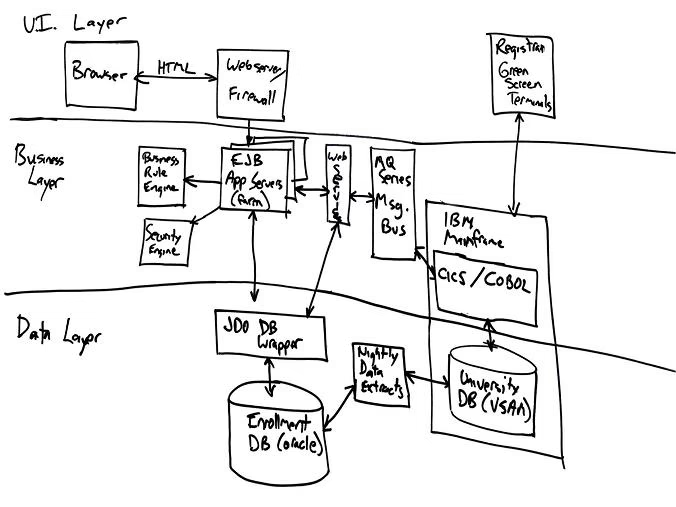
Consider the database schema, API surface, vendor hosting, and the authentication and integration boundaries. A good partner should document the tradeoffs for each choice. For many business portals, the default with a Next.js front-end and PostgreSQL, a Node.js back-end API, and managed hosting is a good choice. For something that will see real use or do complex workflows, “CRUD with JWT” will not suffice. Event-driven architecture, background job queues, and observability should be part of the architecture from the start, not after the first outage.
Security belongs in this phase, not during the last minute. Threat-model integrations and roles. Implement least privilege and log those actions. Design fail-safe behaviors. These must happen before a single line of production code gets written. Our secure client portal guide walks through which controls genuinely matter, and which ones only look good in a slide deck.
Development: eight to sixteen weeks
Two-week sprints, each concluding with a working demo. You’ll need to start shaping the workflow and deciding what stays and what goes, as you’ll have ample time to work out the kinks. Developers have to create integrations as they’re working, not at the end. If a rate limit or webhook quirk only turns up in the final week, that’s a sign the discovery phase didn’t dig deep enough.
QA, UAT, and deployment: three to four weeks
Real people and real customers should navigate realistic data. The Dev team can validate that a button works. Only real users will determine if the button should be in a better location and if the button is not self-explanatory. Deployment includes a cutover plan, a rollback plan, monitoring, and a stabilization window until the project can be considered complete.
Team, Timeline, and Real Costs
A typical MVP client portal requires at least a product manager, UX designer, two to four engineers, a QA engineer, and DevOps. It can take between six to eight people working for four to six months. A full-featured multi-role client portal takes between nine to fourteen months.
| Build type | Team | Duration | Typical US range |
|---|---|---|---|
| MVP portal | 6 to 8 people | 4 to 6 months | $120,000 to $280,000 |
| Full-featured portal | Scope-dependent | 9 to 14 months | $300,000 to $800,000 |
Quotes from Nearshore studios in Latin America and Eastern Europe come in around 30-50% lower than comparable teams in the US. These ranges are meant to be a sanity check and not a quote. Most $50K or less multi-role portals are likely to be missing some or all of the discovery phase, shallow QA, limited integration work, or having undefined/undocumented work that scopes around the difficult tasks.
Keep in mind that post-launch development and bug fixes will ultimately account for 15-20% of your original build cost in the first year. This will then drop to 10-15% of the original build cost as the product becomes more stable. Our Portal Development Company guide explains how a scope-focused conversation is what you should be looking to achieve from your vendor, along with what you should be looking for in their quotes.
Two Portals, Two Different Problems
An association with 12,000 members required a solution after outgrowing their WordPress and MemberPress. Staff relied on a staff member that “just handled it” for functions including, but not limited to, CE credits, tiered dues, and chapter-related permissions. The new solution gathered member records and bills within one system, and event registrations and staff console access was provided to 40 staff. Member-related service tickets within the system fell more than 50% during the first quarter, as staff began to rely on the system to answer questions.
A different company encountered a separate challenge. Though their business was bringing in healthy 8,000 orders per week, their operations staff was running the business within Shopify Admin, email, and spreadsheets. This company did not require an additional customer-facing site. To streamline their operations they needed internal systems including role-based dashboards for both support and fulfillment, a 3PL integration, bulk actions, and SLA timers. Average handle time dropped noticeably, and more importantly, the warehouse team uncovered a 4% pick-error rate that had been hiding in the old process.
Both cases point to the same lesson: you get a feature list when you plan a portal off a checklist, but you get a portal people actually use when you plan it around real workflow. For those looking to build internal systems with their suppliers, the MSC vendor portal provides an excellent example of how an internal system should be designed to streamline procurement operations.
Why AI Agents Are Changing What a Portal Needs to Be
The biggest shift in portal design for 2025 and 2026 isn’t about adopting some new framework. Rather, it is the expectation that portals will be used by both humans and AI agents that act on behalf of humans. WebMCP and “website harness” patterns enable design patterns that allow portals to expose tools, skills, and context to agents, meaning that users’ artificial intelligence can operate the portal with no interaction.
The implications for the founders who are planning a build are relatively small but significant. It is important to avoid the urge to build every new standard. Rather, it is important to create a clean API layer under the UI. As more work is delegated to agents, portals that can only be operated through a browser will start to feel outdated, while portals with a robust API will not need to be built again.
After Launch Is Where Portals Actually Succeed or Fail
The build is only the start. The first month should be focused on fixing bugs, answering support requests, and monitoring the system to see if users can complete the main workflows. At 60 days, evaluate usage analytics, unsuccessful portal activities, search requests, and support requests. At 90 days, prioritize the first user-requested changes over the many new ideas.
Explicit ownership of resources is essential. Define ownership of the codebase, hosting accounts, production access, security updates, backups, analytics, and vendor relationships. A monthly support agreement should spell out what’s covered, how urgent issues get handled, and how bigger product changes get scoped and priced. Agencies that want to think about this from the delivery side will benefit from reading this client acquisition guide for agencies, especially for how post-launch relationships should be scoped.
The portals that succeed are the ones a partner builds and improves upon for two to three years. They are not the ones that are built and then neglected. On average, our clients have a relationship that goes beyond two years. That is not accidental. A portal becomes a critical component of the business and a business needs to have an owner.
Where to Start
If the workflow you want is clearer in your head than in your current systems, don’t start by hiring a developer. Start with the scope, build out who the stakeholders are, what each one does, and systems that need to stay synchronized, and figure out what the 20% is that you want to own. After this, find out if what you just defined really is the 20% or if the best answer really is a well-configured SaaS.
If it is worth owning, Refact’s portals and dashboards development practice is built around exactly that early decision work. Our discovery process is built with the end goal of leaving you with a scope that you can take and build a partnership with any competent development shop. That is the only scope worth the investment.
Building a product and unsure what to scope first? Let’s talk. Free 30-minute call, no pitch.

Saeedreza Abbaspour is the CEO of Refact, where he works across product, engineering, and sales. He sets the studio’s direction while staying closely involved in the work itself, from shaping product strategy and UX architecture to helping define the technical systems behind Refact’s projects. His role connects business thinking with hands-on product execution, giving him a practical view of how software should be planned, built, launched, and improved. At Refact, Saeedreza focuses on building a studio that can move quickly, solve real client problems, and turn ideas into reliable digital products.
More from Saeedreza Abbaspour
