Vendor Portal Software: Build or Buy?
When Molex looked at its old supplier portal, the portal was running fine.
 Saeedreza AbbaspourOctober 1, 2026
This article is for procurement leads, finance and AP teams, and operators deciding whether to buy a vendor portal, configure one inside an existing suite, or build their own. The software itself is rarely the hard part. Supplier adoption, approval design, data cleanup, and ERP integration decide whether the portal gets used, and they should drive your build-or-buy decision too.
What Vendor Portal Software Covers, and What the Label Hides
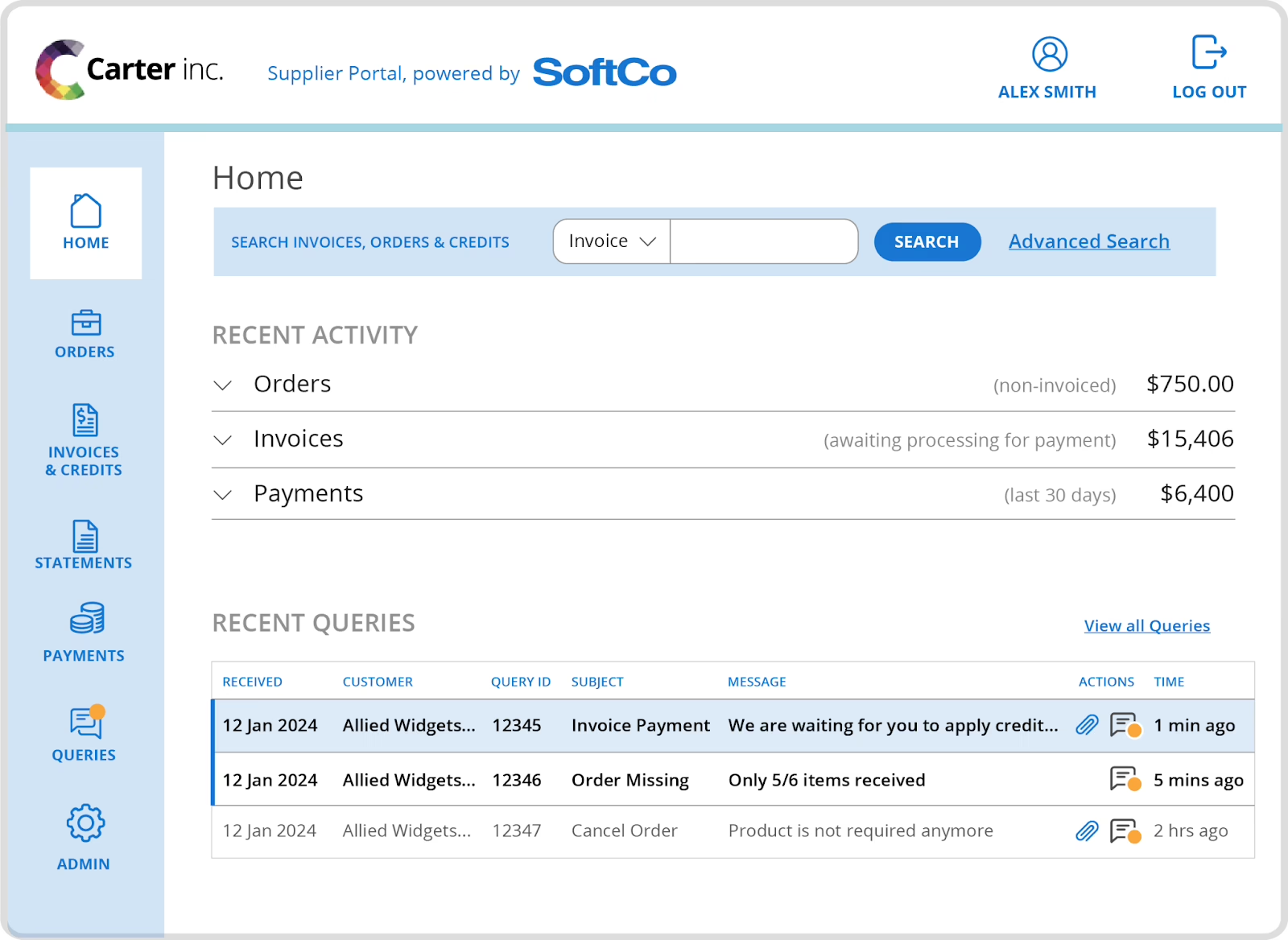
A vendor portal, also called a supplier portal, is where your suppliers register, upload documents, update their profile and bank details, view purchase orders, submit invoices, and check payment status. Most vendors use “vendor portal” and “supplier portal” to mean the same thing. What the products actually cover varies a lot more than the names suggest.
The same label gets applied to at least four kinds of product:
- A module inside a procurement suite, such as SAP Business Network (Ariba), Coupa, or Oracle Supplier Portal.
- A standalone supplier management or onboarding tool that sits beside your ERP and feeds it.
- A multienterprise collaboration network, which Gartner treats as a separate, broader category for coordinating many trading partners.
- A lightweight internal build on SharePoint, Power Platform, Oracle APEX, or a custom web app.
Because nobody agrees on the category, the market numbers don’t agree either. A MarketIntelo supplier portal report values the market at $3.2 billion in 2025. A DataIntelo supplier platform report puts a closely related market at about $9 billion the same year. Neither number is wrong for its own scope. Together they show why comparing product labels gets you nowhere. Compare the supplier workflows each product actually supports.
The bigger platforms also show that “registered” and “able to transact” are different states. Oracle’s procurement documentation separates prospective suppliers, who give minimal information for sourcing and qualification, from spend-authorized suppliers, who need complete details before they can receive orders and get paid. SAP separates sourcing relationships from fulfillment relationships, and in some setups a supplier can’t transact until the buyer has approved the relationship. A signup form doesn’t make a supplier operational. Relationship status, data completeness, and transaction access all have to line up.
Why Vendor Portals Go Live and Still Fail
Most portals don’t fail on features. They fail because suppliers decide the portal isn’t worth their time. A 2024 University of Twente study surveyed 220 suppliers of one automotive and industrial firm and interviewed 16 more. The top acceptance factors were no cost to suppliers, time savings, and a real benefit to the supplier, with usability tied for that last spot. Suppliers also described the burden of integrating with dozens of different customer systems.
Practitioner discussions are more blunt. On Reddit’s procurement forums, suppliers describe portals that turn them into “a virtual Accounts Payable clerk for the customer.” One supplier described an 18-line purchase order where each line took 45 to 60 seconds to adjust, which comes to roughly 13 to 18 minutes per invoice even though a PDF had already been uploaded. Another team said they managed about 15 customer portals. Others said more than 40, each with its own login, data structure, and password reset problems. A portal designed only around your AP team’s needs gets resentment from suppliers, and sometimes a quiet price increase.
Integration is the second reason portals fail. PwC’s 2025 Digital Trends in Operations survey of 610 US operations leaders found that 92% said their operations technology investments had not fully delivered. Integration complexity (47%) and data issues (44%) were among the main reasons. The survey covers operations technology in general, not portals specifically, but the pattern is the same. A portal that doesn’t write clean, approved data into the ERP becomes a second database that someone has to reconcile by hand.
The Hackett Group’s 2024 CPO Agenda reported that supplier portals and e-sourcing tools fell short of expectations for more than a third of companies. The figure covers both categories together, so treat it as a warning sign, not a precise failure rate for portals alone.
The Vendor Portal Features That Decide Whether Suppliers Get Paid
Feature checklists usually list registration, documents, POs, invoices, and dashboards. Almost every product ticks those boxes. The real differences show up in how each feature behaves when something goes wrong, so evaluate on that.
Registration that matches your supplier types
A one-off contractor, a sourcing prospect, and a strategic manufacturer shouldn’t fill out the same form. Map the supplier types you have, what each one needs to submit (W-9s, insurance certificates, certifications, diversity status), and when each becomes payable. A good portal handles staged registration: light data up front, full vetting before the first order. Check for duplicate detection too. A duplicate vendor record becomes a duplicate payment risk later.
Approval rules, especially for bank details
Approval design looks like a small detail, and it has big effects. Oracle documents that if any field in a supplier’s profile change request needs approval, the whole request goes for approval. That protects sensitive data, but a supplier who updates a phone number and a bank account together now waits on both. Decide which changes get grouped together, which need evidence, and who approves them.
Bank-detail changes deserve their own workflow. Oracle lets you require supporting attachments for them, and practitioners flag unclear ownership of bank verification as a fraud risk. A self-service form should never send an unverified account change straight into a payment run. Someone specific has to own the verification step, and the portal should record who did it.
PO, invoice, and payment status that suppliers actually want
This is where suppliers get something back. PO visibility, invoice submission without retyping lines, and a clear payment status cut down the “where’s my money” emails that suppliers send and your AP team answers. If the portal only collects data from suppliers and shows them nothing, expect them to use it as little as possible.
More than one way in
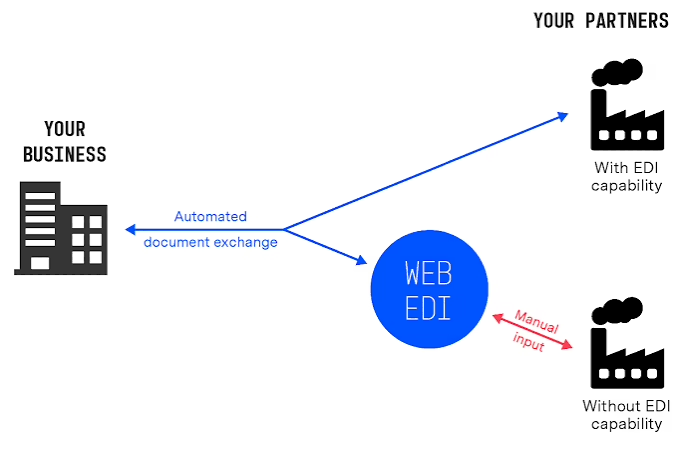
Not every supplier should use the web interface. SAP’s documentation presents the portal as one option alongside supplier-side EDI and cXML integration. Practitioners recommend CSV import or EDI for anyone with high invoice volume. In one Power Platform rollout, small suppliers used the portal directly while large suppliers used download and upload. Decide which groups of suppliers use which path before you pick software, because some products handle only one path well.
Access control and audit history
A vendor portal is a security boundary. It holds tax IDs, bank details, contracts, and approval status for many outside companies. Require role-based access so each supplier sees only its own records, multi-factor authentication, encryption in transit and at rest, and an audit log of who viewed, changed, or approved what. Test the external login path early. In one Oracle community thread, a supplier portal worked inside the company network and was blocked for everyone outside it, which is exactly where suppliers log in from. For a fuller list of security requirements, see our breakdown of the controls a secure portal needs. If you want an RFP-style evaluation structure, the AppDeck vendor portal buyer’s guide lays out evaluation criteria and implementation pitfalls.
Buy, Configure, or Build: How the Vendor Portal Decision Splits
The build-or-buy question really has four answers. Each one moves cost and risk to a different place.
| Option | Works best when | Where the cost hides |
|---|---|---|
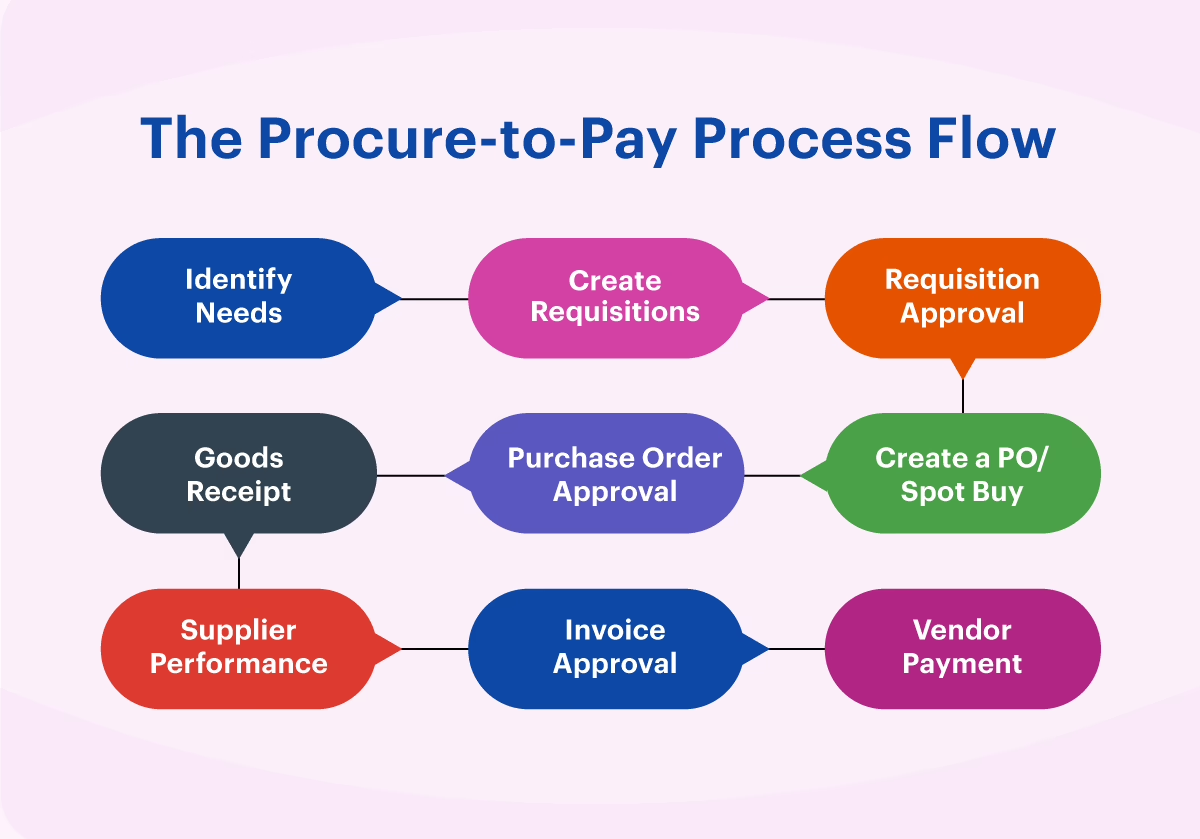
| Procurement suite module (SAP, Coupa, Oracle) | You already run the suite or ERP and need full procure-to-pay coverage | Implementation effort, supplier-side fees, and UX that suppliers often complain about |
| Standalone vendor portal SaaS | Your onboarding and document flow is standard and your ERP has a supported connector | Pricing changes, connector limits, and workarounds for edge cases |
| Low-code internal build (SharePoint, Power Platform, APEX) | A small supplier base, one team, and a narrow scope | Maintenance after the original builder leaves, plus security patching |
| Custom build | Unusual approval paths, several systems to write into, or the portal is a core operating tool | Discovery, integration engineering, and owning the system for years |
When buying wins
Buy when your process looks like the one the product was designed for. If suppliers mostly register, upload documents, and check status, and your ERP has a working connector, configuration will get you live faster and more cheaply than any build. Check what suppliers will pay, though. SAP Business Network offers free standard accounts, while enterprise accounts can carry supplier subscription fees and transaction fees tied to document volume. That collides with the Twente finding that suppliers rank “no cost to suppliers” as their top acceptance factor. Reddit buyers report suppliers refusing to register for Ariba for exactly that reason.
Licensing can also change after you’ve committed. One team on Reddit moved off OneTrust to an internal SharePoint portal after the vendor introduced per-vendor-record pricing. Before you sign, ask how pricing scales with supplier count and document volume, and what happens at renewal.
When custom wins
Custom makes sense when the portal has to coordinate rules that products don’t model. Common cases are quality non-conformance blocking an invoice, goods-receipt status feeding AP, multi-entity payments, or supplier roles that differ by region. One implementation partner, eoCiTO, described a discovery process that started with purchase orders and ended up involving purchasing, receiving, AP, planning, quality, shipping agents, and third-party warehouses. That kind of scope growth is normal. It is also exactly what off-the-shelf products struggle to absorb.
A custom build should still reuse everything that isn’t specific to your business. Login screens, tables, upload widgets, and form components are solved problems, and the case for not building UI components from scratch applies directly here. Spend custom budget on the workflow logic, the approval states, and the ERP integration, because those are what make your portal different. Our guide to custom web portal development covers scope and timeline tradeoffs in more depth.
The low-code middle ground, and its long tail
Lightweight builds can launch quickly. One IntelliconnectQ case describes a garment manufacturer’s supplier portal MVP on Power Platform that went live in two weeks. For very small supplier bases, newer tools go further. This walkthrough on building a private portal with AI shows how per-user access can be set up without a development team, which can work for a dozen suppliers exchanging files.
The bill comes later. Nirvana Lab documented a Michigan manufacturer whose supplier portal dated to 2009. By the time they replaced it, it had security and patching gaps, poor performance, weak ERP and PIM integration, and fewer people in-house who understood it. The replacement needed a 13-week discovery phase, identity management, high availability, and CI/CD. Any portal, bought or built, is a system someone has to maintain for years. If you’re comparing off-the-shelf portal software options with custom client portal builds, put ownership in year three into the comparison, not just launch cost.
Data Cleanup and Cutover Are the Real Project
Teams budget for software and underestimate the data work. In the Power Platform case, the build took two weeks. Reconciling supplier rates took much longer, because the rates were scattered across paper files, spreadsheets, and what individual staff remembered. The team also had to choose how to handle in-flight orders and partial deliveries at go-live. They set a hard cut-off date because of those open orders, not because a hard cut-off is always right.
The same case had a quieter cultural problem. Staff had to be coached to treat portal entries as controlled transactions, not as informal messages they could correct later. If your team expects to fix things with a follow-up email, the portal’s audit trail stops meaning anything.
A Talan case shows the same thing from the ERP side. A global electronics manufacturer’s suppliers kept item data in spreadsheets, validation was manual, and changes to the ERP took anywhere from two weeks to six months. The fix, an Oracle APEX portal feeding Oracle E-Business Suite, was mostly about validation, change tracking, and controlled transfer of approved data. A portal that only moves data from one place to another doesn’t solve that. Integration has to include validation, an audit trail, and approval.
Treat these as go-live gates:
- Supplier identities deduplicated, with one authoritative record per supplier.
- Rates, payment terms, and bank details verified against source documents.
- A decision on which system owns the vendor master and which only reads from it.
- A plan for open POs, partial deliveries, and any period where old and new channels overlap.
If several of your systems disagree about who a supplier is, that problem sits in your ERP, not in the portal. Our piece on custom ERP development covers where those integration risks tend to surface.
A Rollout Suppliers Will Actually Use
The named successes follow a similar pattern. They come from SAP or customer-published case studies, so treat the numbers as case-specific, not as benchmarks.
Molex rolled out region by region, starting in Asia. It ran a monthly cross-functional steering committee, gave suppliers scorecards, and made short videos in suppliers’ native languages. Within 18 months, more than 90% of POs were confirmed through the network, up from 30%. Confirmations took a third as long, and buyers confirming orders for suppliers dropped from over 80% to under 10%, across 900 suppliers and more than $1 billion processed.
Adani Enterprises onboarded more than 22,000 suppliers across 24 businesses. It started with suppliers who already knew Ariba and recruited experienced suppliers to train their peers. It reported 94% first-time-right invoices and 4,000 hours saved in a year. SATORP turned features on gradually alongside supplier training and reported 60% faster onboarding and 1.5 times faster PO placement.
None of these companies relied on a mandate alone. Each paired a reason for suppliers to use the portal with direct support. Critics who call low adoption “a design flaw, not a training problem” are partly right. The evidence suggests you need both a portal worth using and someone actively helping suppliers onto it. The OECD’s 2025 review of Irish public e-procurement lists the same failure risks from the public sector side: too little user involvement, weak interoperability, poor training, and rolling out too much at once.
Measure Vendor Portal Success Through to First Payment
“Onboarding complete” in a tracking system can still mean a supplier who can’t be paid. Practitioners describe approvals recorded while the first invoice still waits for manual ERP entry. One company’s onboarding was a three-week email chain behind a portal that showed “approved.”
Track the dates that show actual money moving:
- Approval date versus vendor master creation date versus first payment date. The gaps between them show where onboarding stalls.
- PO confirmation rate through the portal, not through email.
- Buyer intervention share: how often your staff do the supplier’s step for them.
- First-time-right invoices: invoices processed with no correction or rework.
- Supplier inquiries about payment status. If this number doesn’t fall, suppliers can’t see what they need.
Before you buy anything, find the step that causes the most back-and-forth today. If onboarding stalls on unclear document requirements or a slow handoff from procurement to finance, a portal will collect forms faster and leave the stall where it is.
Where Vendor Portals Are Heading: Inboxes and Agents
A newer argument says the portal shouldn’t be the main interface at all. Some vendors and practitioners on X argue for meeting suppliers where they already work, through email or WhatsApp. Peakflo claims about 80% less time spent on vendor queries this way, but that is the vendor’s own figure. If you’re weighing an AI assistant to answer supplier status questions, these practical guides on AI support cover routing, guardrails, and measurement, and the same questions apply to supplier-facing support.
We’ve seen a version of this idea work in a different setting. For the Estate Media content hub, the creators kept publishing in the newsletter, video, and podcast tools they already used, and the website pulled their content in automatically. A supplier-facing system can be designed the same way, accepting invoices and updates from the channels suppliers already use and keeping the structured, controlled record on your side.
The other emerging approach uses AI or browser agents to operate legacy portals that have no API. Practitioners suggest deterministic scripts for stable steps, AI fallback only when a screen changes, least-privilege access, and a human handoff for exceptions. There is no outcome data on this yet. Treat it as an option to test, not a reason to skip integration work. Our guide to enterprise workflow automation explains where these automations usually break.
Portals aren’t going away. Molex shows high adoption is achievable. But for small suppliers who send a few invoices a year, a channel they already use may beat another login.
A Vendor Portal Decision Framework Before You Sign Anything
Answer these in writing before you look at demos:
- Which supplier groups do you have, and which path (portal, CSV, EDI or cXML, email) suits each one?
- What does each supplier get back: PO visibility, payment status, less retyping? If the answer is nothing, plan for low adoption.
- Who pays? Will suppliers carry subscription or transaction fees, and can you accept the adoption cost of that?
- Which system owns the vendor master, and what has to be validated before data reaches it?
- Which changes need approval or evidence, especially bank details, and who owns verification?
- What has to be cleaned up before launch, and what happens to open orders on cutover day?
- Who owns the portal in year three, including patching, integrations, and access reviews?
If your answers point to standard onboarding with a supported ERP connector, buy and configure. If they point to unusual approval paths, several systems to write into, or quality and receiving rules that affect payment, a custom build is often the honest answer. Our guide to choosing a portal development company covers how to vet the team that builds it. For many organizations, a suite handles the transactions and a thin custom layer handles the supplier experience.
The decision comes down to whether your suppliers can get from registration to first payment without someone on your team doing it for them. If you want to map that path before deciding what to buy or build, Refact’s product design and discovery work is built for that stage. Discovery comes with a money-back guarantee, and our portal and dashboard development team can take it from there if custom is the right call.
Building a product and unsure what to scope first? Let’s talk. Free 30-minute call, no pitch.

Saeedreza Abbaspour is the CEO of Refact, where he works across product, engineering, and sales. He sets the studio’s direction while staying closely involved in the work itself, from shaping product strategy and UX architecture to helping define the technical systems behind Refact’s projects. His role connects business thinking with hands-on product execution, giving him a practical view of how software should be planned, built, launched, and improved. At Refact, Saeedreza focuses on building a studio that can move quickly, solve real client problems, and turn ideas into reliable digital products.
More from Saeedreza Abbaspour
