Workflow Automation Companies: 2026 Buyer’s Guide
You will find that the typical buyer has already made up his mind on a workflow automation vendor long before he can put into words the process he


The market figures are no less compelling. Cflow’s 2026 automation statistics roundup has the sector at $26.5B for 2024 on its way to $78B by 2030. Thunderbit’s 2026 data indicates 60 per cent of companies have taken up automation in the last year alone, 84 per cent if you are a large firm. With that kind of growth, the moniker “workflow automation company” has come to apply to at least five distinct product types. We have put together this guide to seven vendors that should be on your shortlist for 2026, to show where an off-the-shelf solution is apt and where it is not.
What “Workflow Automation Companies” Actually Means in 2026
It is worth bearing in mind that “workflow automation” is more of an umbrella than a true category. MarkNtel Advisors sees 200 to 300 vendors out there, with the top five (ServiceNow, Microsoft, IBM, UiPath and Automation Anywhere) taking some 40% of the business while the rest contend for the long tail. So do not let a Gartner quadrant dictate your shortlist. A marketing lead router and a brittle finance reconciliation may look the same in a presentation, but they are not the same purchase.
Vendors fall across a spectrum:
- iPaaS and no-code (Workato, Make, Zapier, n8n) for API-driven SaaS connections.
- RPA (UiPath, Automation Anywhere) to handle screens and desktops where APIs are absent.
- BPM (Appian, Pegasystems) for the formal audit trails and compliance of approval flows.
- Work management for human collaboration and task routing.
- Agentic AI (Mistral AI Workflows, Zapier AI and others) where LLMs are left to plan and execute.
For a more detailed look at the seams where projects tend to stall, see our piece on enterprise workflow automation.
1. Zapier: Fast SaaS Glue, Priced by the Task
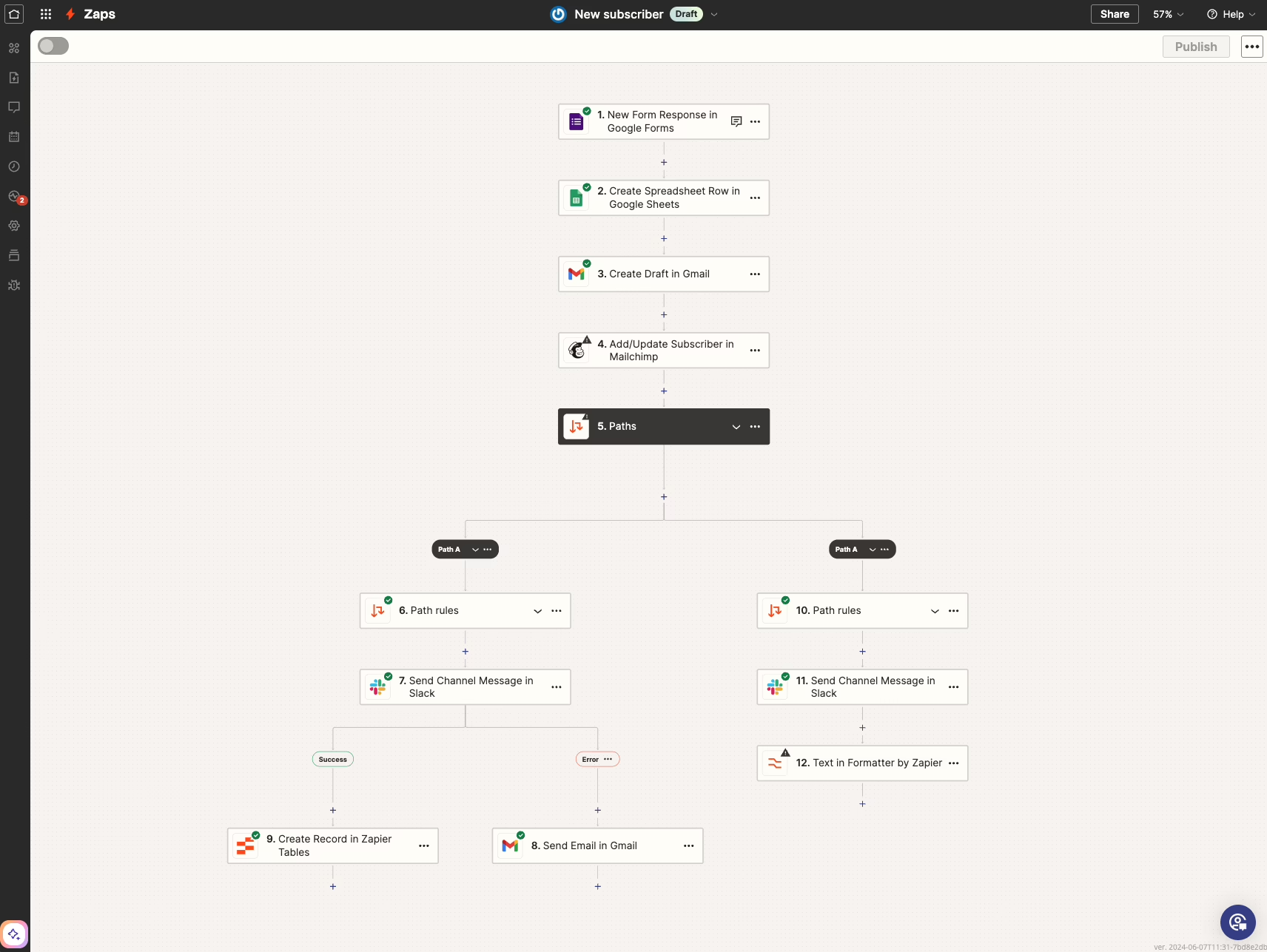
When it comes to speed, Zapier remains the go-to for standard SaaS apps. With over 9,000 apps supported and templates for the usual patterns, plus new additions like Tables and Copilot, it is hard to beat for a small team wanting a notification pipeline or lead router up and running by Friday.
But the pricing can be a trap. Zapier charges by the task and those numbers run away from you when workflows branch. A three-step Zap firing 400 times a day is inexpensive; put that same logic around a customer onboarding flow with its share of lookups and retries and the monthly bill can double overnight. You will hear the same refrain on Hacker News and X: laudable for its simplicity, but the cost of scale is a different story.
> Use Zapier for standard processes with popular apps that need to be live now. When data transforms and branching start to do the heavy lifting, make other arrangements.
Our writeup on workflow automation examples gives you an idea of how these hold up in production, including the edge cases that break them.
2. Make: A Visual Canvas for Branching Logic
Make (the old Integromat) is a step up in terms of complexity. The scenario canvas gives you the whole picture, and if a no-code node will not do, there is inline JavaScript or Python. For anything involving real branching such as multi-step approvals or reporting from multiple sources, it is superior to Zapier.
The downside is you have to think about it. Make bills on module execution, a more granular model that is difficult to put a number on until you have been running a scenario for a month. Teams that do not do a dry run will find they have over-engineered a flow and are burning through operations on retries.
Still, Make justifies the expense in a few ways:
- Non-linear work. Error handlers and routers are built in, not an afterthought.
- Data shaping. It is better at making sense of a messy PDF or an inconsistent API response.
- Hybrid teams. An ops person can put most of a flow together and call in an engineer for a code module.
3. Workato: Enterprise Orchestration With Real Governance
Then there is Workato, for when your automations are no longer a convenience but are hitting the general ledger. Workato wraps integrations in “recipes” and brings in API management, role-based access and environment promotion. Governance is part of the product here, not just paperwork. In an enterprise setting, the question is rarely about the flow but whether the change was logged and who had the authority to run it when finance has a dispute.
It is not cheap. Workato is for an organization with a program, not a project. There are self-service options for a pilot, but the platform only makes sense once you have dozens of recipes in play across your ERP, HRIS and CRM. If your needs are limited to a few Slack notifications, it is overkill. The issue is not whether Workato is better than Zapier, but if your automations are load-bearing enough to warrant the governance layer. Our business process automation basics can help with that assessment. ZZBLOCK5ZZ
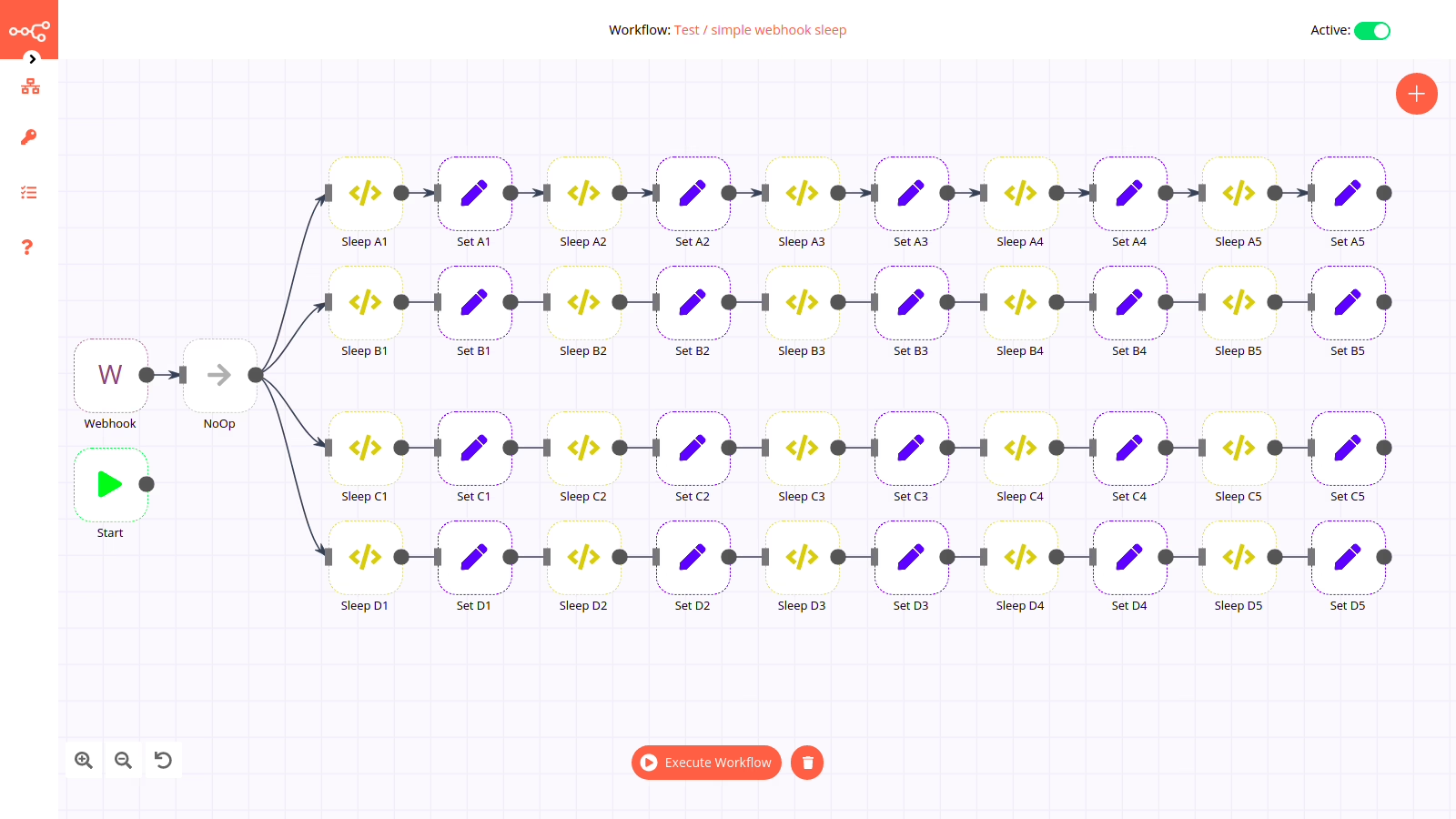
There was a time when n8n was little more than a scrappy option to put up against Zapier. Today it is a platform of some substance, no small part of that due to the attention it has drawn from practitioners. You will find it in Hacker News discussions on open-source workflow tools with some regularity. Delivery Hero made the switch and can point to 200 hours a month saved on reporting, syncing and account recovery as evidence.
What sets n8n apart are two factors. For one, its pricing is tied to execution and is far easier to forecast than per-module or per-task schemes; running a ten-step workflow is no more costly than a two-step one, which puts a different spin on how teams put their flows together. Then there is the fact that you can self-host it. That is important if the data being automated must stay in your environment or if the platform is to be housed in the same VPC as the systems it is orchestrating.
We have our own work in this space. On an automated news pipeline we put in place for a daily newsletter publisher, the team used to spend every morning doing manual checks across 30 or more sources. The n8n pipeline took over the hand-off to editorial and the deduplication. But the engineering worth noting was not the flow so much as the data hygiene, the retry logic and how it would degrade gracefully should a source alter its markup.
It is a good pick for those with engineering resources looking for a proper platform. Do not expect a no-code solution an operations manager can handle on his own.
5. Microsoft Power Automate: The Default Inside Microsoft Shops
Power Automate is a capable enough platform, and the argument for using it comes down to gravity. When an organisation is built around Microsoft 365, Azure and Dynamics 365, Power Automate is already woven into the fabric of your identity, permissions and Dataverse. It is also one of the few products to cover both cloud flows and desktop RPA, a useful feature when you have to deal with a Windows-only application that has never had an API.
Read the fine print though, because that is where the cost is. Between premium connectors and the way they license per-user versus per-flow, the second bill can be a shock to those who only looked at the base price. We find the commentary from analysts and pieces like the ones at Dynamics Hub to be instructive on how the tool performs in a live Dynamics setting, along with where the licensing pitfalls are.
For the document-heavy processes it is often tasked with, we have written about the kind of audit and review design needed to see an automation through past the pilot phase in our guide to document workflow automation.
Curious whether your site is citable by AI assistants? We run a readiness check that shows what they can and cannot read. Run the check.
6. UiPath: Serious RPA for Regulated Work
UiPath is in another league. It is the go-to for banks, healthcare payers and insurers because it automates screens as well as APIs, something you need when the system of record is an old ERP or a green-screen terminal. Beyond the RPA side of things, UiPath has added process mining, agentic AI and test automation to the mix so it can determine what needs to be done and then do it.
Look at the numbers from Eletrobras as reported by UiPath: 65,000 technical documents a year reviewed, 9,360 hours put back and accuracy up from 50% to 92%. You do not get that from a well-made Zap. It is the result of a governed rollout and structured exception handling.
When a workflow going wrong is the sort of thing that rouses legal or compliance, this is where to begin. Otherwise you are putting money toward capability you will not make use of.
7. Parabola: Operational Data Work Without Engineering
Parabola is more focused than the rest, and to its credit. It is built for the finance and ops people in ecommerce whose day is taken up with reconciliations and exports. The drag-and-drop builder is for those comfortable with pivot tables, and with the Prowork AI agent an operator can put a transformation into plain words before connecting the nodes.
It is not going to stand in for an enterprise iPaaS. But for a Shopify or WooCommerce user who has to reconcile inventory with suppliers, Parabola can turn a Tuesday morning of cross-referencing and copying into a flow a merchandising manager can keep up without raising a ticket. That is the sort of automation that shows a return first.
Where Each Tool Actually Fits
| Tool | Best fit | Where it breaks |
|---|---|---|
| Zapier | Standard SaaS glue, small teams, MVPs | High-volume flows with retries and branching |
| Make | Non-linear workflows, data shaping, hybrid teams | Cost forecasting without a pilot month |
| Workato | Enterprise orchestration with governance | Small teams without a real automation program |
| n8n | Self-hosted, engineering-owned platforms | Teams expecting a no-code experience |
| Power Automate | Microsoft-centric orgs, mixed cloud and desktop RPA | Premium connector and RPA licensing surprises |
| UiPath | Regulated, high-volume, screen-based work | Simple SaaS integrations |
| Parabola | Ops and finance data prep, ecommerce reconciliation | Deep enterprise integration scope |
The Failure Modes That Decide the Outcome
After you have made your selection, the failures you have to worry about have nothing to do with features. If you follow the post-mortems from vendors or the chatter on X and Hacker News, a short list of issues keeps coming up:
Silent partial failure. The workflow will tell you it was a success even if one system updated and another did not. An order is left pending while a payment is taken, or an email goes out but the CRM is untouched. The answer is not a better model but idempotent operations and compensation logic for when a step does not complete.
Schema and connector drift. A field gets renamed upstream or a connector version is bumped and a flow that was fine for half a year begins to fail. To avoid making a monthly fire out of it, you need schema validation and monitoring for value correctness.
Agentic overreach. Left to their own devices with weak grounding, autonomous agents will make a plausible but incorrect move. In production the rule is to let AI do the extraction and classification and to have a human or a hard rule approve anything irreversible. We go into this in the AI integration services playbook.
Automating a broken process. Automation is an amplifier. Put three owners and no SLA in an approval chain and you have simply moved the bottleneck to a faster inbox. Get the process documented and simplified before you apply any tool to it.
Then there are the cost overruns. In 2025 and 2026, tales of founders who have been run over by uncapped retry loops on an AI or agent step have become a story of their own. For that reason, you will find that caps, alerts and proper cost observability are now product requirements in the same vein as logging.
When to Stop Comparing Tools and Design the System
For the most part, the tools listed above will do what a small or mid-market team requires. But they have their limits. Once the workflow is integral to the product, or relies on proprietary logic, or demands an integration surface too idiosyncratic for any connector library, the utility of those tools evaporates. The conversation then shifts from evaluating vendors to asking what the system ought to be.
Take our work rebuilding the publishing workflow at Estate Media’s automated content hub. We were not so much concerned with choosing a connector as we were with the design: getting material from podcasts, YouTube and newsletters to a common publishing surface while leaving the creators’ existing tools intact. An off-the-shelf iPaaS might have put 40 per cent of that in place, but it would have been a poor job of it.
There is a simple way to tell which path to take:
- A standard, high-volume process running across well-known SaaS apps is one you buy into.
- Something unusual, or where the workflow is your product and involves judgment a connector cannot replicate, is one you design.
- And if in doubt, put in two weeks to map the process rather than a year on the wrong tool.
That is why discovery is important at Refact. Our automation and integration services begin with that kind of mapping since the expense of a botched automation is usually incurred long before a line of code is put down. It is the right way to determine if a build is called for or if you should be drawing up a vendor shortlist.
Trying to work out where AI actually fits in your stack? Let’s talk. Free 30-minute call, no pitch.

Saeedreza Abbaspour is the CEO of Refact, where he works across product, engineering, and sales. He sets the studio’s direction while staying closely involved in the work itself, from shaping product strategy and UX architecture to helping define the technical systems behind Refact’s projects. His role connects business thinking with hands-on product execution, giving him a practical view of how software should be planned, built, launched, and improved. At Refact, Saeedreza focuses on building a studio that can move quickly, solve real client problems, and turn ideas into reliable digital products.
More from Saeedreza Abbaspour

