8 Workflow Automation Examples That Actually Hold Up
You will find that the majority of teams don’t have an automation problem per se.


The way workflow automation is usually sold to you is as a list of neat ideas. But that ignores the hard part: figuring out what is actually worth automating, where a human needs to be in the loop, and what happens when your business rules shift. We put together this guide to eight examples you will see in any credible source, not to show off, but to lay out the tradeoffs and design choices that tell you whether something will hold up or quietly rot.
For those who want the wider context before we get into specifics, our overview of business process automation basics covers the discipline at play here.
1. Lead Capture and Email Nurture
There is a gap between form submission and a human getting back to you, and most leads go cold in it. You do not fix that with a longer drip sequence. You fix it by taking out the manual step that is making your first reply late.
Keep the pattern simple. Form gets submitted, the CRM is written to, the contact is tagged and put on the proper list, and the first message goes out right then and there. From there, let behavior dictate things. A click on a case study or a demo request will tell you what to do next. Strong signals go to sales, soft ones are nurtured.
A working blueprint
Take a SaaS company. The trigger is a demo ask. You create the record in the CRM, send a welcome with a link to the calendar, put an owner on it and set a reminder for two days if there is no answer. A consulting firm can run the same shape with an intake form; a nonprofit can make it work for new donors.
Follow-up based on behavior will always beat a calendar-driven drip, provided you are sending fewer, better messages. Thirty generic emails are no match for three good ones. The usual pitfall is putting in place an automated sequence without first knowing what your best customers were clicking on.
A word of advice: if your closed-won data is sparse, do not try to encode a scoring model. Stick to plain rules and route things manually until you can see the pattern. Bad logic will only reject the right people more quickly. And if lifecycle messaging is the bigger headache, we have a deeper look at segmentation and triggers in our piece on email automation benefits for newsletters.
2. Order and Invoice Processing
When order volume picks up, it is seldom the checkout that gives way. It is the handoffs after the fact. At ten orders a day it is fine to have someone confirm payment, write up the invoice, update inventory and then chase down a discrepancy between Shopify, Stripe and your accounting software. At fifty, it is painful.
Start with the business event, not the tool. Order paid. Let the workflow handle the record, the invoice, the stock adjustment and the confirmation. Exceptions go to a person.
The blueprint
- Trigger: order marked ready, payment in, or an invoice approved.
- Actions: raise the invoice, sync with inventory and accounting, confirm with the customer, put a flag on any mismatches.
- Human review: for the failed payments, duplicates, tax oddities, refunds and stock issues.
- Effort: low to medium so long as your APIs are stable. More work when you have different invoicing rules for different regions or entities.
Order workflows tend to fail not from weak automation but because nobody put the business rules on paper. Put in some dummy orders and test them. You will find your bad assumptions in the refunds and out-of-stock items. And do not expect one workflow to cover physical goods, services and digital products. Split them early on. Nobody wants to untangle an oversized automation with a nest of rules six months down the line.
3. Content Publishing and Social Distribution
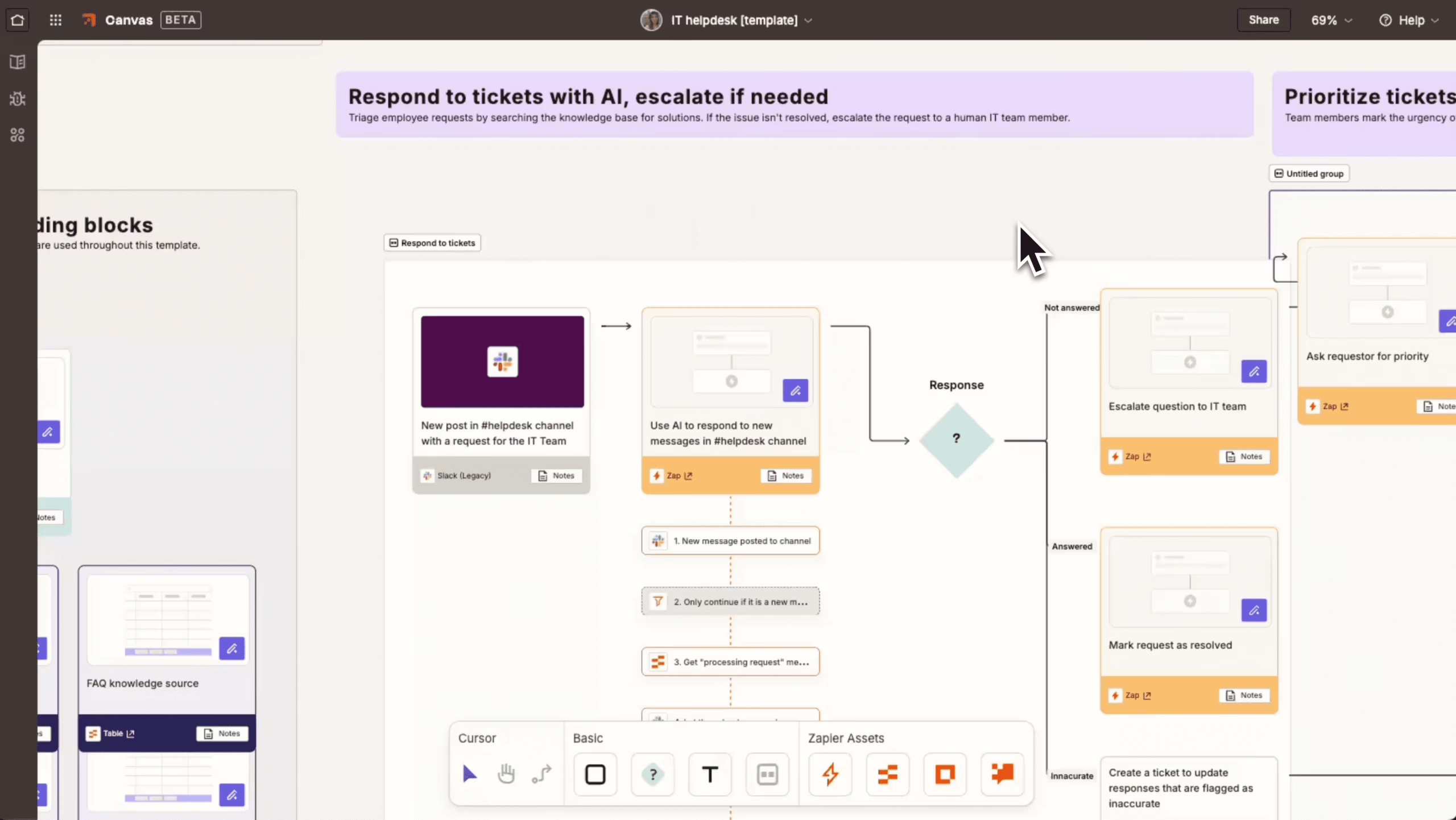
Writing is the easy part for a publishing team. Once the article is signed off, someone has to upload it, format it, get the social posts and newsletter block in place and tidy up the category pages. A small crew can be tied up with that for the rest of the day.
We like to have the workflow start at the point of approval. The editor says yes and the system pushes it to the CMS, formats the copy for each channel and pings the right people. The editor still has the final say, but the packaging is no longer a job in itself.
What this looks like in production
We put that in place at State Affairs to stop editorial friction from holding up reporting. What we learned was to automate the distribution and formatting, not the editorial decisions. Our Estate Media build was much the same, with content from Beehiiv, YouTube and podcasts being pulled into a WordPress site that pretty much runs itself.
Do not make the error of running every platform through one social template. You might save a couple of minutes but you lose relevance. Good workflows take care of the boring stuff and leave the judgment to you. When the editorial review is what is holding you up, we have a guide to editorial workflow management software that will show you where the tooling is worth it and where it is merely adding steps.
4. Customer Support Ticket Routing
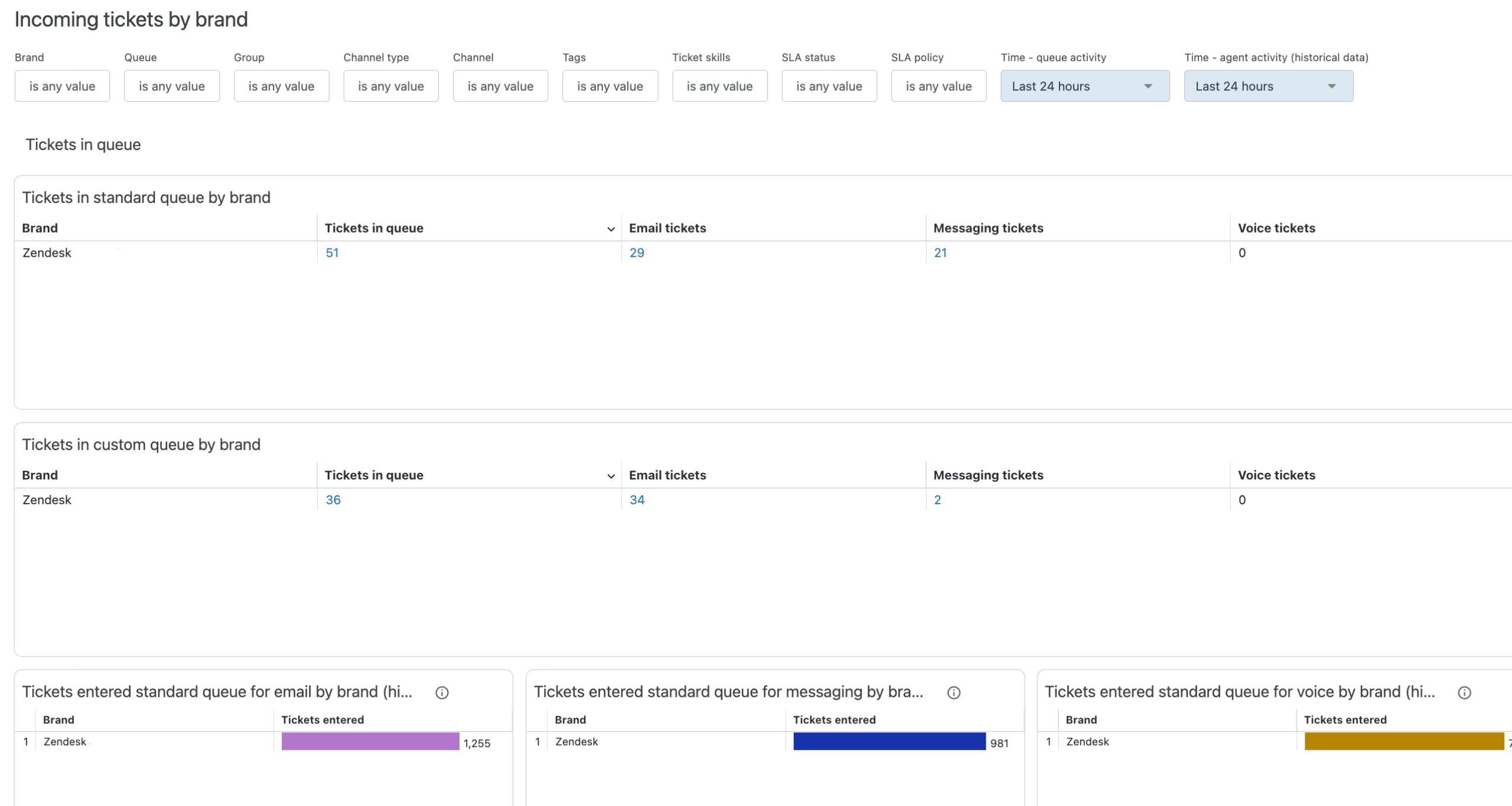
Then there is support. Put every message in one inbox and it becomes a mess. A refund request or a bug report looks as pressing as a sales inquiry the moment it comes in. Lacking any triage, your team will end up tending to whoever is making the most noise.
A routing workflow changes that. It takes the incoming request, tags it for the topic at hand, gives it an owner and a priority, and fires off a confirmation. You can put an end to much of the manual sorting that way. A SaaS outfit can separate billing from bugs; an ecommerce operation can do the same with shipping and returns; a publisher can have one team for product support and another for editorial matters.
The numbers bear it out. According to ThinkAutomation’s ROI breakdown, automating customer service can cut handling time some 25 per cent and push satisfaction up by as much as 30. Employees put back 240 to 360 hours a year by offloading the repetitive stuff. We see those kinds of gains in the field, though they are very much a function of your categories. “Billing, tech issue, other” is not sufficient. Your set of categories has to be in line with how your people view their work and should be re-examined in the first few weeks or misclassifications will pile up.
AI can do the classifying but don’t expect perfection right away. In practice it is a hybrid: the classifier puts forward a category and confidence score for the routing engine to act on, while an agent or lead will go over the low-confidence tickets each day for a month or so. And if you find conversational intake works better than forms, Mava has a support automation guide that tells you when chat is called for and when to stick with the standard workflow.
5. Lead Qualification and Routing
You do not want to be tying up your sales team with leads that have no budget or authority while real prospects are left waiting.
Put some structure in place before a human gets involved. An intake sequence or chatbot will ask its three or five questions, score them and make a call. The ones that are a good fit get a meeting; the rest get some nurture content. For B2B SaaS you are looking at company size and role; for consulting it is project scope and who makes the decisions.
There is a temptation to put together an elaborate scoring system. Don’t do it too soon. Start with the routing. Once the flow is steady and you have closed-won data to spot patterns, then you can add the scoring. Do it in the wrong order and you will have a model that is confidently sending the wrong people your way for months.
Some are now using an AI layer to summarize responses and draft the initial reply, pulling in public data to enrich the contact. Donely’s AI employee dashboard is a case in point for consolidating what would otherwise be cobbled together in Zapier and an outreach tool. It is a sensible move, provided your qualification rules are already in order. An agent running on muddled criteria is only going to misroute leads more quickly.
Curious whether your site is citable by AI assistants? We run a readiness check that shows what they can and cannot read. Run the check.
6. Data Synchronization Across Platforms
It is the kind of workflow you do not think about until something goes wrong. The CRM has an old email on file even though the customer updated it elsewhere. Marketing says trial, billing says active and support has no idea which record to trust. Suddenly the team is at odds with the tools.
A sync workflow aligns the records across the systems you need to. Any change in one is propagated to the others with matching rules applied and conflicts flagged. For a membership site that means subscription status; for an ecommerce brand, it is the profile and fulfillment side of things.
Truth-of-record first, sync second
Setting up the first sync is easy enough. The trick is determining what the source of truth is and who is told when a sync fails without a sound. If you are on Power Automate you know about flows that can be down for weeks after an OAuth token expires or a column is renamed. You will only hear about it from the customer if you have no observability.
Make sure your fields are clean first. Inconsistent names and duplicate contacts will not improve once you link the platforms, they will just spread. We found the data hygiene was more important than the connectors in our automated news pipeline build.
7. Approval Workflows and Document Handoff
Work grinds to a halt over approvals because no one is sure whose turn it is. A proposal is sitting in an inbox or a statement of work has been given the nod by sales but not delivery. The document is fine, it is the hidden queue that is the issue.
An approval workflow will route a submission to the proper reviewer and put a deadline on it, following up if there is no response and either moving it along or returning it with notes. The key is usually parallel review. Serial chains are nothing but dead time, so when the teams are not dependent on one another, run them in parallel.
Take Browne Drug Co. for instance, an example you will come across often. They put Adobe Illustrator packaging file reviews on autopilot by linking Nintex Workflow to Equilibrium’s MediaRich ECM for SharePoint. The result was a 50% plus drop in the two or three weeks it used to take for approvals, thanks to smart reminders and the ability to review in parallel. All told they saw a $29 million impact over five years, some $16.5 million of that in extra revenue from getting to market quicker. You can read the whole story in our AutomationEdge case roundup. The numbers are large but the formula is the same: clear ownership, parallel review, the right kind of nudge.
When the founder has to be involved in every approval, don’t blame the workflow. The org design is your bottleneck.
You see this with nonprofits doing grant work or agencies needing client signoff. Should your approvals involve people operations, we have an overview of what HR automation is to put document workflows in their proper place.
8. Customer Onboarding and Account Setup
Then there is onboarding. In most cases the trouble is not with the product but with timing. A new customer will sign up full of intent and then run into a blank dashboard or a support queue. The momentum is gone and your team will mistake the quiet for contentment.
A good flow makes setup a series of small steps. Create an account and the system sends the checklists, sample data and whatnot. If the customer gets stuck, the workflow flags it for someone to intervene. There is a 2024 study in the Journal of Medical Systems of 120 US hospital systems that puts a number on it: emergency departments using workflow automation saw a 40% fall in admin errors and were done with 92% of the manual data-entry mistakes. Healthcare is particular about compliance, but the lesson is universal. Rely on repetitive manual entry and you will have errors where you need trust the most.
Harvard Business Review and Pew Research Center have made the same point in their respective analyses of SaaS and digital news: it is not about speed so much as providing the right help when it is due. One big welcome email with all the tutorials is not onboarding. A contextual prompt because a user hasn’t added a teammate in three days is.
Whether you are running a SaaS workspace, a membership site or a marketplace that needs to vet seller documents before moving on, the principles are sound.
Quick Comparison
| Workflow | Complexity | Best for | Where it breaks |
|---|---|---|---|
| Lead capture and nurture | Medium | SaaS demos, downloads, consulting intake | Generic drip sequences with no behavior signal |
| Order and invoice processing | Medium to high | Ecommerce, subscriptions, digital products | One oversized flow trying to handle every order type |
| Content publishing and distribution | Medium | Media, education, nonprofits, agencies | One social template for every platform |
| Support ticket routing | Medium to high | SaaS, ecommerce, publisher support desks | Categories that do not match how the team works |
| Lead qualification | Medium | B2B SaaS, consulting, agencies | Scoring built before closed-won data exists |
| Cross-platform sync | High | Subscriptions, CRM and billing, fundraising | No source of truth, silent connector failures |
| Approvals and document handoff | Medium | Campaign signoffs, grants, SOWs | Serial chains in places that should run in parallel |
| Customer onboarding | Medium | SaaS, memberships, marketplaces | Tutorial dump instead of contextual nudges |
Where to Start
You could look at eight examples and think of them as a to-do list, but do not be fooled. Go ahead and try to put more than a couple of workflows in motion and in six months you will have a duct tape contraption with one person who understands how it all works and silent failures turning into customer complaints.
Be selective. Find the process that is the most tedious and least likely to be reworked next quarter and make that your target. Put pen to paper and document it, then sketch out the ideal and automate the smallest part of it. See what gives way. Mordor Intelligence has the market at $23.77 billion for 2025, yet they note the 30 to 50% cost savings companies talk about are in specific functions, not company-wide. You get those gains by being careful.
There are rules of thumb here. For anything involving money, contracts or deletions, keep a human in the room. Have an owner for every bit of automation. And do not put a broken workflow on fast forward just because you can.
At Refact we tend to start with the manual side of things, the legacy tools and the half-finished processes no one has faith in. We map it out, call out the edge cases and decide what should remain manual. Clarity before code is the idea. That is why our automation and integration services have a discovery phase with a money-back guarantee before we build anything. For larger scale rollouts across teams, have a look at our piece on enterprise workflow automation.
Trying to work out where AI actually fits in your stack? Let’s talk. Free 30-minute call, no pitch.

Asghar Mirzaei is a backend developer at Refact, focused on the APIs, integrations, and infrastructure that power the studio’s products. His work spans data pipelines, third-party services, backend architecture, and deployment systems, helping ensure that products are stable, scalable, and ready for real-world use. Asghar works closely with the team to connect product requirements with reliable technical foundations, especially in systems where performance, automation, and integration quality matter. At Refact, he contributes to the engineering work behind the interfaces, making sure the products the studio builds can run smoothly and dependably
More from Asghar Mirzaie

