WordPress Website Maintenance Cost in 2026
A small business owner once asked on Reddit if $700 CAD a month was a fair price to maintain a simple WordPress site.
 Saeedreza AbbaspourOctober 5, 2026
This article is for owners and operators who are pricing a care plan, checking a quote, or deciding whether to handle maintenance in-house. It sets out realistic price tiers, what each tier should actually buy, the costs that sit outside the monthly fee, and the questions that separate a cheap plan from a plan that only looks cheap.
Why an “Average” WordPress Maintenance Cost Misleads You
Many guides start with a rule of thumb. The most common one is to budget 15% to 20% of the build cost each year. That number is easy to put in a spreadsheet, but no study backs it. No one has run a representative survey of what site owners actually spend on maintenance. The published figures are vendor price lists, guide estimates and practitioner anecdotes. Build cost is also a weak predictor. A $10,000 brochure site and a $10,000 WooCommerce store need very different care.
A more useful number is total operating cost. One 2026 WordPress pricing index looked at 80+ WordPress products. Once hosting at renewal rates, plugins, security, maintenance and owner time are added up, it put the real annual cost of a site at $1,200 to $9,700. It also found that hosting renewals averaged about 320% above promotional prices. That second finding catches many owners off guard in year two.
WordPress maintenance cost is what you pay to keep one specific mix of hosting, PHP, core, plugins, themes, scheduled jobs and business-critical functions current, safe and recoverable. Change the mix and the price changes with it. That is also why quotes for the “same” site can sit $500 apart. They usually aren’t pricing the same scope. If you are still budgeting the build itself, our breakdown of what a website costs in 2026 covers the five-year view.
WordPress Maintenance Cost by Tier
The published ranges look contradictory until you see that each describes a different scope. Read them as rungs on a ladder, not as competing estimates of one service.
| Tier | Typical monthly cost (USD) | What it usually covers | Fits |
|---|---|---|---|
| DIY | $0 to $30 in direct spend | Your own updates and backups, plus 2 to 8 hours of your time | Personal sites and low-stakes blogs |
| Automated care | $30 to $50 | Scheduled updates, backups, uptime alerts, little human review | Simple sites where a short outage is tolerable |
| Basic bundled plan | $50 to $150 | Updates, backups, monitoring, reporting, sometimes an hour of edits | Brochure and lead-gen sites |
| Business site | $100 to $300+ | Tested updates, faster response, small blocks of support time | Sites with CRM, form and analytics integrations |
| Ecommerce, membership, custom | $300 to $1,000+ | Staging, functional testing of checkout and logins, priority response, dev hours | Revenue-critical sites |
| Consulting-heavy retainer | $1,000 to $5,000+ | Ongoing development, strategy and enterprise management | Large publishers and complex platforms |
The lower rungs come from WPBeginner’s 2024 cost guide and this WordPress maintenance pricing breakdown. WP Umbrella puts automated services at $30 to $50 per site, bundled plans at $50 to $150, and developer-led plans with staging and visual regression testing at $240 to $1,000+. This WordPress management cost overview extends the top of the ladder to enterprise management at $1,000 to $5,000+. Other published WordPress maintenance cost ranges land in similar bands.
Keep in mind who publishes these numbers. Most of these guides come from companies that sell maintenance or hosting. The tiers are reasonable for planning. They are not market averages. Practitioner prices back up the shape of the ladder, though. On Reddit, one provider charges an $80 baseline, ecommerce from $150, and $299 for a tier with two dev hours and priority support. Another says some consulting-heavy clients pay $1,500 to $2,000 a month.
What the Fee Should Buy: Responsibility and Recovery
Practitioners on both sides of the invoice keep making one point. The fee doesn’t pay for someone to click “update.” It pays for someone to own what happens when an update goes wrong. Two $150 plans can differ completely in that respect, and the differences show up in four places.
Updates that are tested, not just applied
An available update is not proof that the update is safe. In one documented case at UC Irvine, 4 of 23 plugin updates crashed the site’s front end. In June 2024, WordPress.org found five plugin developer accounts had been compromised and used to push malicious updates. A 2024 academic study tested 23 popular plugins and found previously unknown vulnerabilities in three of them.
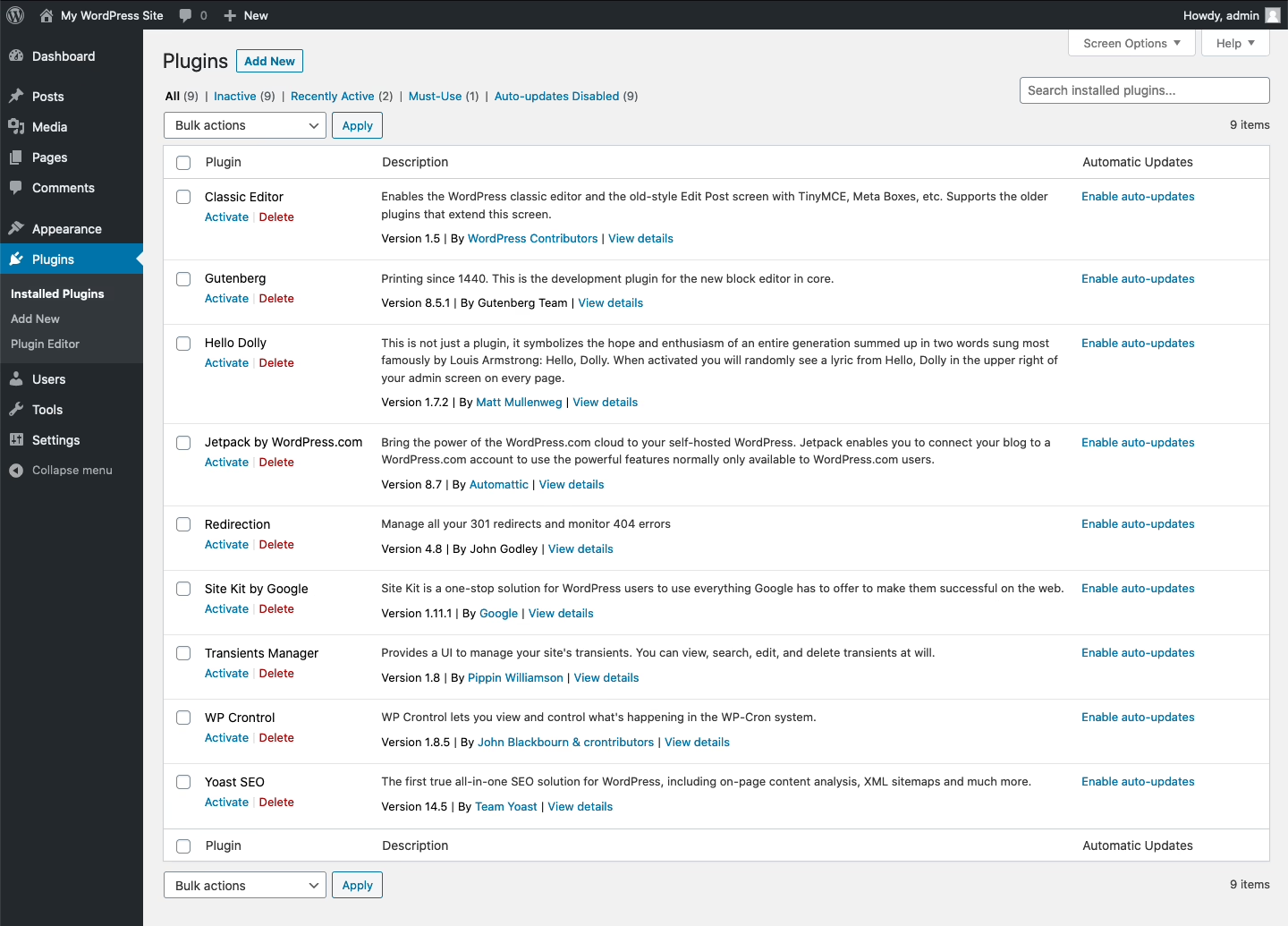
None of this means you should stop updating. It means “auto-update everything” is not a complete policy. WordPress plugin and theme auto-updates check twice a day and send emails for both successes and failures. Someone has to read those emails. After the update, someone has to confirm that forms submit, logins work and checkout completes. A good plan says who does that check and how.
Backups that have actually been restored
The WordPress backup handbook says a full backup needs both files and the database. It recommends keeping three to five recent copies in different locations and checking that automated backups actually work. A backup stored on the same server that just failed gives you little protection. One practitioner on X put it simply: if you’ve never tested a restore, the files are only “probably” backups. Ask any provider when they last restored one of your backups, not just how often they take them.
Monitoring what customers actually see
An uptime monitor tells you the homepage loads. It won’t tell you that the payment gateway is rejecting cards or that order emails stopped two weeks ago. The November 2024 WordPress.org incident showed the gap: the servers looked normal while users saw latency and errors. Plans in the upper tiers should monitor user journeys and third-party dependencies, not only server health.
Clear ownership when the problem sits at the host
Plenty of maintenance failures have nothing to do with WordPress itself. WordPress’s own error documentation lists wrong file permissions and dropped connections as common causes of failed upgrades. In the UC Irvine case, a server permission issue blocked the core update until a system administrator stepped in. When this happens, hosts and developers tend to blame each other. One maintainer’s policy is blunt: “we don’t touch it if we don’t host it.” Your contract should say who deals with host-level access and whether that time is included.
Plugins Drive Most of the Ongoing Work
WordPress core is rarely the problem. Patchstack recorded 7,966 new WordPress vulnerabilities in 2024, up 34% from 2023. Of those, 96% were in plugins, 4% were in themes, and just seven were in core. Its 2026 report counted 11,334 for 2025, with 91% in plugins. Wordfence counted 8,223 for 2024 and found that roughly 35% were still unpatched at the time of its 2025 report.
The totals differ because each company counts differently. Neither figure tells you how likely your site is to be hacked. What the data does tell you is where the maintenance hours go. Every plugin is something to inventory, update, test and sometimes replace when the developer stops fixing it. A plugin with a known flaw and no available fix needs a decision, not a patch.
This is why plugin count is one of the strongest predictors of what you will pay. The UC Irvine site had nearly 60 installed plugins, 51 of which needed updates, plus 17 inactive plugins. Inactive software is still installed software. Cleaning it out is one of the cheapest ways to cut ongoing maintenance work.
The Costs That Sit Outside the Care Plan
A maintenance quote is usually not your full operating cost. Before you compare plans, put every recurring cost for the site into one of five buckets.
| Bucket | What goes in it | What to check |
|---|---|---|
| Hosting and infrastructure | Hosting, domain, SSL, CDN, business email | Renewal price, not promo price, and plan limits |
| Recurring labor | Updates, checks, reporting, included support hours | Actual hours promised, and whether unused hours roll over |
| Recovery capability | Off-site backups, staging, rollback, restore tests | Whether a restore has ever been tested |
| Complexity and response | Checkout testing, priority response, dev hours | Response times by severity, and the hourly rate beyond the plan |
| One-off catch-up | PHP upgrades, legacy plugin replacement, rebuild work | A quoted remediation scope before monthly care starts |
Licenses are the line people forget most often. WP Umbrella estimates about $200 a year in premium plugin licenses for a typical DIY site. Those renewals rarely show up on a maintenance provider’s invoice. Ask for a list of every paid license, who owns the account, and when it renews.
Managed hosting is not the same as maintenance
Managed WordPress hosting often includes backups, staging and caching. That overlaps with a care plan, but it doesn’t replace one. WP Engine’s entry plan starts at $28 a month billed annually and includes backups and staging. On that tier, plugin-update testing and uptime monitoring are paid add-ons. Most hosts won’t troubleshoot a plugin conflict or check that your forms still submit. Compare the host’s feature list with the care plan line by line so you don’t pay twice for backups, or assume that no one is covering updates.
Old sites need catch-up before monthly care
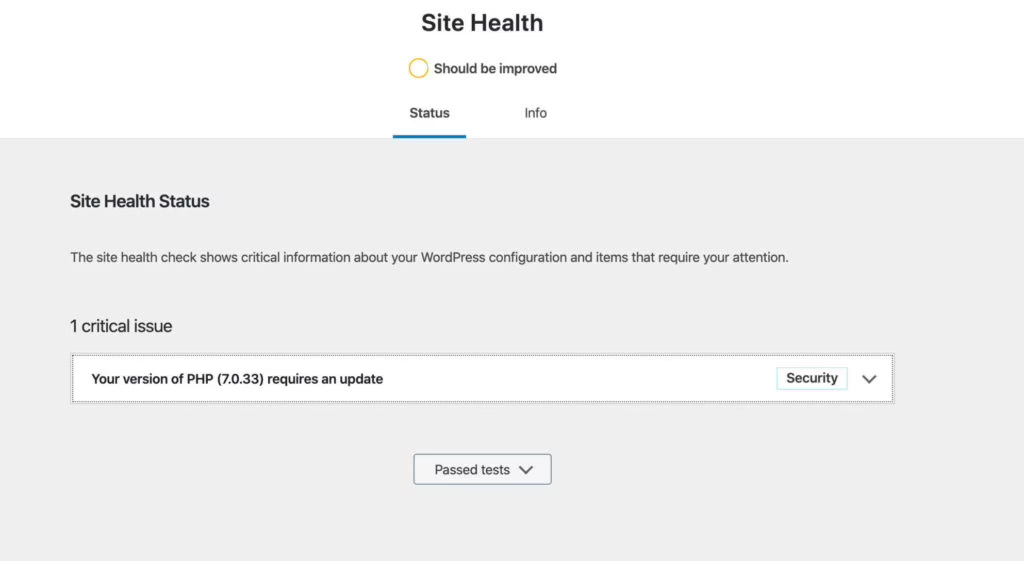
WordPress recommends PHP 8.3 or later. Older PHP and MySQL versions are end-of-life and, in WordPress’s own words, “may expose a site to security vulnerabilities.” Security updates for WordPress 4.1 through 4.6 stopped in July 2025. A site that has drifted that far behind can’t be fixed with a $50 monitoring plan. It needs a scoped upgrade, sometimes close to a rebuild, before routine maintenance makes sense. Practitioners often say emergency cleanup after a hack can cost more than a year of plan fees. That claim is plausible and consistent with the end-of-life warnings, but the evidence for it is anecdotal.
Not sure how exposed your own site is? We run a free WordPress vulnerability check that lists what needs patching first. Request the check.
Why Ecommerce and Membership Sites Cost More
Revenue-critical sites cost more to maintain because an update can break something that takes money, not because there is more to update. A WooCommerce store adds payment gateways, shipping logic, tax rules and extensions that all need compatibility checks. A membership site adds logins, renewals and gated content. If any of those fail, paying members get locked out.
When we built NudFud’s WooCommerce store, product pages had to show nutritional panels, certifications and variants clearly enough for shoppers to compare before buying. Each of those elements depends on the theme, WooCommerce and supporting plugins working together. After every update, someone has to check that the product pages, cart and checkout still behave. That checking is most of the difference between a $100 plan and a $300 one.
Integrations raise the cost further. When we launched The Hustle’s paid Trends newsletter, the starting problem was a custom CMS, a payment platform and an email system that didn’t work well together. Every connection like that is a place where an update can fail quietly. If your store needs this kind of attention, our guide to what WooCommerce maintenance should cover goes deeper. So does our piece on running WordPress ecommerce reliably.
DIY, Freelancer, Agency or Host: The Real Tradeoffs
DIY is cheap in cash and expensive in attention. Estimates put it at 2 to 8 hours a month, plus licenses, plus whatever an emergency costs when it comes. One practitioner’s test is useful. If you patch every month and have tested a restore this quarter, you may not need paid maintenance. If you can’t say both of those things, the plan you’re avoiding is the insurance you’re missing.
A freelancer fits a standard business site, especially when you also need occasional development. You get someone who learns your setup. The risks are availability and continuity. Ask what happens when they’re on holiday and the site goes down.
An agency or maintenance service costs more but can offer staging, defined response times and a team behind the plan. That matters when the site takes payments, holds member data or drives a real share of revenue. Practitioners have one warning: an all-in-one retainer on a plugin-heavy build is only worth paying for if the agency actually shows up when something breaks. Check that before you sign.
Some owners compare total cost of ownership with hosted builders. One client reported saving €500 a month by moving to Webflow. Others argue that WordPress is cheaper to start and stronger for content-heavy sites. The evidence on both sides is anecdotal. If you’re weighing that move, our comparison of WordPress versus Webflow covers the ownership and maintenance tradeoffs.
How Maintenance Is Priced, and Where Scope Creep Hides
Most plans use one of four pricing models. Hourly billing suits sites that rarely change, and it works well for audits and one-off fixes. Monthly retainers buy availability and a block of time. Tiered packages give you a fixed checklist at a fixed price. Outcome-based contracts tie the fee to results like uptime or response targets rather than tasks. This explainer on how outcome-based pricing works covers the general model. It only works when the outcomes are written down precisely.
Whatever the model, scope creep is the most common way maintenance pricing fails. Practitioners describe clients who treat their maintainer as a personal web developer, asking for new pages, features, logo redesigns and event flyers under a “minor changes” clause. Either the provider absorbs the work and the plan loses money, or the client gets a surprise invoice.
The fix is in the contract. Good plans define a “minor edit.” They separate technical maintenance from content and design work, and they set an overage rate. One provider charges $135 a month for technical maintenance only, plus $180 an hour for edits with a half-hour minimum. Included hours usually don’t roll over. That is reasonable, as long as you know it before you sign.
This also explains why low prices can work for providers. A UK freelancer with about 100 sites charges £15 a month with 15 minutes of support included, and £45 an hour beyond that. Most clients rarely use their time, so the pooled plan is profitable. The same price wouldn’t hold up for a single busy store.
Questions to Put to Any Maintenance Quote
Compare quotes by what they commit to, not by the headline number. Ask each provider to answer these in writing:
- How are updates tested before and after they go live, and which user journeys get checked?
- Are backups stored off-site, how many copies are kept, and when was a restore last tested?
- What are the response times for an outage, a broken form and a content change?
- How many hours are included, do they roll over, and what is the rate beyond them?
- Who handles host-level problems such as file permissions, PHP upgrades and server errors?
- What happens when a plugin has a known vulnerability and no fix?
- Are hosting, licenses, malware cleanup and development included or billed separately?
- On cancellation, who owns the accounts and licenses, and do you get a final backup?
If a provider can’t answer the backup and testing questions clearly, the low price reflects the missing work. Our website maintenance plan guide explains how to tell whether a plan is working once you’re on it. For a broader view of what real WordPress care covers, including SSL renewals and DNS, that piece walks through the full task list.
Cutting the Cost Without Cutting Protection
The safest savings come from making the site smaller and simpler, not from buying a thinner plan.
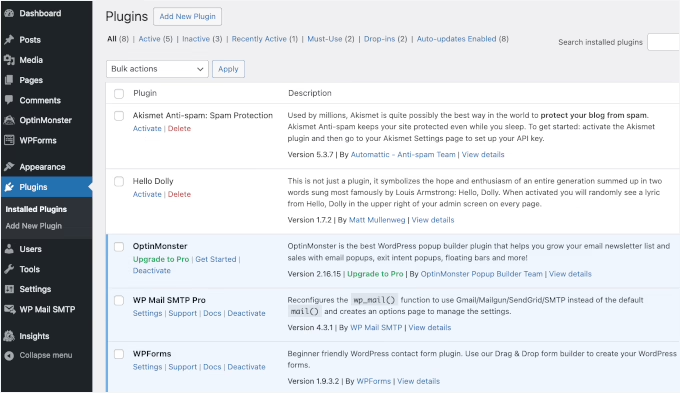
- Remove unused plugins and themes. Keep one default theme for troubleshooting and delete the rest. Fewer extensions mean fewer updates, fewer conflicts and fewer licenses.
- Replace abandoned plugins on your schedule. A planned swap costs far less than an emergency one after a vulnerability is disclosed.
- Fix scheduling on low-traffic sites. WP-Cron runs only when someone visits the site, so scheduled posts and emails can run late. WordPress recommends switching to a server scheduler when timing matters. It’s a one-time fix that prevents repeat support tickets.
- Keep safe content work in-house. Image swaps, copy edits and product uploads can stay with your team if the process is documented. Leave code, payment settings and security decisions with someone who knows the system.
- Match the tier to the stakes. A low-stakes blog can live on automation plus a tested restore. A store should pay for functional testing. Paying for the wrong tier in either direction wastes money.
Budget for the Failures That Would Hurt
A cheap plan is only cheap if it covers the failures your site can’t afford. For a personal blog, that might mean nothing more than monthly patching and a restore you’ve actually tested. For a site with forms, memberships, payments or custom code, you’re paying for tested recovery and someone who answers when checkout breaks at 9pm. Price the plan against that risk, not against the time it takes to click “update.”
If you want a second opinion on what your site actually needs before you commit to a plan, Refact’s website maintenance and support starts with a review of your plugins, hosting and recovery setup. We scope the care from there. If the review shows the site needs catch-up work first, our WordPress development team can plan it before routine maintenance begins.
Running a WordPress site that has outgrown its build? Let’s talk. Free 30-minute call, no pitch.

Saeedreza Abbaspour is the CEO of Refact, where he works across product, engineering, and sales. He sets the studio’s direction while staying closely involved in the work itself, from shaping product strategy and UX architecture to helping define the technical systems behind Refact’s projects. His role connects business thinking with hands-on product execution, giving him a practical view of how software should be planned, built, launched, and improved. At Refact, Saeedreza focuses on building a studio that can move quickly, solve real client problems, and turn ideas into reliable digital products.
More from Saeedreza Abbaspour

