Webflow vs WordPress: A Practical Choice
The Webflow versus WordPress debate is usually framed as no-code against open source, or designer tools against developer tools.


According to W3Techs, WordPress still powers roughly 43% of the web and holds around 61% of the CMS market. Webflow sits near 1.2% CMS share with about half a million active sites. Both platforms are viable. Neither is the right answer to a question you have not defined yet.
This piece is for the person who has to make the call: a marketing lead, an operator, or a business owner deciding what their next site should run on. The goal is to give you enough clarity to pick the platform your team can actually run for the next two or three years.
The Decision Is Architectural, Not Aesthetic
WordPress lets third-party code run inside its own runtime. Plugins hook into nearly every lifecycle event, which is why you can bolt on WooCommerce, memberships, LMS features, custom post types, and complex integrations without rewriting the core. That power is also the source of most WordPress pain. More code you did not write means more updates, more conflicts, and more security surface.
Webflow is the opposite trade. There are no server-side plugins. Extensibility happens through embeds, client-side JavaScript, webhooks, and external APIs. If you want to run business logic on the server, it lives somewhere else and talks to Webflow from the outside. That constraint is why Webflow feels tight and predictable. It is also why certain projects, particularly complex ecommerce and membership sites, hit a wall on it.
This is the practical version of that trade:
| Dimension | WordPress | Webflow |
|---|---|---|
| Runtime | PHP app server you can extend | Closed multi-tenant SaaS |
| Extensibility | 60,000+ plugins, custom PHP | Client-side JS, APIs, webhooks |
| Hosting | Separate decision, quality varies | Included, opinionated |
| Security posture | Your responsibility | Vendor-managed |
| Data ownership | Full, exportable | Limited, migration is a rebuild |
| Ceiling | Nearly none | Marketing sites, small commerce |
Read that table as a set of consequences, not features. Almost every argument you will hear about the two platforms is a downstream effect of what is in row one.
Security and Performance: Different Defaults
Sucuri’s 2025 Website Threat Report attributes about 94% of hacked CMS sites to WordPress. Wordfence data suggests a majority of WordPress sites face hacking attempts annually. WordPress advocates will correctly point out that the WordPress core is not the vulnerability. The vulnerability is a plugin someone installed in 2022, stopped updating in 2023, and never removed. When a site runs 20 or more plugins, the probability of at least one known vulnerability is high enough that the question stops being “if” and becomes “when someone bothers.”
Webflow’s closed architecture eliminates most of that surface. There is no user-installed server code to compromise, and the vendor handles patching. The trade is that you have no ability to audit or harden the runtime yourself, and any SaaS pricing or feature change is outside your control.
Performance follows a similar pattern. The 2025 Web Almanac, using Chrome UX Report data, found that only about 46% of WordPress origins pass all three Core Web Vitals. The failure is almost always Largest Contentful Paint, which is another way of saying “the hosting, theme, and image pipeline are not doing their job.” Webflow’s static-like output and integrated CDN produce stronger defaults. Migration case studies from B2B sites moving to Webflow have reported mobile PageSpeed scores jumping from the mid-60s to the low 90s.
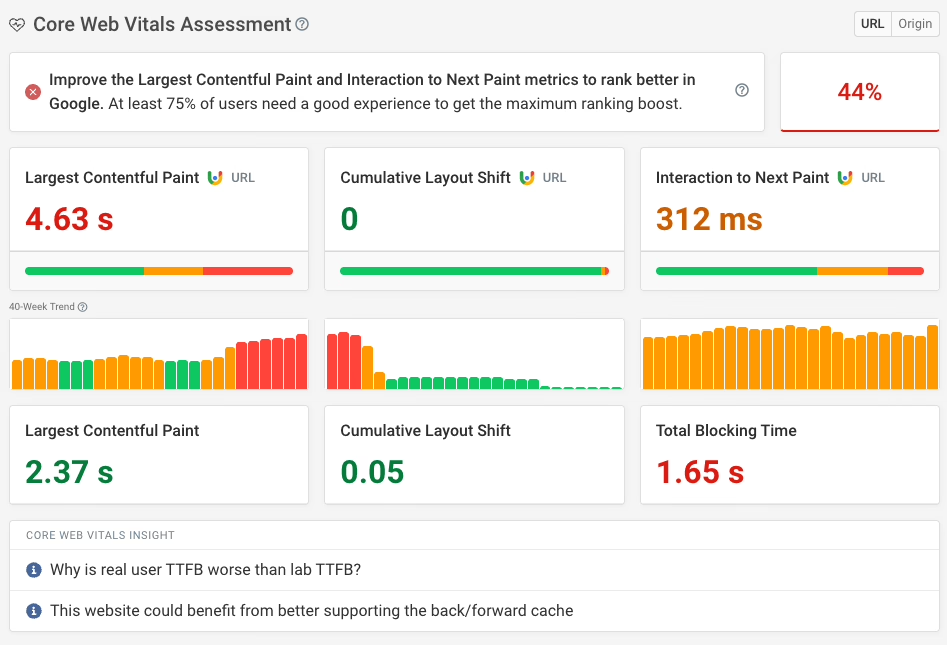
None of this means WordPress cannot be fast and safe. It can. It just requires disciplined hosting, curated plugins, image handling, caching, staging environments, and a maintenance rhythm. If your team is willing to fund that discipline, the gap closes. If it is not, the gap is real and it grows over time. That is the honest version of “WordPress can match Webflow’s performance.”
SEO: Both Rank, But Not the Same Way
Both platforms can rank on Google. The relevant difference is how you get there.
WordPress gives you deeper control. Yoast, Rank Math, and SEOPress expose schema, redirects, canonical logic, and content models at a level Webflow does not match. If your SEO strategy relies on programmatic pages, editorial tagging systems, or enterprise-grade technical SEO, WordPress has more room.
Webflow gives you cleaner defaults. Field-level SEO controls are built in, markup is tidy, and performance issues that hurt rankings are less likely to appear on their own. For marketing-led teams without a technical SEO in the room, that baseline usually beats WordPress in practice. The catch is portability. WordPress-only SEO plugins do not travel to other platforms, which starts to matter if you run a multi-CMS portfolio.
Search Engine Journal’s CMS market share tracker shows WordPress still dominates the top of the web while managed SaaS builders slowly gain ground. That mirrors what practitioners keep saying: WordPress remains the default for content-heavy publishers, and Webflow keeps taking share in the marketing-site segment where operational drag is the real bottleneck.
Cost: The Comparison Everyone Gets Wrong
“WordPress is free” is technically true and practically misleading. The core is free. A site is not. Hosting, theme work, plugin licenses, developer time, and ongoing maintenance are where the money actually goes.
Different studies produce wildly different conclusions on total cost of ownership, and the reason is always the same: they assume different things about hosting quality, plugin spend, and how you value staff time. The pattern that actually holds up:
- For a small or mid-sized marketing site without in-house engineering, Webflow is usually cheaper across a three-year horizon once maintenance is counted.
- For content-heavy or custom WordPress sites with in-house talent, WordPress is usually cheaper because the marginal cost of another page or feature is low.
- For enterprise Webflow deployments, savings can be significant but are context-dependent. Practitioners have publicly questioned whether $100k enterprise plans are justified for teams that could ship on lighter infrastructure.
The number that is more consistent across sources is build time. Webflow projects tend to launch in roughly half the time of an equivalent WordPress build, because there are fewer moving parts to wire together. A six-week WordPress engagement often runs three weeks on Webflow, assuming the design system and content model are ready.
The cost you should be worried about is not the sticker price. It is the amount of expert attention the platform keeps demanding after launch. On WordPress that shows up as a maintenance retainer. On Webflow it shows up as subscription creep across sites, seats, and plan tiers.
Not sure how exposed your own site is? We run a free WordPress vulnerability check that lists what needs patching first. Request the check.
Daily Use: Where the Platforms Actually Diverge
The build gets the attention. The daily editing experience is where teams live.
WordPress with Gutenberg gives editors real layout power. That is a feature if your team is disciplined and a liability if it is not. Without theme.json rules and block locking, an editor can move a hero image, replace a button, and quietly break the page template. The Elementor and Divi ecosystem made this worse, which is why practitioners increasingly recommend Bricks or a native block-based build for new projects.
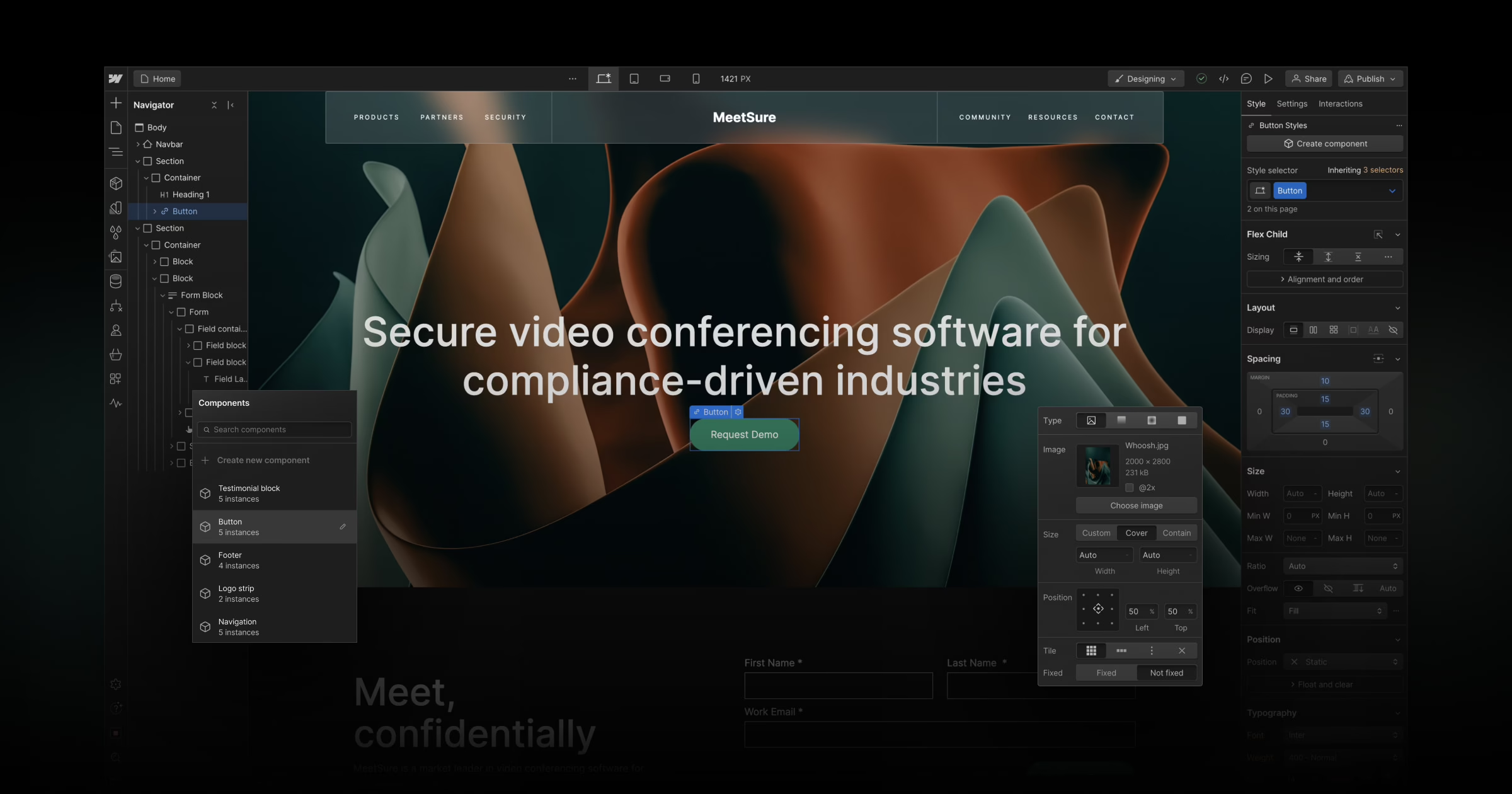
Webflow enforces separation by design. The Designer controls layout, the CMS controls structured content, and the Editor is intentionally limited to safe content edits. Editors cannot break a template because they cannot touch one. For teams where marketing publishes without engineering review, that constraint is a real advantage.
Two field notes from our own work make the point.
When we rebuilt Teton Gravity Research’s WordPress platform, the technical challenge was migrating 10,000 articles out of a legacy CMS. The harder job was defining what editors could and could not do inside the new system, so publishing velocity went up without the layout going sideways. On Stacked Marketer, a media company scaling from a newsletter to a full platform, we invested heavily in editor workflows and a user dashboard because the growth curve depended on internal teams shipping without waiting on engineering.
Neither project was really about WordPress versus Webflow. Both were about matching platform constraints to how the team actually works. That is almost always the more useful question.
When to Choose Which
The consensus across practitioner threads on Reddit, X, and Quora is remarkably stable. The pattern:
Webflow is usually the right call when
- The site is design-led marketing, B2B/SaaS, agency, professional services, or a portfolio.
- Marketing needs to publish landing pages without a developer in the loop.
- You want strong performance and security defaults without funding ongoing engineering discipline.
- The content model is stable and fits inside Webflow’s collection structure.
- Speed to launch matters more than long-run flexibility.
WordPress is usually the right call when
- The site is content-heavy publishing, with editorial workflows, taxonomies, and archive logic.
- You need WooCommerce, memberships, LMS, multilingual, or multisite.
- Custom backend logic or deep third-party integration is central to the product.
- Data ownership and long-term extensibility matter more than managed convenience.
- You already have, or can retain, engineering discipline for hosting, plugins, and security.
Two edge cases worth naming. If you are comparing WordPress against a commerce-native platform for a store, the Webflow question is often the wrong one. Our Shopify vs WordPress comparison covers that decision more directly. If you are weighing WordPress against another managed builder, Squarespace vs WordPress works through the same trade at a different price point.
The Mistake That Costs the Most
Gartner’s composable DXP research suggests teams underestimate migration and platform-change complexity by 40 to 60%. The reason is almost never technical. It is that teams pick a platform before they have mapped the content operation the platform is supposed to serve.
The pattern shows up in both directions. A team on WordPress switches to Webflow to escape plugin bloat, then rebuilds the same fragmented workflow inside Webflow because no one redesigned the editorial process. A team moves from Webflow to WordPress for flexibility, then spends the flexibility budget on plugins that reintroduce the maintenance load they were trying to leave behind. Our Webflow to WordPress migration guide covers what actually breaks in that direction, and it is usually not the export.
Three questions worth answering before you touch a platform decision:
- Who publishes to the site every week, and what do they need to be able to do without help?
- What is the business goal the site has to move, measured in something other than pages shipped?
- What is the maintenance appetite of your team over the next 24 months, honestly?
If you cannot answer those, the platform choice is premature. If you can, the answer usually becomes obvious.
Where Refact Fits
Most of the sites we build and rebuild run on WordPress, because most of the businesses we work with have content, commerce, or membership requirements that Webflow’s model cannot cleanly hold. That is not a preference. It is a fit judgment we make case by case, and sometimes the honest answer is that a client’s marketing site belongs on Webflow and their product belongs somewhere else entirely.
When the case for either side is equally well made and one is at an impasse over which platform to put a new build on, the answer is seldom to be found in further comparison. What is needed is a better sense of the site’s requirements and who will be left to operate it. Refact has designed its discovery process and WordPress development to put those questions to rest with some early clarity. It is for that reason we treat the subject of WordPress website maintenance as distinct from the build. Put the operating model in order and the decision on a platform will take care of itself.
Running a WordPress site that has outgrown its build? Let’s talk. Free 30-minute call, no pitch.

Saeedreza Abbaspour is the CEO of Refact, where he works across product, engineering, and sales. He sets the studio’s direction while staying closely involved in the work itself, from shaping product strategy and UX architecture to helping define the technical systems behind Refact’s projects. His role connects business thinking with hands-on product execution, giving him a practical view of how software should be planned, built, launched, and improved. At Refact, Saeedreza focuses on building a studio that can move quickly, solve real client problems, and turn ideas into reliable digital products.
More from Saeedreza Abbaspour

