

Most decisions on a React CMS always happen in the wrong order. Teams select a platform with a high GitHub star count or the cleanest developer demo, only to realize six months later that editors require engineering support to publish a landing page. Payload (44,000 stars) does not indicate how your content team would feel about working on the platform.
The important question is not which React CMS is the best. The important question is which content system lets your editors ship without breaking the SEO, page performance, or engineering roadmap. This document focuses on how a React CMS fits this premiere management role, the four main categories of capability, and where these projects inevitably hit challenges after software release.
When Your Current CMS Starts Costing More Than It Earns
In most cases, these challenges are operational rather than technical. An editor is unable to publish a page. A developer spends their Fridays debugging the hero image. The site works, but the business runs faster than the site.
A React CMS is usually introduced here. React is by far the most popular JavaScript library for building UI, and its component system naturally lends itself to forming a user interface for content management. Cosmic’s article provides a more thorough analysis, but for this document, it is worth a mention that React CMS systems empower engineering teams to publish content without waiting on slow monolithic systems.
Before you make any changes, implement this test. When your team engages in more discussions on layout than they do publishing, your CMS is problematic. If publishing is fine and arguments are infrequent on layout, leave it alone. Know that a complete rebuild is always more expensive than most vendors lead you to believe, and you can check out where we did the math on the headless case actually making financial sense for yourself.
What a React CMS Actually Is
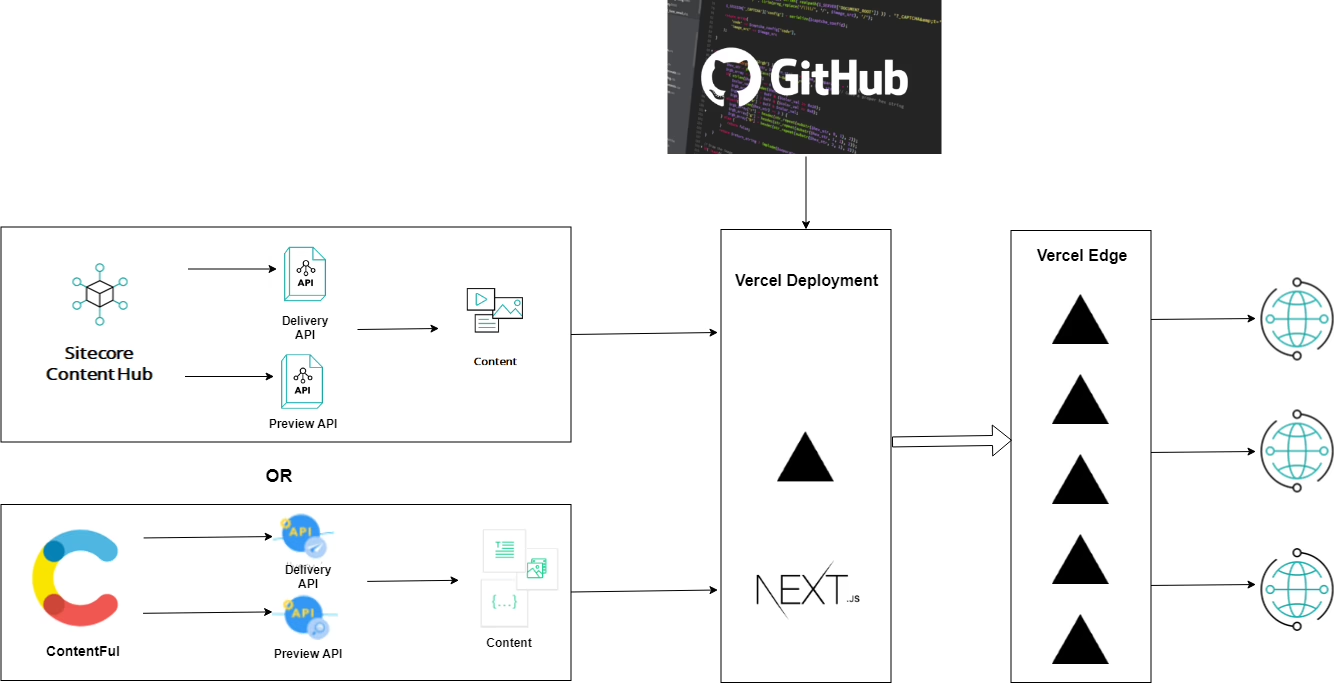
A conventional CMS treats content and presentation as one unit. WordPress gives you HTML. Drupal gives you HTML. The database, theme, and delivery are integrated. React CMS disrupts that. The CMS is an API-based content store that leaves the rest to React, almost always Next.js, for the rest of the rendering, routing, performance, and preview.
This separation is not about hip architecture. It is about shifting the ownership boundaries. Your content editors can publish without the frontend developers completing a large rebuild of the site. Your frontend developers can work on solving performance, preview, and page logic without asking the CMS to add new features that weren’t designed for the site.
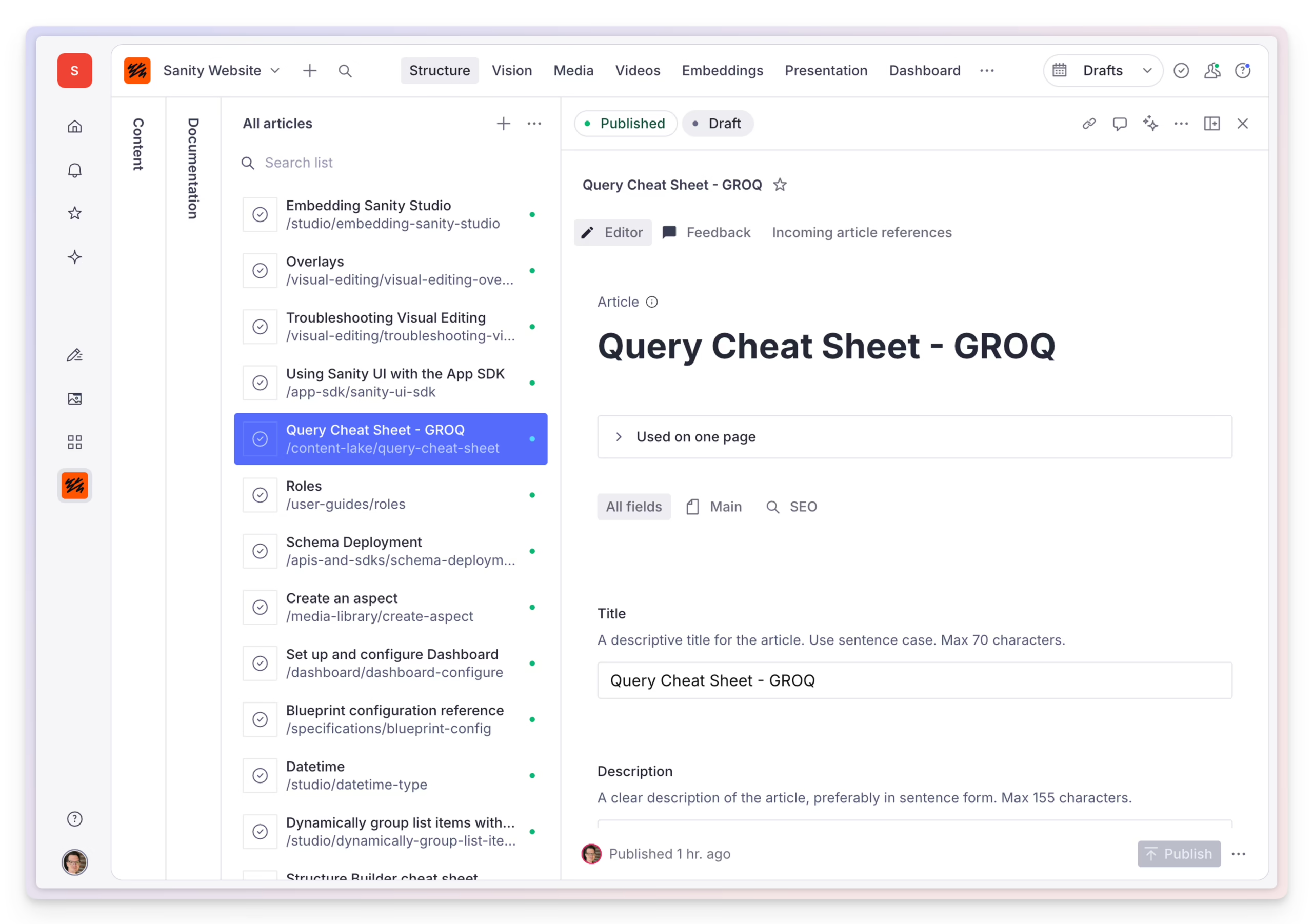
The hidden cost is training. A CMS can appear simple in a demo. However, editors will still struggle to understand the content model and the publishing workflow when using a CMS on a daily basis. Electe makes the point that training is a hidden cost that determines the success of a CMS. That observation is consistent with what we see in rebuilds: a CMS is almost never the reason a team is stuck, the reason is that training for editors was ignored.
The trade you are really making
In a React CMS, the CMS manages content storage, structured fields, references, and delivery. React and Next.js handle rendering, speed, and page behavior. That means the frontend team carries more responsibility compared to a traditional, monolithic CMS.
From an operator perspective, that’s a good compromise. You get better, more consistent builds and less plugin workarounds. However, you have to take more responsibility for the technical stack because the CMS will not cover poorly planned frontend decisions, unlike WordPress.
The Four Categories, and Which One Fits Your Team
Founders hear the term headless and assume it’s the only option. That’s a common yet incorrect assumption. The space for React CMS divides into four separate buckets that fit different teams. Think about team fit first, then feature comparisons.
Developer-first, TypeScript-native headless
These tools – Payload, KeystoneJS, and Strapi – are self-hosted, schema-as-code, and are comfortable in the Next.js ecosystem. Of the three, Payload’s position as a full-stack Next.js framework including a CMS has caused the developer community to place it at the top of the star rankings.
Place your team here if they have ownership of React and TypeScript and want to manage their stack, data model, and hosting. Don’t put your team here if your content team is large and distributed and expects the real-time editing features they had at their last workplace.
Editor-first SaaS headless
Sanity, Contentful, Storyblok, Hygraph, and Cosmic are here. The admin UIs are prepared for users, real-time collaboration is a standard feature, and the provided API is flexible enough to quickly build a Next.js project. You trade this convenience for monthly fees and vendor lock-in at scale.
Use this bucket if the editorial team is the main user group and productivity is prioritized over flexibility. In our Sanity vs Contentful comparison, we discuss how these systems perform under real editorial situations. We highly recommend a look at our Contentful: The honest review before you sign an enterprise deal.
Git-based
Content storage systems like Decap CMS (formerly Netlify CMS), TinaCMS, and Gridsome include content storage and management systems as a UI on top of Git. These systems are viable as cost-effective solutions to managing smaller websites like marketing or engineering documentation portals.
However, for a content team of ten with an editorial calendar, these solutions will quickly become obsolete.
Visual builders
Builder.io, Plasmic, Webstudio, and React Bricks allow non-developer users to build pages using React components. While they provide some degree of engineering independence, their component library and the CMS are easily misaligned leading to an abandoned collection of pages.
Choose this when standalone landing pages with priority for marketing agility are necessary, but structured content reuse is unimportant.
What the Practitioner Consensus Actually Says
There is one almost universal consensus in the community: it is a bad idea to build a marketing site that is primarily content driven with a React SPA (single page application). Client-side rendering is slow for the first paint, and as a result, crawlers may have a hard time indexing your site. Next.js provides several tools that ease the burden on a developer compared to building your own Git SaaS client. The operating manual for a Next.js website goes into the intricacies of rendering, but in this case the default is that the majority of your pages are statically generated, and pages that require personalization are rendered dynamically with SSR.
The other community consensus is that the React side matters just as much as the CMS you choose. There are several consistent and predictable failure modes that occur in the systems we inherit. These issues are commonly seen on Stack Overflow and are a good indicator of how often these defects are encountered in production. These issues are not complex and are commonly seen.
- useEffect used for content fetching. Fine for a prototype. Painful in production, where you want cache invalidation, loading states, and error boundaries. TanStack Query on the client, or Next.js data fetching on the server, both do this properly.
- Missing memoization on content-heavy pages. A blog index with fifty cards will re-render the entire tree on every state change if you skip React.memo and stable dependency arrays.
- Ad hoc project structure that ossifies. The scaffolding you built in week one becomes the legacy code you cannot refactor in month six.
- Rendering CMS HTML naively. dangerouslySetInnerHTML injects raw HTML, which breaks React Router links inside the content and opens an XSS surface. Use an HTML-to-React parser with a link interceptor.
These are not exotic problems. They show up on Stack Overflow every week with hundreds of votes, which is a fair proxy for how often teams hit them in production.
Popular Platforms, Compared for Real Operating Cost
Since control comes at the cost of added burden, the trade off you get is increased burden, on your team. The table below is a summary of how that control vs burden trade off works.
| Platform | Best For | Hosting | Editor UX | Where It Breaks |
|---|---|---|---|---|
| Payload | TypeScript teams, Next.js-native builds | Self-hosted | Solid, code-configured | Editor onboarding at scale |
| Sanity | Complex structured content, live collaboration | Managed | Strong, especially with Studio customization | Query costs at high traffic |
| Contentful | Large teams, enterprise governance | Managed | Polished, familiar | Pricing above the growth tier |
| Strapi | Self-hosted, API-first, developer ownership | Self-hosted or managed | Flexible, needs setup | Editor UX out of the box |
| TinaCMS | Git-based workflows, technical teams | Repo-tied | Simple, editor-light | Large teams, complex roles |
| Decap CMS | Small static sites, docs | Static-tied | Lightweight | Anything beyond simple publishing |
To see a more detailed comparison of the two most frequently requested pairs, we wrote Strapi versus Sanity for team fit to pair with our Sanity/Contentful comparison. The pattern that holds across all of these is to pick the platform that fits best with the way your team works, rather than selecting the one with the most features.
Real Setups by Business Model
The right setup depends on the business model, not the CMS logo. Three patterns we see repeatedly.
Media and publishing
For a serious publishing team, a headless setup with Sanity or Payload on the backend and Next.js on the frontend fits well. Structured content, multiple authors, article relationships, and taxonomy all map cleanly. The frontend can be tailored for Core Web Vitals in a way WordPress themes are unable to achieve.
When we built Teton Gravity Research, the design work was only half of the project. The harder half was moving more than 10,000 articles from a legacy CMS and retaining editorial workflows and thousands of article URLs that logged over 30 years. A migration like that is where publishing sites quietly lose traffic if the plan isn’t right.
Ecommerce
The most user friendly ecommerce sites are hybrid. Keep your transactions in a proven checkout system. Use a React CMS for product stories, buying guides, campaign pages, and brand content. Do not try to use one system for both.
MVPs and newsletter or membership products
When building early product versions, prioritize keeping the CMS simple. It’s the easiest mistake to make when new products try to push beyond themselves. During the first build of the premium newsletter with The Hustle, we completed the Trends build in two weeks. The disciplined scope kept WordPress as the content backend, custom development for payment and membership layers, and no advanced CMS. A simple MVP CMS should act as infrastructure.
What Should Actually Drive the Decision
Three questions, in this order.
Do editors have the ability to publish on their own? A “no” during a demo will be a “no” in production. Watch a real editor test the system before you commit.
What are the implications of using a React CMS? Using a React CMS means you are agreeing to manage a React frontend. You are responsible for content models, deployment pipelines, and dependency updates, as well as the frontend preview behavior. Choose a name for this person before you begin.
Where does the stack intersect with the rest of the business? Analytics, CRM, e-commerce, email, and other personalization tools and integrations will be added. Each integration requires time and effort to maintain. Plan for that now, not later, upon deployment.
Everything else: features, ratings, vendor evaluations is all downstream of these three.
Next Steps
Start with content, not code. Define content types, template pages, and workflow preview before a single line of code is written. Failure to do so will increase the likelihood you’ll rely on chance to pick a CMS.
Honestly show the migration flow. What gets built first, what gets migrated, what gets replaced, and what gets approved. A half-built CMS is worse than the status quo, as now no one trusts either system.
Outside assistance is justified if the chosen CMS is linked to revenue, publishing time, or the overall risk of the migration. Otherwise, the status quo should be maintained. If you are between the three, but in need of a migration plan before coding becomes part of the equation, our Headless CMS Development Practice is well suited to this kind of work. The right React CMS is the one you can still run after two years, without a lot of hassle, when the issues are content, not tech.

Masoud Golchin is a backend developer at Refact, working on server-side systems, internal tooling, and infrastructure. He builds and maintains the services that support both client projects and the team’s day-to-day development workflow. His work includes backend logic, developer tools, system reliability, and the technical foundations that allow products to scale and operate consistently. At Refact, Masoud focuses on creating practical engineering solutions that help the team move faster while keeping systems organized, maintainable, and dependable.
More from Masoud Golchin

