WordPress Website Redesign: A Founder’s Guide
There is a certain datedness to your site.


But do not make the costly error of thinking the problem is WordPress itself. The mistake is to launch into a redesign without first determining what the site truly calls for. In any proposal you will see a full rebuild, a targeted refresh or an improved management plan all lumped under the heading of “a redesign”. They are as different in risk and price as they are in scope. This guide is meant for the one who has to make that determination before a single mockup is put on paper.
WordPress is hardly ever the bottleneck; it is the decisions you make around it. With a plugin ecosystem running over 65,000 free extensions, there is plenty of room to modernize without starting from scratch. WordPress usage statistics from WPZoom would tell you why most teams can stick with the platform that powers some 43% of the web.
Treat a WordPress Redesign as a Migration, Not a Skin
What passes for a “website redesign” on a mature WordPress site is often more than meets the eye. It involves the editor experience your people use day in and day out, custom post types, taxonomies, permalink structures, the caching stack and third-party integrations. Do a front end change without considering the rest and you will have put in place a site that is prettier but slower to load, harder to publish and lower in the rankings than what was there before.
You see this in most redesign post-mortems. Week three comes and traffic is down 30 per cent because no one bothered to map the redirects. A new template brings in three carousels and four related-post queries and the time-to-first-byte is doubled. Then you have a block theme that is fine for new work but a thousand old pages from Elementor are still churning out proprietary shortcodes that never made it across. These are not design issues. They are migration problems dressed up as a redesign.
Take the Teton Gravity Research project we put together. They came to us wanting a redesign. In reality they had 10,000 articles in a legacy CMS, user-generated content that was becoming a legal headache and business functions cobbled together with effort. We made them face some hard truths about what their site needed to do before we quoted anything. The result was a new site, to be sure, but the real value was in deciding what to stop doing. Read the case study if you want the long version.
Decide Between Refresh, Rebuild, or Manage Before Anything Else
To properly scope a WordPress job you have to force a choice between three things before the design work starts. Your timeline, risk and pricing will depend on it.
Refresh: when the bones are good
If your editors can still put up content unassisted and the model works, a refresh is the answer. The trouble is cosmetic, at the mobile or template level. You swap out a heavy multipurpose theme for something lighter, get the typography in order, trim the plugins and tidy up the navigation on your high-traffic templates. The gains are there. An independent report will show you a 30 to 60 per cent drop in load times and an LCP improvement of half a second or more when you move to a leaner theme. Leave the vendor claims of “80–90% faster” to the marketing department and plan on 30 to 60 per cent.
Rebuild: when the site is structurally fighting you
Then there is the rebuild. You do this when the page-builder debt makes every edit a gamble, the plugins are treading on each other’s toes and the template logic is too fragile to trust. Tristan Swire, the WordPress consultant, put it well in a post that has been shared far and wide: “The most expensive WordPress projects often start the same way: ‘It should be a simple update.’” If you have forms nobody wants to touch and undocumented code, you need a planned rebuild, not another patch.
Manage: when redesign is the wrong project
Some sites asking for a redesign don’t need one. They need discipline. Over a year, a maintenance plan with some quarterly updates and performance monitoring will beat a full rebuild any day. Our website maintenance services are for precisely that sort of thing. If you are in doubt, the table below is a quicker way to diagnose it than another proposal.
| Signal | What it usually means | Likely path |
|---|---|---|
| Editors avoid publishing | Editor experience is broken, not the design | Refresh + governance |
| Site looks dated but converts fine | Brand and template issue | Refresh |
| Mobile users drop off on key flows | IA and UX issue | Rebuild |
| Plugin conflicts on every update | Technical debt and bloat | Rebuild |
| Rankings solid, pages slow | Performance and hosting issue | Manage |
| Page builder timeouts in the editor | Builder lock-in | Rebuild (custom theme) |
Audit Before You Estimate
Audit before you estimate. That is the one rule in a WordPress redesign. It is not optional and it is not the same as the discovery form an agency will hand you. You do it so the rebuild does not come as a shock in week six.
What an audit should actually cover
Do it right and you will have four artifacts to show for it. Miss one and the project will have to make up for it later, and not at a convenient time.
- Content and URL inventory. What is driving sales or leads? Which URLs have to make it through cutover and which can be retired? You need this for the redirect map.
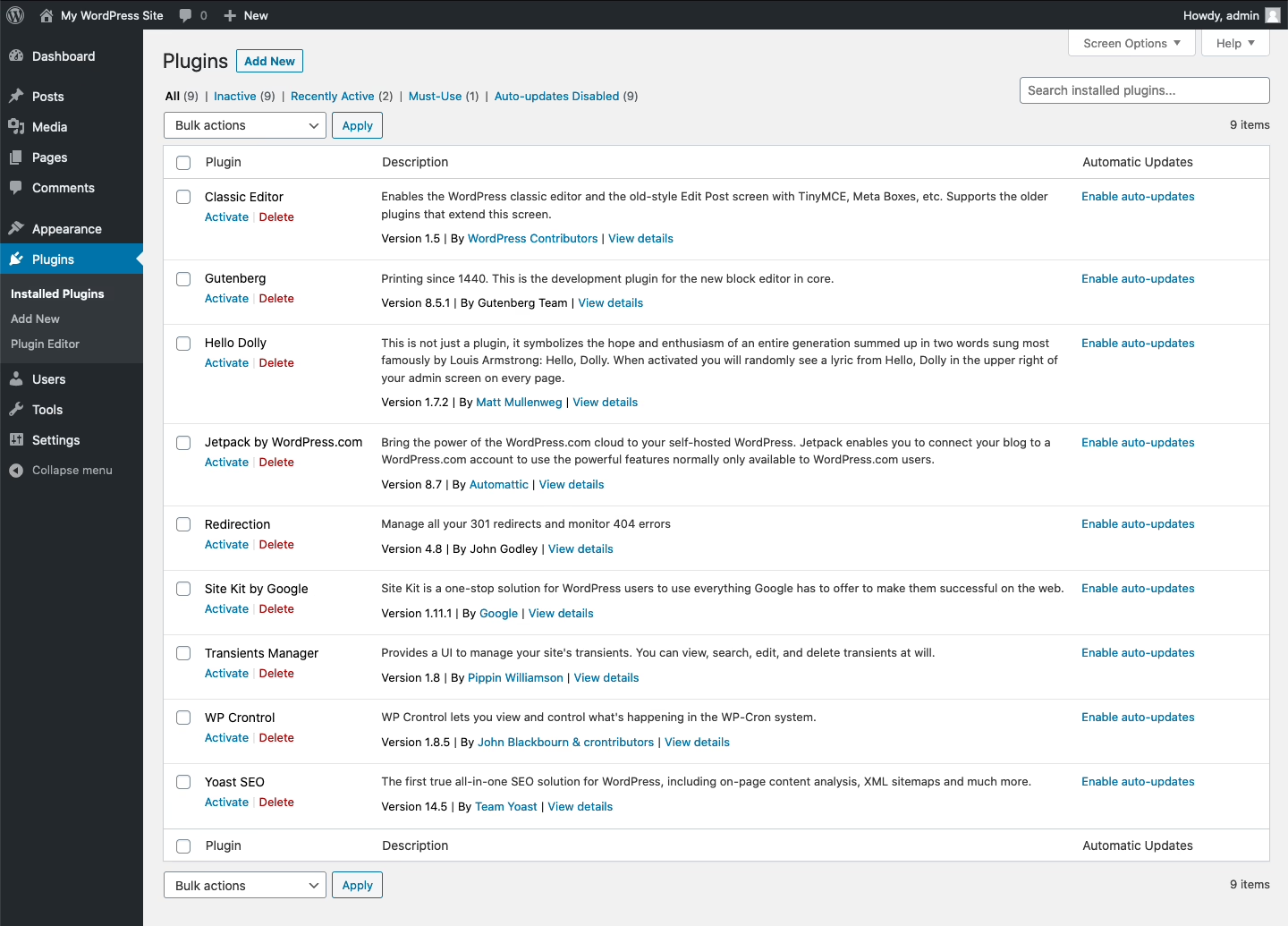
- Plugin and shortcode audit. Go through every plugin and page-builder widget and note when it was last updated and what relies on it. This is how you spot an Elementor or Divi lock-in before it turns into a nightmare.
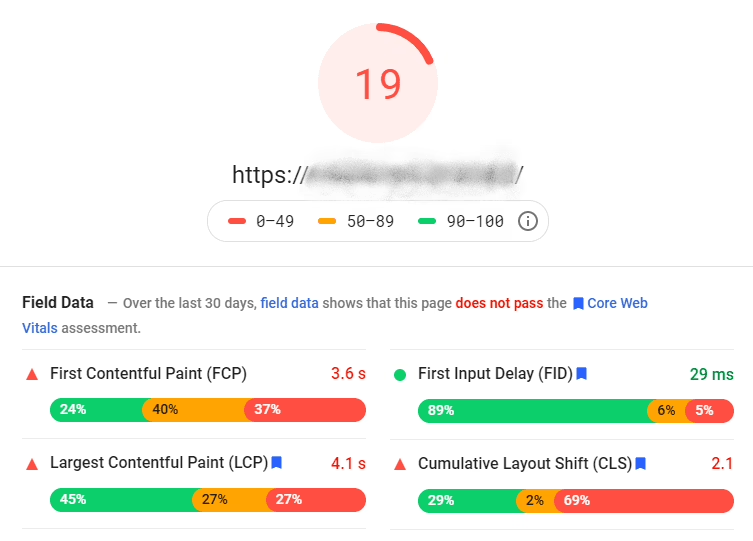
- Performance baseline. Check the Core Web Vitals on mobile and desktop, the query counts on your heaviest pages and the time-to-first-byte by template. You have no way of proving the new site is any faster without a baseline.
Editor workflow review. We look at who has the permissions to publish and on what kind of schedule. We want to know where the editor team has put in place workarounds and which templates are off limits.
If you want to go deeper into the planning, our website redesign process guide covers the sequence in some detail.
SEO is part of the audit, not a phase you bolt on later
Redesigns will cost you traffic if you relegate SEO to a launch checklist rather than an upstream constraint. Everything from your title tags and meta descriptions to your internal linking and HTML structure is a ranking signal. You can make a quiet change to the H1/H2 on a top page by going from a page-builder to Gutenberg and put a featured snippet out of commission without even knowing it. So plan to be in Search Console for 30 days after you go live. We have a separate piece on how to redesign a website without losing SEO if you want the full argument.
Design Around Tasks, Not Mood Boards
In a design meeting you will invariably talk about the homepage hero, the color system and what awards-list site to take cues from. But none of that tells you if the business is better off. The only thing that matters is whether the right user can more easily take the next step.
The question is not “what should this look like” but “what is the visitor here to do and why is it hard at present?” A consulting firm’s audience is there to vet you, read proof and book a call. A publisher’s readers are scanning the archive and signing up for the newsletter. On a WooCommerce site they are filtering and checking out. These are very different tasks requiring different IA and content density, and the hero image does not decide them.
Take Stacked Marketer. We started with some technical services and it became a complete platform and branding overhaul because the problem was operational. They had simply outgrown the site their own growth had made. The Stacked Marketer redesign worked because it underpinned the publishing operation, not because the homepage was prettier on day one.
Not sure how exposed your own site is? We run a free WordPress vulnerability check that lists what needs patching first. Request the check.
Pick an Architecture That Matches How You Operate
When it comes to WordPress architecture, you are generally left with three honest options for a redesign. There are other ways to skin the cat, but these are the ones that affect your budget and how you operate.
Classic WordPress, modernized
A classic theme (custom or otherwise) paired with Gutenberg, a CDN, persistent object cache and a few good plugins will do the job for most marketing or membership sites, and many WooCommerce builds. It is the default for most teams since it is quicker to put in place and easier to staff. See our WordPress development services for the stack we run with.
Block themes and Full Site Editing
Then you have block themes with FSE and theme.json. They are powerful, but don’t fall into the trap of thinking you can just swap one in for a classic. If you have a mature site with a thousand legacy pages and custom post types, you are looking at a platform migration. Best to ease into it with the marketing pages and leave the old model until you have a proper plan.
Headless WordPress
Headless is another option. You keep WordPress as the engine and render the front end in Next.js or the like. Fine if you need app-like performance or have to tie into other systems, but a poor choice if your editor is the bottleneck or money is an issue. We are a bit more skeptical in our WordPress headless CMS guide because the difficulties with headless tend to rear their head in preview workflows and schema changes well after you have launched.
| Architecture | Best fit | Watch out for |
|---|---|---|
| Classic WordPress (lean theme) | Marketing, publishing, WooCommerce, membership | Theme bloat if you pick the wrong base |
| Block theme / FSE | New builds, content-light sites, design-system rigor | Migration cost on mature sites |
| Headless | App-like UX, custom front ends, deep integrations | Editor friction, higher operating cost |
Realistic Timelines, Costs, and What Drives Them
As for cost, the numbers practitioners report are fairly consistent. A DIY refresh is a few hundred; a freelancer will be in the $500-3,000 bracket. An agency will charge between $3,000 and $30,000 for a mid-market marketing site, more if there are ecommerce or integration needs. VWO’s web design statistics show a range of $3,000 to over $75,000, with 61.5% of projects driven by bad UX.
It is predictable: the more business logic, the higher the price tag.
- Low complexity: A template cleanup, some plugin pruning and a performance pass. This is weeks of work.
- Medium complexity: New IA, redirect mapping, CRM rework and stronger SEO. Count on two to four months.
- High complexity: Multilingual, custom taxonomies, a move to headless or deep integrations. Three to six months minimum.
You can have a cheap redesign by forgoing strategy, QA and post-launch monitoring. But you will get the bill for it later in the form of a checkout flow that won’t convert on mobile or a 30% drop in organic traffic.
Launch Is a Controlled Release, Not a Cutover
Done right, you will see the value of a careful redesign in the first three weeks. Good teams consider launch the beginning of operations, not the finish line.
Before you go live, check the unglamorous items that safeguard your rankings and revenue:
We have put the redirect map in place so that every URL of consequence from the old site will be found on the new one; a pre-launch crawl has turned up no 404s we didn’t mean to have.
On the SEO side, title tags, meta descriptions and headings are in line with what is ranking. Any drift there is the usual culprit for a post-launch slide in your numbers. You can read more about it in our SEO and website redesign guide.
Forms have been put through their paces end to end with real test data to verify submissions, notifications and CRM handoffs. We have also done our due diligence on Analytics and Search Console: sitemaps are in, goals are being tracked and events are firing as they should.
Before the new editor goes live, we have set aside time for the team that publishes day to day to have a 30-minute walkthrough and a written guide. And just in case something goes wrong in a big way, we have a documented path back and a backup that works.
Once you are live, you need to keep an eye on conversion rates for your top five pages, organic traffic by template and Core Web Vitals for a good 30 days or so. A little wobble in rankings is to be expected at first, but if you see a sustained drop, do not just wait it out – look into it.
The Honest Summary
In the end, a WordPress redesign is won or lost by how well you plan, not by the visual design. There is a move toward strategic minimalism in 2026 – doing an audit and making targeted improvements rather than a full rebuild. It is hardly a fad. It is what seasoned teams have always done, only now you can see why the other option yields a prettier site that does not convert.
The three most important calls you make are before a mockup is even sketched out. Whether to refresh, manage or rebuild. What the audit turns up in the way of SEO debt and plugin issues. Does the architecture fit how your people work? If you get those right, the design can be good. Miss the mark and the designer has to paper over a project that was poorly scoped from week one.
If you are considering your options, start by writing down what success means six months from now, what has to make it across the cutover and what is broken. Then have a talk with our WordPress team. We are built for that kind of conversation where clarity comes before code.
Running a WordPress site that has outgrown its build? Let’s talk. Free 30-minute call, no pitch.

Masoud Golchin is a backend developer at Refact, working on server-side systems, internal tooling, and infrastructure. He builds and maintains the services that support both client projects and the team’s day-to-day development workflow. His work includes backend logic, developer tools, system reliability, and the technical foundations that allow products to scale and operate consistently. At Refact, Masoud focuses on creating practical engineering solutions that help the team move faster while keeping systems organized, maintainable, and dependable.
More from Masoud Golchin

