Wix vs WordPress: How to Choose in 2026
There is a lot of noise in the Wix versus WordPress debate, but most of it sidesteps the issue.


With Wix you have a managed SaaS product; the vendor has your hosting, your database and the code that renders the pages. WordPress is software you put on infrastructure of your own making. That one fact will dictate your approach to cost, security, performance and SEO, and determine how much of a headache growth turns into.
We have put together this guide for the decision maker who has to sign off on the platform, not the one who likes to click around in the editor. We are looking at what happens after launch, with some hard data from independent sources and what we have observed in actual migrations.
The Real Decision Is About Ownership, Not Editors
On the surface they are alternatives since both will let you build a site. In reality their architectures are at odds.
Wix is a closed system. Your business logic and content are in Wix’s format on Wix’s servers. You get an editor and a bill for hosting, but you do not get the source. WordPress is open source. You install it where you want, run the plugins you see fit and can export the database at will. The entire stack is portable and open to inspection.
You will see them fail in different ways as a result. Wix has a ceiling. Run up against a limit on schema or integrations and there is no workaround since the code is not yours. WordPress fails at the floor. A theme conflict brings down the homepage or backups stop without warning and you cannot point a finger at a vendor because you are the vendor.
The numbers bear out the tradeoff. Kinsta puts Wix at 3.8% of the market while WordPress is at roughly 43% of all sites and 63% of the CMS space. That does not speak to quality so much as it tells you where the ecosystem and the migration paths are.
Where Wix Actually Wins
WordPress purists would have you think otherwise, but Wix is often the correct call for a business. It has the edge in three areas.
Time to launch. An inexperienced user can have a five-page Wix site up in an afternoon. On WordPress he or she will spend two or three times as long just sorting out hosting and a theme before writing any copy. Wix says the average launch is four days now, compared to two weeks in 2022. Whether you put stock in vendor reporting or not, the trend is there; AI and better defaults have made setup less of a chore.
Performance without an expert. Because Wix is on the vendor’s infrastructure, mobile Core Web Vitals pass rates are 70 to 75% by default. WordPress is all over the map, 30 to 60%, depending on your discipline with plugins and host. A good WordPress site will outperform Wix, a bad one will be left in the dust. Wix takes the variance out of the equation.
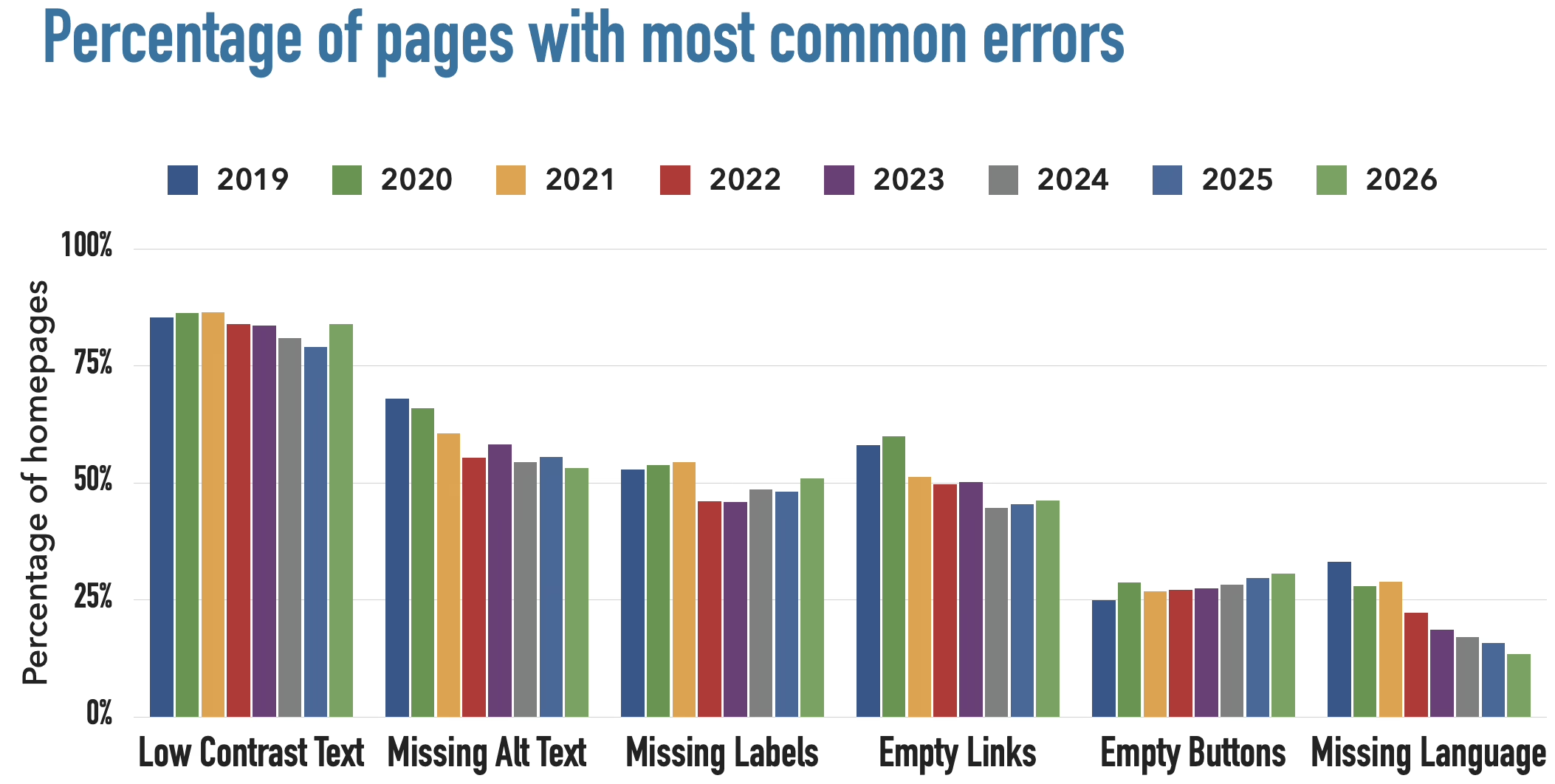
Accessibility. The 2026 WebAIM Million report shows Wix home pages had an average of 33.3 detectable errors, some 40% below the sample mean. WordPress came in at 52.8. It is not that Wix is more conscientious, but by limiting your customisation they have fewer opportunities for you to put in bad markup or broken ARIA. There is a certain quality to constraint.
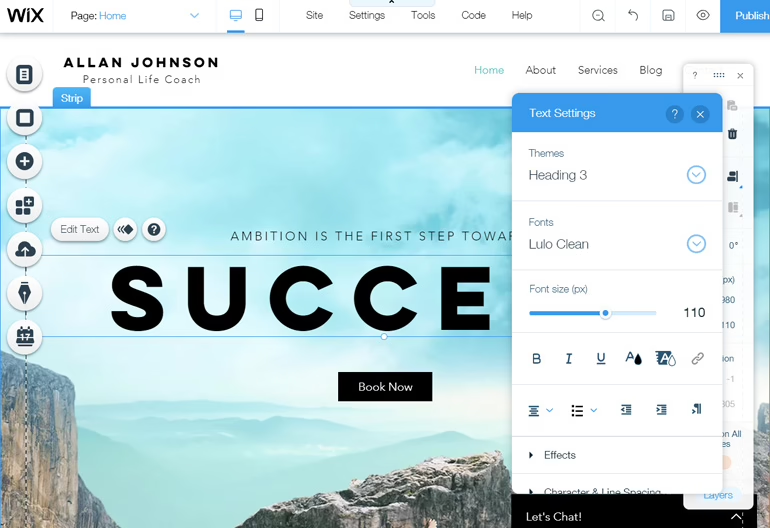
For a portfolio, a local landing page or a small service business, if your team has no desire to be in charge of a WordPress install, let Wix’s guardrails do their job.
Where WordPress Wins, and Where It Punishes You
Then there is year two, when the flexibility and ownership of WordPress make themselves known.
The SEO benefit is in the structure. Wix has done well to close the visible gap and will give you a 100 on Lighthouse for a test page, but the structural gap remains. If your marketing requires granular URL control or custom schema, WordPress accommodates it. Wix will not.
And when you need to leave, ownership is everything. WordPress lets you take your media library and database and go. Wix is proprietary and offers no full site export; moving from Wix to WordPress is effectively a rebuild. You only appreciate that asymmetry when the business changes course, but it is always there.
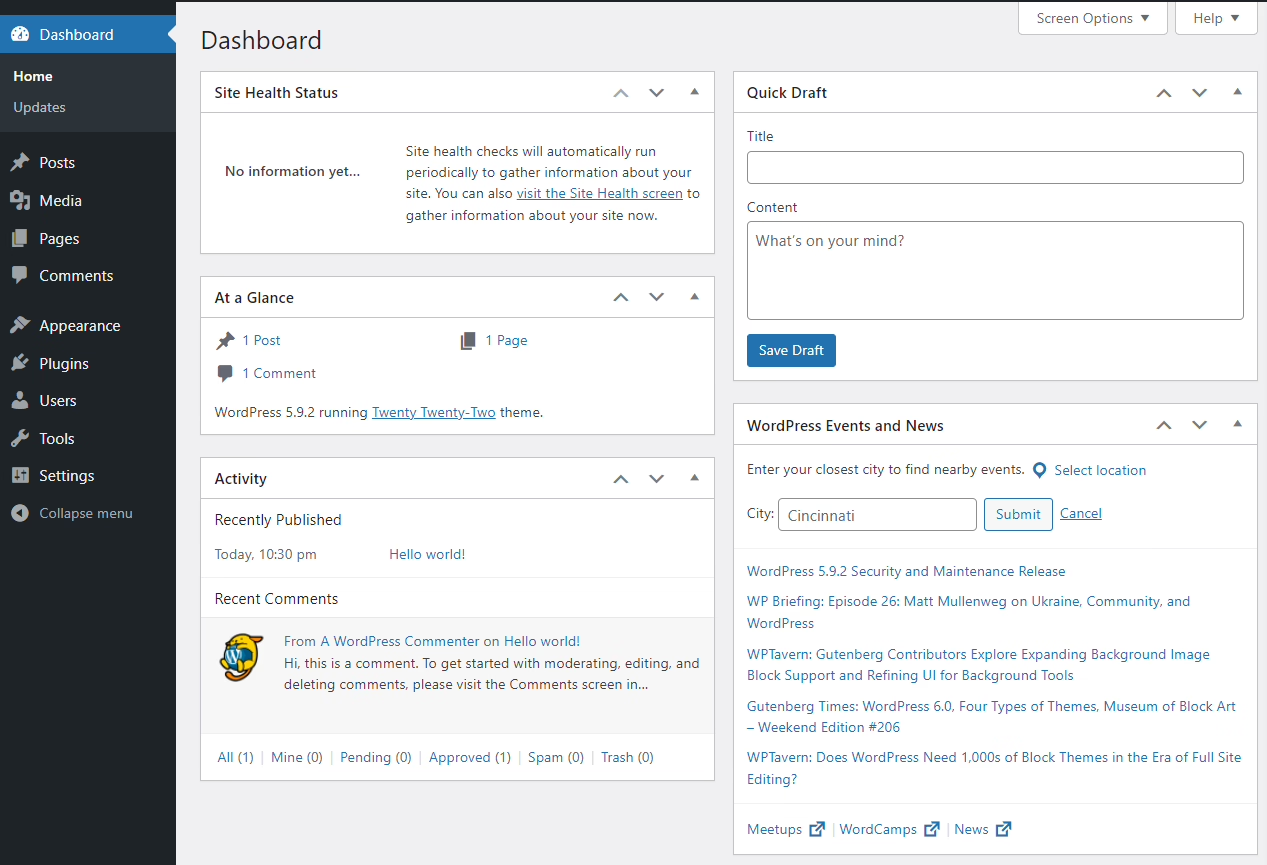
The downside is tangible. Some 90 to 95% of WordPress vulnerabilities are down to third-party plugins that have been left to rot. The platform is not inherently insecure, but it is when no one is looking after it. Performance suffers the same way, with unmaintained hotfixes and image folders slowing things down. It is the reason we place such emphasis on WordPress maintenance discipline. Wix has no such requirement.
How the Platforms Compare on the Decisions That Matter
Below is a shortlist of the factors that will actually determine the outcome. Do not bother with the feature grids on the vendor sites. ZZBLOCK6ZZ
The numbers from independent testing bear out what we see in practice. Take the comparison work All About Cookies put out in November 2025: as a hosted platform Wix delivered 100 per cent uptime with a server response time of some 48ms. WordPress is a different story since it does not come with hosting, so performance is at the mercy of the host. But that is no fault of WordPress. It is simply a matter of category; one is a product you have to put together and the other is bundled for you.
Match the Platform to the Business Model
You will not find much use for generic advice in this space. The answer is dictated by the job the site has to do.
Consulting and professional services
For a brochure site with a light blog, contact forms and a handful of landing pages, Wix is a sensible choice and will get you to a professional finish in short order. But when marketing means business, Wix runs out of steam. You start to put pressure on the platform with segmented email, gated resources, location or ABM pages tied to a CRM, or custom schema. If your twelve-month plan calls for any of that, you are better off with WordPress to avoid having to do things over.
Publishing and media
The chasm between the two is most evident in publishing. A serious editorial outfit requires custom post types, taxonomies, author workflows, archives and the like, along with enough URL control to safeguard SEO built up over years. Wix can put up a light blog, but it is not where you would run a working publishing operation.
We saw this with Teton Gravity Research. The visual redesign was the easy part; the challenge was to port 10,000 articles from a legacy CMS without losing the rankings or disrupting the workflow. That is only feasible because of the open data layer in WordPress. Do the same on a closed builder and it is a rewrite. We made the same case in the St. Louis Magazine rebuild, moving 30,000 pieces of content while leaving URLs, ads and newsletters in place.
Ecommerce
Wix handles small catalogs well enough. SiteBuilderReport will tell you their stores tend to meet Core Web Vitals until you pass a few hundred products, after which there is a noticeable drop off. With WooCommerce on WordPress you can scale by refactoring the database or shifting to better hosting.
Then there is the sideways complexity of ecommerce: wholesale pricing, 3PL and ERP integrations, regional tax rules, variants and the rest. On the NudFud store we put together, the checkout was straightforward. The real work was in making the product structure, certifications and educational content coexist in a way the client could manage without calling in a developer. That is a WordPress thing. For those looking at the tradeoffs, our ecommerce development practice goes into more detail.
Memberships, education, and product-adjacent marketing
Membership and course sites have a way of looking deceptively simple until six months in. Drip content, tiered access, event flows and the various payment and email integrations add up. Wix may be fine for the first version of a membership model, but rarely the third. If the model is central to the business, go with WordPress or a stack built for the purpose.
The same goes for any site tethered to an actual software product. A SaaS marketing arm with a user portal should be on WordPress or headless, not a builder that is expected to double as infrastructure.
Not sure how exposed your own site is? We run a free WordPress vulnerability check that lists what needs patching first. Request the check.
The Cost Comparison Nobody Runs Honestly
There is a tendency to be misled by sticker prices. Wix appears inexpensive due to the bundling; WordPress seems so because the software is free. Neither tells the whole story.
A Wix Light plan is about $17 a month, but once you factor in apps, payment processing and business email, a small business is looking at $250 to $500 a year. The real cost of Wix comes into focus at renewal when the higher tiers and paid apps mount up. A managed WordPress install is typically in the $15 to $35 range before you count plugins and dev time.
What is often overlooked is the migration tax. Outgrowing Wix is not an upgrade, it is a rebuild. You have to hand recreate the content, write the redirects, remap the URLs and protect your search equity. It is a project, not a line item on an invoice. Viewed over three years rather than three, a cheap setup that demands an expensive overhaul is hardly a bargain.
What Actually Goes Wrong After Launch
Each platform has its own predictable ways of failing. Awareness of them is good for planning.
With Wix you hit a ceiling. Marketing will want FAQ schema on a service page and the platform will not give it to you. They will want to restructure URLs to fit a new strategy and the option is not there. A custom integration with a CRM or ops tool is not in the app catalog. Individually they are minor blocks; in aggregate they point toward a rebuild.
WordPress fails through neglect. A plugin is left unupdated for two years, backups stop running, and because no staging environment was put in place every fix is done on production. Page speed plummets and nobody is the wiser because no one owns the site. A WordPress build requires someone to be accountable for its health. That is the cost of doing business with the flexibility it offers.
According to G2’s comparison, Wix is a closed system with meaningful lock-in, while WordPress is open source and portable. Both statements are true and neither is a criticism on its own. Lock-in is fine if you never want to leave. Portability is worthless if you cannot maintain what you have.
A Simple Framework for the Decision
Two questions get most teams to a good answer.
How likely is the site to change substantially in the next 24 months? If the answer is “not much,” Wix is fair. If the answer is “we don’t know yet, but probably a lot,” WordPress buys you room without a rebuild.
Who owns this site after launch? If nobody, Wix. If a named person or partner has clear responsibility for content, performance, and updates, WordPress. The choice between platforms is really a choice about capacity. Wix trades ceilings for maintenance simplicity. WordPress trades maintenance discipline for freedom.
A shorter version:
- Choose Wix when speed to launch and low maintenance matter more than long-term flexibility.
- Choose WordPress when SEO, custom content, or growth are business drivers, and someone can own the platform.
- Pause before either when the site is tied to revenue, product delivery, or a serious content operation. That is when a discovery conversation saves months of rework.
If you already suspect you are on the wrong platform, or you are about to commit to one and want a second opinion first, that early call is exactly what our migration and platform work is built to settle. Clarity before code is not a slogan for us. It is the cheapest part of the project.
Running a WordPress site that has outgrown its build? Let’s talk. Free 30-minute call, no pitch.

Saeedreza Abbaspour is the CEO of Refact, where he works across product, engineering, and sales. He sets the studio’s direction while staying closely involved in the work itself, from shaping product strategy and UX architecture to helping define the technical systems behind Refact’s projects. His role connects business thinking with hands-on product execution, giving him a practical view of how software should be planned, built, launched, and improved. At Refact, Saeedreza focuses on building a studio that can move quickly, solve real client problems, and turn ideas into reliable digital products.
More from Saeedreza Abbaspour

