Customer Self-Service Portal: A Practical Guide
In 2024, Gartner put more than 5,700 customers to the test and came away with some telling numbers.


This guide is for anyone looking at a portal because support has insidiously become the costliest team in the business. We are not here to make a sales pitch for them. We want to help you put one in place that justifies the effort and does not quietly erode your relationship with the customer.
The economics speak for themselves. A contact handled by a person runs $15 to $25. Once the data and content are set up, a self-service interaction is in the $0.10 to $0.75 range. A well-constructed portal will turn away 20 to 40% of inbound volume; in a mature setup, 30 to 35% is the norm.
Founders tend to make the move to a portal when they can no longer ignore the pattern: the team is fielding the same five questions day in and day out. Where is my order? I need an invoice. Reset my password. Change the card or cancel the plan. They are not difficult matters, but they are recurring and they consume the time of expensive staff.
Then again, the research is clear that a bad portal is no better than having none. Help Scout found 77% of customers would rather have no option than a poor experience. Microsoft has seen 32% of people walk away from a company over an unusable self-service tool. One failure and you will have most of them on the phone and email for good, if they come back at all. So the question is not whether to build one, but what is the most useful version we can put together without burning the trust we have left.
Why the Cheap Wins Are Usually Real
Put simply, a customer self-service portal is a secure, logged-in environment for routine work. It should give you a knowledge base, visibility into your own account and orders, and a way to get to a human when needed.
There is a difference between a FAQ page and a portal. The former answers questions; the latter lets a customer get things done. Track a shipment, close a ticket, download an invoice. If they can only read, you have a help center. If they can act on their own data, you have a portal. For a more detailed look at the moving parts, our customer portal overview for founders is a good place to start.
What is important to understand is where the hard work lies. Not in the interface, but in the plumbing: the identity, the ERP or billing integration, the ticketing and content operations.
What a Portal Actually Is, and What It Is Not
Start With the Top Five Tickets, Not the Feature List
Scope is the usual pitfall for a first portal. The temptation is to list every theoretical function: AI chat, community, admin tools, custom permissions, returns and subscriptions. The project drags on, the budget swells, and the customer is left unable to fix the problem that prompted the call in the first place.
A more pragmatic approach is to look at the last 90 days of support tickets and rank them. You will find the top 20 to 50 are simple, safe and repeatable. Self-service rollouts show that addressing the issues behind 80% of tickets is what gets people to use it, whereas piling in the complex stuff early can cut completion rates by a quarter.
A solid first iteration will do three things:
- Provide a searchable knowledge base that is written for the customer and drawn from actual tickets, not internal docs.
- Offer account and order visibility in real time, the same data an agent has.
- Have a clean escalation path so the handoff is quick and contextual when self-service is not enough.
Anything beyond that is for version two. If you are not sure what the top five jobs are for your customers, a review of the search logs and agent notes will be more revealing than a feature workshop. See our writeup on product discovery techniques that actually work for the methods.
A useful MVP test
Before you sign off on a feature for the initial release, ask yourself: would our support volume be any different in three months if we did not have it? If the answer is no, let it wait for a later date. That filter alone will halve the scope of your first portal.
The Parts That Actually Decide Whether It Works
Look at the Gartner figures on failed attempts. Forty-three percent of customers said they could not find what they needed and 45% said the system was not on the same page as them. You will not find many visual design issues on that list.
Content built from tickets, not internal docs
And do not let the content go unowned. Portals have a way of decaying. An article is written for launch, the product moves on and you end up with a graveyard of old FAQs that becomes the number one complaint in practitioner circles. Good teams will treat content as a product in its own right. They seed it from the 20 to 50 most recurrent tickets, put words in the article that are true to the vocabulary of a customer’s email, and then do a quarterly review of the piece against zero-result search logs and helpfulness ratings. Consistency is what allows for scale, and a knowledge base article template is a good way to ensure that.
Search that understands intent
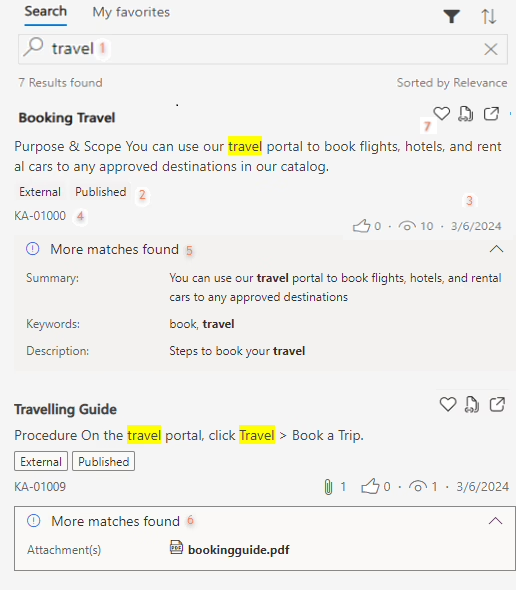
Then there is the matter of weak search, which is a quiet way to kill a portal. A customer is not going to type in “authentication reset workflow,” they will type “can’t log in.” If your search box is only doing keyword matching on internal labels you have made up, the result is blank and the customer will pick up the phone. The ones who get it right tune their search to how people actually talk, rewrite titles accordingly and use zero-result queries as a signal for what content is needed.
Real-time data, not stale copies
It comes down to trust. You can have a portal that erodes it or one that earns it. Say an agent has a system reading “pending” but the portal tells the customer “shipped”; you have just made that the least reliable channel in your business. Bizowie put on record a mid-market distributor that saw order-status calls drop 78% over three months by tying the portal to live order data. With the data trusted, those same customers were happy to let self-service account for 38% of all orders within six months, up from 12%, rather than involve a human.
A visible way out
Practitioners will tell you the dead-end is the biggest grievance. A customer puts in an effort at self-service, fails to resolve the problem and is met with a bot loop or a hidden contact form and no human in sight. Gartner has it that 38% of Gen Z and Millennial types will walk away entirely if self-service does not work. Do not trap them. Put “contact support” where it can be seen on any screen and make sure the agent has the full context of the ticket and search history when you hand off. For something like fraud or an outage, route them straight to a person.
Build or Buy, Honestly
You will find the build or buy debate coming up after a particularly trying week in support. Every demo has made grand promises and the custom quotes are higher than anyone wanted to see. Whether to build or buy is less about what you prefer and more about the standard nature of your workflows.
Buying usually wins first
When your operations are much like your peers and the work is familiar – billing, ticketing, profile edits – an off-the-shelf tool will have you up and running in a matter of weeks. That is important since the first thing to determine is if your customers will use self-service for the usual tasks; custom code is not required for that lesson.
The catch is fit. While a subscription seems inexpensive at the point of sale, the cost of workarounds and branding limitations comes due later. In version one, those are tolerable if it means you are launching instead of embarking on a six-month project.
Building starts to make sense when the portal is the product
But when the portal has to mirror the way the business truly operates, you build. We are talking about contracted pricing tiers, odd account hierarchies or approval flows that a generic tool would have you fudge with manual labor. At that juncture a custom job is no vanity exercise. It is less expensive than the ops tax of a poor fit with some “cheap” SaaS that is generating exceptions for your team to mop up.
We saw this with Workform. Our AI assistant was meant to pull project data from Slack, Asana, email and meetings. The initial idea was broad and we could have built it all, but our work with them on the AI MVP was disciplined enough to ship the specific job the customer needed first. Custom is a sound answer to a well-scoped question.
A useful decision frame
- Buy for speed when your top tickets are repetitive and the workflows are standard.
- Build when off-the-shelf constraints would push a customer back to human support and the portal is key to retention or compliance.
- Hybrid to cover the 80/20 on a bought platform and custom-build only what causes friction.
Founders have a habit of underestimating the maintenance of an in-house build and overestimating license fees. Identity work, admin tooling and keeping integrations in order are where the costs mount up. We have written a companion on how to choose a portal development company for those wanting to look at the vendor side in more detail.
How the Model Changes by Business Type
A feature list is of little use if the portal does not align with how you run things.
Ecommerce: win the post-purchase moment
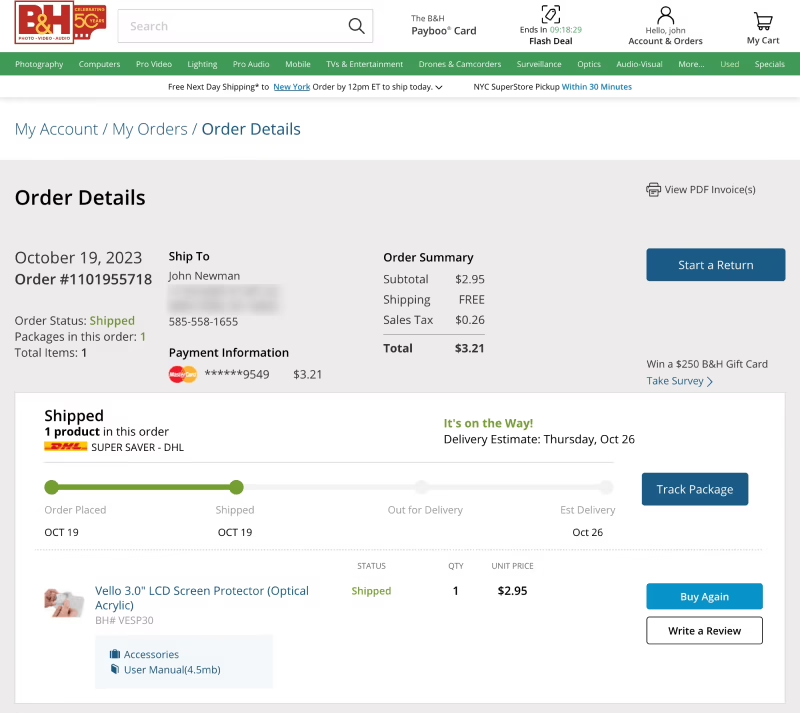
In ecommerce, post-purchase is where you will deflect the most contacts. Let the rest of the site be marketing and handle the order tracking, returns and purchase history in the portal. If you are considering automated support for a Shopify store, self-service should be part of the plan. Confidence in the brand does not stop at checkout. This is the approach we take with most custom ecommerce builds.
Memberships and subscriptions: the portal is the relationship
With a membership or subscription model, the portal is the operational heart of the relationship. Your members will want to change plans, check an invoice or update payment info without having to wait for staff. A clean billing UX and a proper Stripe integration are worth more than any other feature. We go into the details on our membership platform development page.
SaaS: the portal quietly becomes onboarding
A SaaS portal is frequently a support surface that, by and large, turns into an onboarding instrument you did not set out to build. It is where users go for answers and visibility as they make their way through the product. Put it outside the app and adoption will wane; put it in and the time-to-value can be materially reduced. For those looking to scope an initial version without overbuilding, we have a guide on SaaS MVP development that covers the process.
> The best portal is not defined by feature count. It is the one that eliminates the most of the recurring friction inherent to the business model.
Measure the Right Things, Not Just Ticket Count
You can launch the portal enough, but teams tend to get sloppy when it comes to gauging if it is truly effective. Do not be fooled by ticket deflection figures. A customer might search, come up empty and then call support; the deflection numbers may look acceptable while the experience has in fact deteriorated. Gainsight has been right to caution that making deflection your sole KPI can hasten churn in ways you do not see. You should track it, but only alongside metrics that confirm the deflection is genuine.
There are four that matter:
- Self-service ratio: take the number of knowledge base sessions that do not result in a ticket and divide by the total of KB sessions and tickets. A well-run portal will see 40 to 60%.
- Task completion rate: forget logins. We want to know what percentage of users are finishing the job at hand.
- Zero-result searches: this is the plainest indication of where your content is lacking.
- Customer Effort Score once self-service is done: how much work did the customer put in to find an answer?
Pay attention to the more subtle things as well. Repeated views of an article, a “still need help” click or an unexplained escalation from a particular page. These are early warnings of a data or content issue long before your aggregate CSAT reflects it.
What to Do This Week
Resist the urge to go shopping for platforms right away. Open a spreadsheet instead.
Make a list of the ten questions your customers put to you weekly. Note which are straightforward and safe to offload to self-service, which ones hinge on account data and which demand real-time integration. That is a better roadmap than any vendor demo you are likely to attend this month.
From there, determine the smallest version that is of use. Perhaps a knowledge base for the top five inquiries, a logged-in view for the couple of account data points they invariably ask about, and a clear line to a human being if those fall short. Put it out there and let the data from actual usage dictate what you build next.
Should you have your top support jobs mapped and be in need of a partner to convert that into a portal MVP in a matter of weeks, our portals and dashboard development work is designed for it. We put a money-back guarantee on the discovery phase to ensure you do not end up with the wrong thing. Clarity before code is not just something we say; it is where a portal makes or breaks itself.
Building a product and unsure what to scope first? Let’s talk. Free 30-minute call, no pitch.

Saeedreza Abbaspour is the CEO of Refact, where he works across product, engineering, and sales. He sets the studio’s direction while staying closely involved in the work itself, from shaping product strategy and UX architecture to helping define the technical systems behind Refact’s projects. His role connects business thinking with hands-on product execution, giving him a practical view of how software should be planned, built, launched, and improved. At Refact, Saeedreza focuses on building a studio that can move quickly, solve real client problems, and turn ideas into reliable digital products.
More from Saeedreza Abbaspour
