CMS for Publishers: 2026 Buying Guide
You can make a bad CMS decision long before you have even picked the software.


A CMS is not defined by how loud its brand is or the length of its feature list. For a publisher, the correct choice is the one that your revenue model can expand within, that engineers can keep up with, and editors can work with. We have put together a guide to seven platforms for 2026 and the operational issues that will determine which is the right fit.
To see why, look at the market. WordPress is the baseline; W3Techs puts it at roughly 43% of all sites and 60% of those with a known CMS. Most of your agency partners and freelancers will be familiar with it already. So any departure from WordPress has to be well justified in terms of the retraining and lost velocity involved.
Start With the Business, Not the Platform
Asking “What is the best CMS for publishers?” is the wrong way to go about it. A better line of questioning has four parts: Is your model ad-supported, subscription or hybrid? Who gives the final OK on a story and how many hands touch it before it ships? How many channels does it need to feed, from print to app to syndication? And once the agency is gone, does your team have the technical wherewithal to maintain it?
Get answers to those and the field narrows. A national publisher with a video studio and live desk has different requirements than a local nonprofit with three staff writers. Yet you will still see the latter buy an enterprise system and overspend by six figures. Then there is the reverse error: going with a lightweight stack for its simplicity and later finding the preview workflows do not live up to the demo when it comes to roles and permissions. Both are symptoms of not mapping the workflow first.
1. WordPress VIP
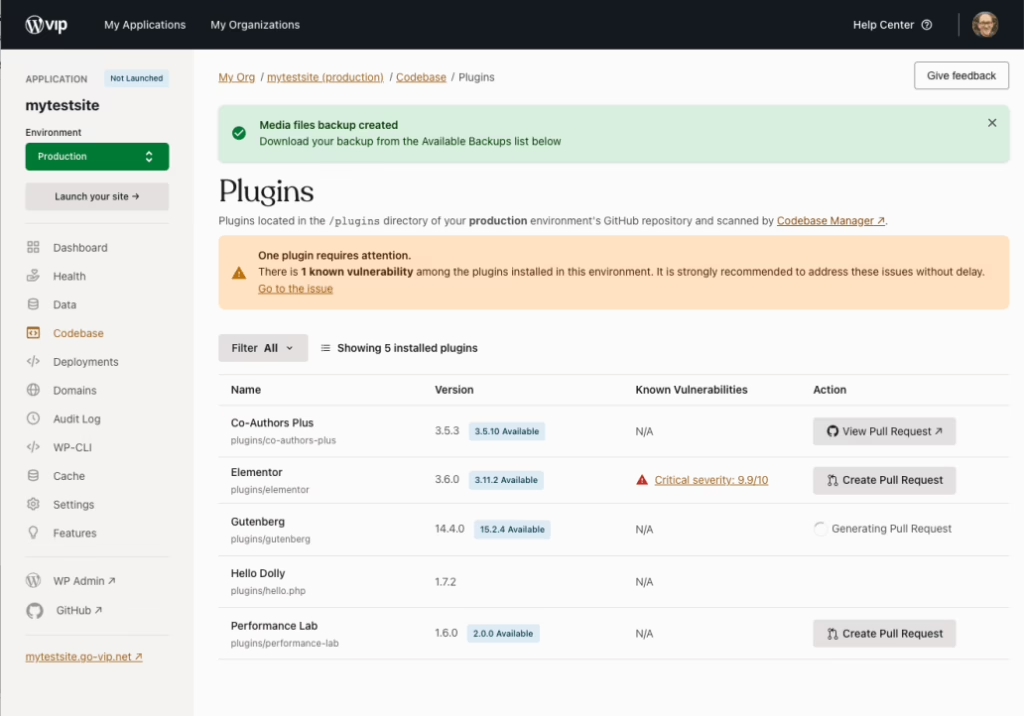
There is the matter of WordPress VIP, the managed enterprise option. It is the prudent choice if your self-hosted setup has become ungainly but the team is accustomed to WordPress. You get better guardrails for the engineers and a large hiring pool, while the editors have an interface they know. The business case is plain: new editors are up to speed in days, and the plugin ecosystem handles your integrations. But the trade-off is there. Enterprise pricing is no good for smaller outfits and you cannot install whatever you like. Then again, the kind of freedom that allows you to break production at 2 a.m. is something most should be happy to forgo.
When it fits
Make the call for VIP if you are worried about operational drift rather than a lack of features. If your complaints are about uneven page speed or plugin conflicts, a managed layer will put right more than a complete replatforming would. On the other hand, if your content model is the problem, a new CMS will not solve it. Fix the model.
2. Newspack
For the small to mid-sized newsroom, Newspack offers an opinionated WordPress stack. It is for those who want to put out memberships and ads without having to cobble together a dozen vendors. Local and niche publications tend to prefer to ship rather than architect, and Newspack is built on that premise. You get hosting, support and payments in one package at a predictable price. You may lose some architectural flexibility and avoid the hidden costs of a Franken-list of plugins, but for a stable operating base it is hard to beat. See the Newspack site for the details on their migration program and pricing.
If the question of custom build versus guided model is still open, we have covered the business side of that in our online magazine platform guide, and our piece on the best CMS for local newsrooms makes a direct comparison.
3. Arc XP
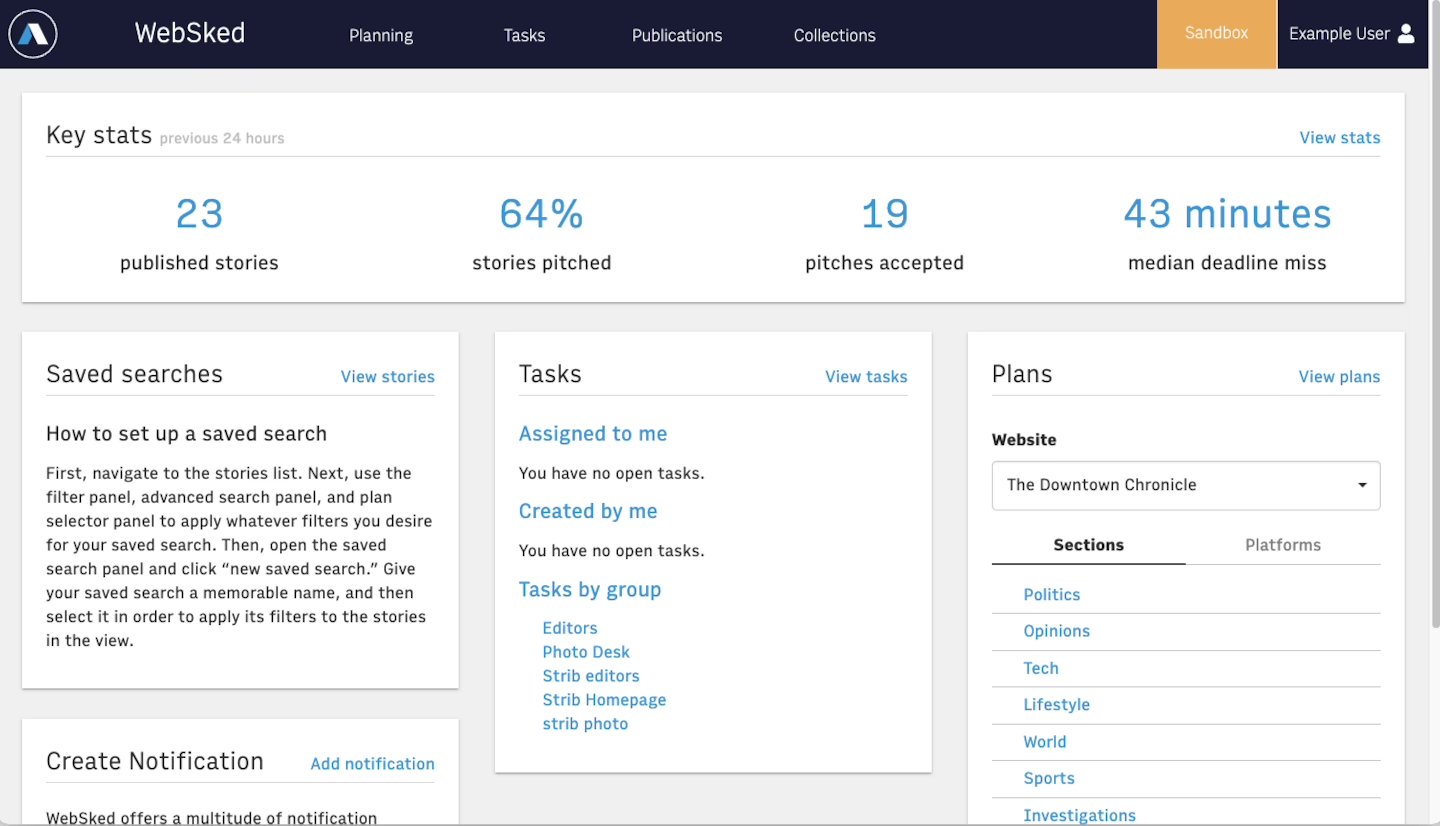
Arc XP has a provenance that goes beyond the marketing. Having been sold off after being used in The Washington Post’s own newsroom, the product was pressure-tested as part of a live operation before it was ever a commercial entity. That is evident in the way it deals with high-volume and multimedia publishing.
The aim is to cut down on sprawl. Bigger publishers have a habit of amassing point solutions for subscriptions, video and live blogs and then putting in the engineering hours to make them talk to each other. Arc XP is designed to own that surface area and end those integration headaches.
When it makes sense
It is the answer when system consolidation and editorial throughput are matters for the board. Take the case of European B2B media groups with similar set-ups: they have put over a million articles through the system in twelve months with no downtime and intact SEO. That is the measure of the thing. A platform with this kind of heft is not for you if your migration does not call for that degree of forethought. You are in for long sales cycles and an implementation that requires some effort; change management comes with the territory. It is a sound investment when you have the internal resources to make it so, but without them you are simply spending more to go slower. For a look at the product as it stands today, visit Arc XP. And should you be on the fence about decoupled delivery versus a coupled system, we have put together a headless CMS vs traditional CMS comparison.
4. Brightspot CMS
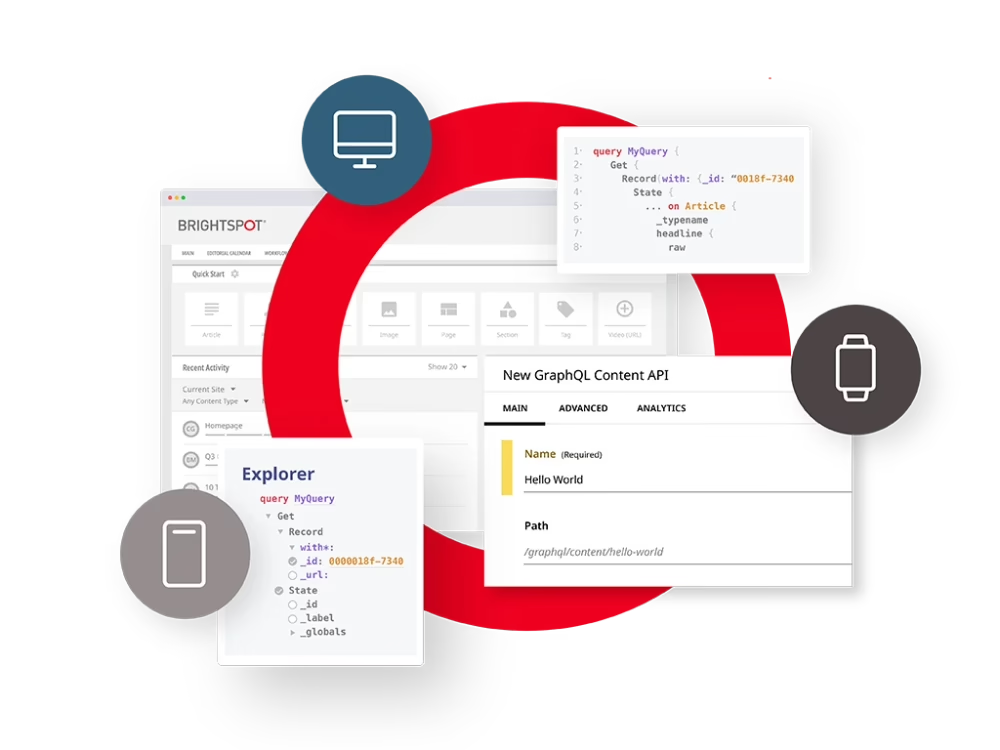
Publishers looking for editorial discipline but unwilling to be tied to a single delivery model will find their home with Brightspot. The platform accommodates both hybrid and headless rendering, allowing product teams to expand while sparing editors from a developer’s toolset. It is an uncommon balance, one that has put Brightspot on the shortlist of media groups, broadcasters and sports publishers with several brands to their name.
The vendor makes a good case for judging the CMS by its operational merits – conversion rate, personalization lift, archive completeness, publish-to-live latency – rather than the editor screens alone. We would agree with the framing in their piece on essential CMS features for news publishers; most regret in this space stems from optimizing the wrong variable. Then again, there is the matter of cost and complexity. A more involved build with Brightspot typically demands a partner-led approach. If budget and time are no object, fine. But for a small team with little technical support to speak of, it is a problem. More at Brightspot.
5. BLOX CMS
For local newsrooms and broadcasters that must handle web, print production, newsletters and subscriptions from one place, BLOX CMS is the answer. There is real value in focus here. The system is made for the staff in the newsroom, not a generic marketing department, so you can stop explaining your process to a vendor and get on with work in a system that already knows how local media operates. An end-to-end setup like this saves you a world of coordination with vendors if you have multiple regional titles or an active print side to your business.
But do not expect much in the way of customization. The older patterns are rigid and pricing is opaque; you may need the vendor’s hand to sort out multi-title logic. If your plan hinges on unique product behaviour across a number of brands, that will be an issue. Check the module list at BLOX CMS.
What to watch
6. RebelMouse
RebelMouse is what you pick when you want to grow and your engineering team is lean. They put site build, hosting, SEO, distribution and AI-assisted packaging all in one managed environment. The idea is they take care of the maintenance an engineer would otherwise be hired for.
When your bottleneck is audience growth, that is an appealing proposition. The platform handles the unglamorous but revenue-critical tasks: alt text, layout testing, teaser copy, translations. With the vendor minding the operations layer, a small editorial outfit with one engineer can keep up with larger ones. Ownership is where it gets tricky though. You cannot easily walk away from the platform and you do not own every layer. If the thinking is “grow now and replatform later,” it is a good move. Want to keep everything in-house? This is not for you. Go to RebelMouse.
7. Acquia with Site Factory
Acquia CMS with Site Factory is for the organisation that needs to exert central control over an entire estate of sites. Built on Drupal for its open-source flexibility, Acquia wraps it in enterprise support and multisite governance.
It is the right fit for a company with one platform underpinning many brands or local editions. You get shared templates and workflow rules instead of each property going its own way. When consistency and compliance are paramount, the centralisation is well worth the money.
Use it when complexity is the business
To be frank, Acquia requires a strong partner or engineers who know their way around Drupal. The platform is powerful but it will not coddle an underweight team. For a multi-brand operation under regulatory scrutiny it is the only thing that scales properly. A small newsroom with a single site would be better off with something less of a system. Details are at Acquia.
Publisher CMS Comparison at a Glance
| Platform | Implementation weight | Best fit | Key advantage | Key trade-off |
|---|---|---|---|---|
| WordPress VIP | High | Large publishers already on WordPress | Familiar editor, huge hiring pool, enterprise SLAs | Expensive; managed guardrails limit freedom |
| Newspack | Low–Medium | Small and mid-sized newsrooms, nonprofits | Batteries-included stack, predictable pricing | Limited architectural flexibility |
| Arc XP | High | National media, live newsrooms | Newsroom-grade features, consolidates point solutions | Long sales cycle, real implementation effort |
| Brightspot | Medium–High | Broadcasters, sports, multi-brand media | Hybrid/headless flexibility, strong editorial UX | Partner-led builds, higher cost |
| BLOX CMS | Low–Medium | Local newsrooms, print-integrated operations | Purpose-built for local media, quick deployment | Rigid customization, opaque pricing |
| RebelMouse | Low–Medium | Growth-focused publishers with lean engineering | Distribution and SEO focus, vendor-owned operations | Ownership trade-off, harder to leave |
| Acquia + Site Factory | High | Multisite enterprises, compliance-heavy orgs | Mature multisite governance, open-source base | Requires skilled Drupal team |
The Failure Modes That Usually Cost the Most
We have seen the same things go wrong on publisher projects no matter the platform. It is more instructive to point them out than to put together another feature grid.
Over-modeling the schema. You build content models for channels that may never materialise and in doing so create dependencies for the developers. Every field an editor has to ask for becomes a support ticket down the line.
Big-bang migrations. The successful ones we have worked with do it in phases. St. Louis Magazine is a case in point; we were able to shift 30,000 articles from MetroPublisher to WordPress and keep their ad and newsletter workflows intact. Trying to do a cutover in a weekend is the most expensive way to break something nobody will spot for a month.
Underestimating editor UX. Editors are in the CMS for eight hours a day. If the preview is sluggish or the roles do not reflect how approvals are done in reality, they will devise their own workarounds. Once those become the de facto workflow, no amount of training material is going to set it right.
SEO is more than a plugin. You will not find an SEO strategy in a WordPress rebuild. The work is done by the template, the rendering, the redirects and the taxonomy. We saw this when we replatformed Teton Gravity Research: the technical side of freeing 10,000 articles from ExpressionEngine was straightforward compared to the task of shielding their search rankings. In the end, redirect maps and URL structure were what drove the traffic, not any post-launch fine tuning.
Make sure you are buying for omnichannel use down the road. There is no sense paying for the infrastructure to feed a channel if you cannot point to one that will be using the content in the next year or so. Demonstrate reuse first.
What the Research Actually Says About Publisher CMS Choice
There is a view held by practitioners on Reddit, X and in engineering blogs that is borne out by the numbers. FT Strategies put 215 publishers to the test in a recent survey and discovered the smaller ones have fewer issues with CMS features and more with the vendor relationship, their own technical capacity and how well the system fits the way their editorial team operates. Hardly anyone says “the platform can’t do it.” The grievance is “it does it in a manner our team can’t sustain.”
HubSpot’s research on publishers would tell you the same thing. When it comes to making a purchase, criteria like price, ease of collaboration and implementation are at the top of the list. The features that make for a good demo are less important. It is a reminder that a CMS is meant to be an operating tool, not something to put on display.
Then there is the fact that 57% of publishers intend to migrate again in the near future, according to Storyblok. Do not read that as a broken market; it is simply a sign they have found the wrong variable was being optimized previously. So before you part with your money for a new CMS, ask yourself what will spare you from having to do this all over in three years time.
What Comes Before the CMS Choice
Put in the legwork to make your choice defensible. Go through the editorial workflow from pitch to archive and map it. Take stock of your templates and taxonomy. Run a prototype of the content model against some of your messier real world pieces rather than the pristine demo article the vendor has on hand. Check the operational metrics – publish-to-live latency, build time on your biggest section, redirect coverage. If a proof of concept does not hold up to those figures, production certainly will not.
That discipline must extend to the migration. Our WordPress migration checklist is there to flag the things that will scupper a launch three weeks after cutover, be it webhook state, serialized data or email deliverability. The same holds true for non-WordPress moves.
For a publishing model that includes a web presence, newsletter and subscription product, the tech stack decisions will have a cascading effect. We have broken down some examples of where teams tend to overspend on overlapping tools.
Where Refact Fits In
The publishers we deal with usually have the platform question pre-packaged. They are wondering whether to go headless from WordPress, or leave a legacy or bespoke system behind. But the job is seldom just about the platform. It is the content model, the migration, the SEO and the operating model once you are live. That is the basis of our web development practice.
Take our work with The Hustle on Trends, their premium newsletter. We had it launched in two weeks because the technology was the simple part. The difficulty was in untying a custom CMS from an email system and a payment integration that were at odds with each other. The CMS itself was almost beside the point.
If you are in the market for a CMS this year, the disciplines surrounding it are of greater import than the platform. Design for the channels you have in place. Protect your taxonomy. Phase the cutover. Most of the platforms here will do the job if you follow those rules. Ignore them and none of them will.
Publishing at volume and hitting the limits of your platform? Let’s talk. Free 30-minute call, no pitch.

Saeedreza Abbaspour is the CEO of Refact, where he works across product, engineering, and sales. He sets the studio’s direction while staying closely involved in the work itself, from shaping product strategy and UX architecture to helping define the technical systems behind Refact’s projects. His role connects business thinking with hands-on product execution, giving him a practical view of how software should be planned, built, launched, and improved. At Refact, Saeedreza focuses on building a studio that can move quickly, solve real client problems, and turn ideas into reliable digital products.
More from Saeedreza Abbaspour

