Shopify to WooCommerce Migration: A Founder’s Guide
Shopify to WooCommerce migrations typically have no major issues on launch day


This guide is for store owners who are thinking of making the move for legitimate reasons, such as increasing Shopify prices, a checkout that the platform refuses to adapt to their business, a content management system that requires WordPress, or a subscription workflow that has outgrown what an app can handle. It is not an advertisement for WooCommerce. It is an outline of the issues that can happen during a Shopify to WooCommerce migration and how to make the decision knowing what is likely to happen.
Why This Migration Is Almost Never About Features
From my discussions with practitioners, shopkeepers rarely leave Shopify because of product features — it usually comes down to cost and control, things like transaction fees on non-Shopify payment processors, sudden holds on funds, occasional store shutdowns, friction over DMCA complaints, and general vendor lock-in that push merchants away far more than any single WooCommerce feature pulls them in. There are many reasons why shopkeepers migrate to other platforms, but the most salient factors for shopkeepers to migrate their businesses to WooCommerce include having greater control over customer data, the ability to run their stores on an actual WordPress publishing platform, and the ability to have full control over their workflow, as opposed to having that control dictated by a hosted platform.
Nothing about WooCommerce is free. Operating costs for WooCommerce are dispersed amongst your team rather than being a monthly cost. You will have costs for hosting, backups, security, plugin updates, and the person who maintains the stack. Independent estimates for 2026 suggest that WooCommerce’s global market share is between 20%-39% and growing. This should give you a good idea that WooCommerce is an effective and widely used solution. Having a mature platform doesn’t mean it’s more cost effective for your business.
Before you do any mapping, think about whether the solution you are buying will resolve a money-related issue you currently have. If you don’t have such an issue, wait. However, if you do have a business need, then this article is what you’ll want to use.
Refact has published a very informative and longer Shopify vs WooCommerce comparison that walks through the two options side by side. This is a good article to read before you proceed.
What Actually Breaks During a Shopify to WooCommerce Migration
Publicly available tools in this direction tend to be less abundant than most agencies would have you believe. WooCommerce has an experimental WP-CLI Migrator that has 13 stars and is self described as experimental. Most third-party plugins and scripts have less than a dozen adoptions. The tools for the reverse migration (from WooCommerce to Shopify) are more plentiful. This means the person you hire to do this will need to dedicate some time to dealing with the unexplained tool gaps.
There are four main categories where the majority of the pain is experienced during migrations to WooCommerce. These are order history, especially refunds and partial refunds; product variations and attributes; coupons, taxes, and shipping rules; and custom order tables (HPOS).
- Order history, especially refunds, and partial refunds. There are differences in order modeling between Shopify and WooCommerce. An import tool can report success while it quietly mangles the order record, and refunds are where this happens most often. Of the 300 orders imported in the opposite direction, there were four instances of refund-related failures that were only identified after independent spot-checking. Assuming there are similar issues with WooCommerce, these will be worth spot-checking as well.
- Product variations and attributes. Shopify uses options and variants, and WooCommerce uses attributes and variations, and attribute slugs are known for causing duplications. A three-size, two-color product can be imported as six separate products if the mapping is careless.
- Coupons, taxes, and shipping rules. These almost never carry over cleanly, so it is best to rebuild them within WooCommerce and reconcile against historical orders, rather than trusting an export.
- Custom Order Tables (HPOS). WooCommerce has started moving order data from WordPress posts into dedicated tables. If your migration script writes to the legacy backend of a store configured for HPOS, orders can become either inconsistent or completely absent. Find out which storage the destination uses before importing anything.
Passwords, stored payment tokens, and payment methods will not be transferred because of privacy and PCI reasons. Customers will have to reset their passwords. Recurring billing will require a new authorization. This will increase support tickets and may result in churn.
Plan the Migration Before You Touch the Catalog
A safe migration requires a plan and milestones. It is not a CSV upload to be followed by crossing the fingers.
The scope inventory
Before adjusting anything in WooCommerce, write what the existing store does. This means:
- A full data export from Shopify: products with variants, customers, orders (even returns and refunds), pages, blog articles, coupons, and reviews.
- A URL map: product URLs, collection URLs, page slugs, blog paths, and any existing redirects.
- An app inventory: for every Shopify app, the business function it performs, the data it uses or touches, and the customer-facing behavior it produces.
- Shipping, tax, and payment settings, including any rules that sit in apps instead of the platform.
- Analytics: conversion events, campaign parameters, and the finance team’s reporting.
This is the actual scope. Everything else is opinion until it exists in writing. Refact’s Shopify migration checklist dives into the same topics and is a great working document.
Assign ownership and freeze changes
Designate one person in charge of product mapping, one to review design, and one to perform checkout and testing operations. Limit restructuring of the catalog, theme changes, app changes, and promotions on Shopify while the migration is in progress. Each change made to the source during the migration creates a new reconciliation issue.
Define launch conditions and a rollback
Reach an understanding with all parties on what must work in order to launch, what can be delayed, and what would result in a rollback. A rollback plan should state who has the final call, what data is restored, and what will be done to protect against losing existing orders if the new site encounters serious issues. Keeping Shopify live and accessible for the first week or two is cheap insurance.
Move the Data in Stages, Not a Single Transfer
Data migration can be divided into four parts: export, import to staging, reconcile, and validate. Not a single transfer.
Products, customers, and orders can be extracted from Shopify’s admin using its CSV export tools. Order exports can be found at Orders and can be scoped to a certain date range or selection. For import mechanics, WooCommerce’s own Shopify migration documentation can be a good starting point.
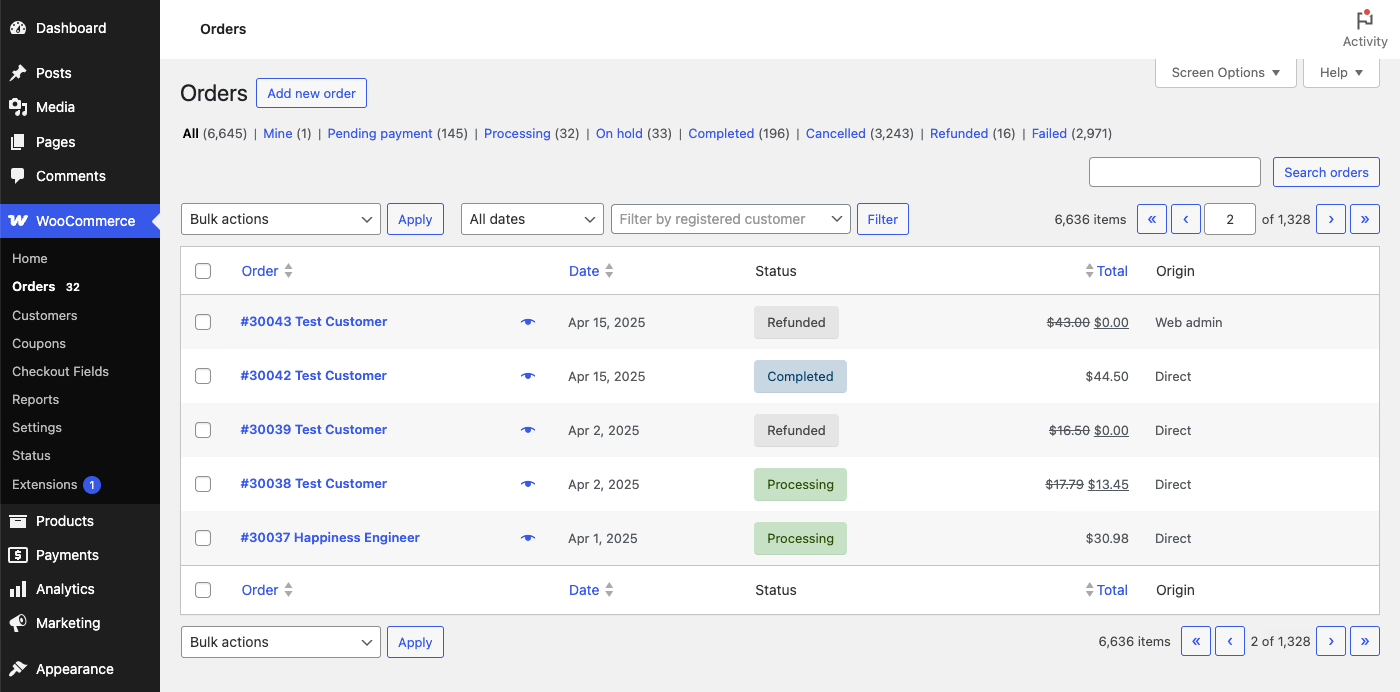
The Shopify Data Migrator plugin covers products, categories, customers, orders, pages, blog articles, coupons, and reviews. It provides automatic SEO redirects and an optional real-time sync during cutover. This is very useful. This plugin does not replace reconciliation. A success-reporting migration tool tells you that data was transferred. It does not tell you that data is correct.
Import to staging, never to live, and then do the work most migrations skip.
- Batch first. Move a small representative sample, somewhere between fifty and three hundred orders depending on how complex the catalog is.
- Spot-check independently. Have someone who did not import the data compare 20 orders with the original data. Import tools will compromise data integrity more than they will announce it.
- Fix at the source and re-run. No patching the import! If anything breaks, correct the export or the mapping and repeat the batch.
- Cover edge cases explicitly. Every iteration of your order-process tests should handle refunds, partially refunded orders, orders that have been canceled, subscription orders, orders that have an expired coupon, guest checkouts, and orders that require multiple shipments.
For teams that do not have a developer, the reality is that most non-trivial Shopify to WooCommerce migrations need one. The public tools and documentation assume a level of technical ability. When a merchant tries to migrate without API access or engineering assistance, the migration project usually fails and is later outsourced at a much higher price than anticipated. Refact’s detailed guide to importing Shopify data into WooCommerce can be helpful when a team is looking for field-level detailed instructions as opposed to a summary of available features.
Planning a move of your own? Our Migration Blueprint maps the content, redirects, and risks before anything is touched. Get the blueprint.
Rebuild the Storefront, Payments, and Shipping
Your Shopify theme will not carry over to WooCommerce. The storefront will have to be created using a WooCommerce theme or a custom WordPress development. This is the chance for you to re-create the customer paths that were previously working and abandon the ineffective template frameworks. This is not a free pass to revamp your entire business.
Construct a map from an app to an installed plugin before you begin the plugin selection process. A common failure mode is stacking plugins to reproduce every Shopify app one-for-one, ending up with a fragile checkout held together by a dozen extensions. The fewer the number of plugins, the better. Each new plugin will increase the number of updates that are required and the risk of a failed checkout at an inopportune moment.
Configuration for payments needs to be redone. Set up the gateway and confirm supported payment methods. Test authorization, failed payments, and refunds against a real testing order. Test the payment order status. Shipping needs to be redone as well. It is assumed that the export will take care of shipping. Redo zones. Redo weight and value rules. Redo free shipping thresholds. Redo how shipping is displayed in confirmation emails. Redo tax settings the same way.
The challenging part of building the WooCommerce platform for NudFud, a brand selling plant-based snacks across Canada, the US, and Asia was not configuration of the checkout. It was getting product structures, certifications, nutritional data, and fulfillment to work as a single, integrated system. This type of work is not documented on a migration checklist, but it determines how smoothly the store functions after the launch, six months later.
If the store needs unique pricing, special memberships or subscriptions, non-typical B2B logic, or custom rules, read the article about when custom WooCommerce development is justified before you scope the build. More often than not, it will be less expensive to have custom-made behavior as opposed to having to assemble and “glue” together several plugin solutions that are almost what you need.
Protect SEO Before, Not After, Cutover
Shopify and WordPress have their biggest differences in URL structures. Shopify, by default, is set up to have /products/, /collections/, /pages/, and /blogs/news/. WooCommerce defaults to /product/ and /product-category/. You will always have to set up 301 redirects for URLs that will be changing.
The Shopify Data Migrator plugin creates automatic SEO redirects. You should treat these as starting redirects as opposed to final redirects. Crawl the live Shopify site and create a full list of all URLs. With that list, you should then decide the destination in WooCommerce for each URL. Review the map of the site by hand. This should focus on the pages that have the highest volume of traffic and the most backlinks. Once the data is migrated and the site is live, monitor crawl errors and check the rankings of URLs on the site that are your core organic revenue pages for 2-4 weeks.
Test the Full Customer Path, Then Launch
Launching the new site is a business decision that is based on readiness, not technical completion. Before launch, you need to run the tests that cover a customer’s entire journey through the site:
- Catalog. All pages for products and variants, images and stock status, categories and filters, search functionality.
- Checkout. Guest vs. account checkout, taxes and shipping, all types of discounts, all types of refunds and failed payments, and all other checkout flows.
- Operations. New order notifications, fulfillment email notifications, order email notifications, and all admin fulfillment permissions.
- Content. All pages, all blog posts, all forms, navigation and site behavior, all other reviews.
- Measurement. Analytics event consistency, campaign parameter alignment, and reporting synced with the previous system.
Pay to place test orders via the payment gateway used with the primary system. Ensure the order is processed with WooCommerce and that the customer receives the order confirmation and support emails while also testing the workflow for fulfillment and refund. Keep Shopify available for a defined period after launch. Do not cancel the prior store until orders, redirects, reporting, and customer service have all been continuous for at least a week.
What This Project Really Costs
Cost is primarily influenced by store design rather than catalog size. A store that has a basic product, standard shipping, and no subscriptions differs greatly from a store with custom pricing, membership tiers, active subscriptions, and several integrated systems. Order volume is of little concern unless there are many edge cases which increase the time and complexity required to move order history.
What actually keeps costs down is preparation: a written data inventory, a URL map, a rollback plan, and a small pilot batch protect the budget far more than any single tool choice. What actually drives costs up is discovering scope mid-project: an undocumented subscription workflow, an ERP integration nobody flagged, a tax rule that only applies to one country. Catching any of these in week six costs far more than spotting them during a week-one discovery phase.
Early work becomes more important when a store depends on a successful migration. Refact runs a discovery phase, backed by a money-back guarantee, to settle that question before any code gets written. They offer a complete website migration service and more extensive ecommerce development once the build starts. If the choice is between Shopify and WooCommerce, and the migration is more about control and cost concerns than curiosity, then that early certainty will either make the project safe or lead to delaying it until the desired certainty is achieved.
Migrating off a legacy CMS? Let’s talk. Free 30-minute call, no pitch.

Masoud Golchin is a backend developer at Refact, working on server-side systems, internal tooling, and infrastructure. He builds and maintains the services that support both client projects and the team’s day-to-day development workflow. His work includes backend logic, developer tools, system reliability, and the technical foundations that allow products to scale and operate consistently. At Refact, Masoud focuses on creating practical engineering solutions that help the team move faster while keeping systems organized, maintainable, and dependable.
More from Masoud Golchin

