


If your website feels like it fights you every week, it probably is. Pages load slowly. Simple edits take too long. New features feel risky. This is usually the point where founders start looking for website migration services because “we’ll fix it later” turns into “we can’t grow like this.”
A migration is not just a tech task. It is a business move. Done well, it removes friction, protects revenue, and gives your team room to build again.
When it’s time to move your website
Most founders wait too long. They hope one more plugin, one more patch, or one more server upgrade will solve it. Sometimes it helps, but often it only buys time.
If you are unsure, start with these three questions before a CMS change. They help you decide if you need a full move, or just targeted fixes.
Here are common “it’s time” signals we see:
- Slow performance: Your site takes more than three seconds to load, and bounce rates keep climbing.
- Constant bug fixing: Your team spends more time patching than shipping.
- Tool lock-in: You cannot connect modern marketing, payment, analytics, or CRM tools without custom workarounds.
- Security stress: Updates are overdue, or the platform is past its safe, supported life.
- Editorial pain: Publishing content is slow, confusing, or requires engineering help.
Most migrations are triggered by pain. Lost conversions, slow pages, broken workflows, or a crash during a big launch usually forces the decision.
This shows up across business types. SaaS teams get blocked by old onboarding flows. Media teams on WordPress can struggle when traffic spikes hit weak hosting or heavy themes. E-commerce brands can lose checkout conversions when their stack cannot support the payment or tracking setup they need.
The real business costs of an old platform
The cost is not only downtime. It is focus. Every hour your team spends fighting a CMS is an hour not spent on product, marketing, or customer support.
Over time, this becomes a ceiling on growth. It also makes hiring harder, since good engineers do not want to babysit brittle systems.
Why this is becoming more common
Many companies are rebuilding websites the same way they rebuild products. They want faster pages, cleaner data, and systems that are easier to maintain.
Market demand is growing too. Here is one example source on the space: website migration market forecast.
What happens during a website migration
From the outside, migrations look mysterious. From the inside, a good migration looks boring. That is the goal.
It is a set of steps that move your content, data, design, and integrations to a new setup while protecting traffic and customer experience.
The 7 stages of a successful migration
These phases keep teams aligned and reduce surprises.
| Phase | What we do | Why it matters |
|---|---|---|
| 1. Discovery & strategy | Clarify goals, audit the current site, and surface hidden risks. | A migration should solve business problems, not just move pages. |
| 2. Planning & blueprinting | Define scope, timeline, roles, and the new site structure. | Prevents scope creep and sets clear expectations. |
| 3. Staging & development | Build the new site in a private staging environment. | Work continues without disrupting your live site. |
| 4. Data & content transfer | Move content, products, users, and other records with validation. | Protects your most valuable assets and avoids missing data. |
| 5. SEO & redirect mapping | Map old URLs to new URLs and implement 301 redirects. | Protects organic traffic and prevents 404s. |
| 6. Testing & QA | Test key journeys across devices, browsers, and roles. | Finds issues before customers do. |
| 7. Launch & monitoring | Cut over, verify tracking, and watch performance closely. | Launch day is not the finish line, it is the handoff to real traffic. |
Discovery comes first
Good discovery starts with plain questions. What is broken today. What must not break tomorrow. What does success look like in six months.
This phase is where you find hidden issues, like custom fields in your CMS, old redirect rules, odd URL patterns, or tool integrations that nobody documented.
During discovery, you should leave with:
- Clear goals: What are the top business outcomes you want from the move.
- A real scope: What moves as-is, what gets rebuilt, and what gets removed.
- A risk list: The things most likely to cause delays or traffic loss.
Staging keeps the lights on
Staging is a private copy of the new site. It is not indexed by search engines. Customers do not see it.
This lets you build and test without touching production. Your current site keeps selling and publishing while the new version is being built.
A migration should not feel like surgery on a patient who is running a marathon. Staging gives you a quiet place to get the new system right.
Content, data, and SEO are the “do not mess up” areas
For many businesses, the hardest part is not design. It is moving the stuff that matters: articles, products, authors, customer accounts, order history, paywall rules, and analytics tracking.
On the SEO side, the main job is keeping the relationship between old pages and new pages intact. That starts with redirect mapping and ends with crawling the staging site until you trust it.
If you want a practical content prep approach, use this guide to prepare content for a CMS migration. It helps you inventory content types, map fields, and spot edge cases before developers write scripts.
Big migration risks (and how to reduce them)
Let’s be direct. When migrations go wrong, the damage is not subtle. You can lose traffic, sales, and trust in a week.
Most failures are avoidable. They usually come from rushed planning, unclear ownership, or skipping validation steps.
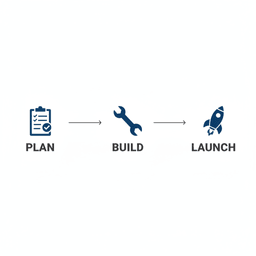
The simplest way to think about the work is Plan, Build, Launch. If Plan is weak, Build gets messy. If Build is rushed, Launch becomes stressful.
Risk #1: the SEO drop
The most common failure is a search traffic drop after launch. It often happens when old URLs are removed without redirects, or when templates change in ways that break internal linking and metadata.
To reduce this risk:
- Create a URL inventory of the current site.
- Map every important URL to its new location.
- Use 301 redirects, not temporary redirects.
- Crawl the staging site for broken links and missing metadata.
Before launch, run a final checklist. This post on checks before your new CMS goes live covers the kinds of issues that cause avoidable ranking problems.
Risk #2: data loss you notice too late
Data loss is quiet at first. A week later you realize the blog is missing author bios. A month later you discover thousands of customer accounts did not migrate.
To reduce this risk, use two layers of protection:
- Record counts and spot checks: Compare totals between old and new systems, then verify random samples.
- Rollback planning: Know what you will do if something major breaks after cutover.
When a migration fails, it rarely fails because of one line of code. It fails because nobody planned for what “wrong” looks like and how to recover fast.
Risk #3: downtime and budget surprises
Downtime hurts twice. You lose revenue, then you lose trust. Budget surprises hurt too, especially when they show up late in the project.
The best defense is a strong discovery phase and a staged build. When the real cutover happens, it should be short and planned for low-traffic hours.
Risk #4: broken tracking and lost attribution
Founders often focus on pages and forget measurement. After launch, traffic looks “fine,” but conversions are missing because tags, pixels, or events are not firing.
Make sure you know what success metrics you need on day one. Take a “before” snapshot of rankings, top pages, conversions, and page speed. This pre-migration checklist is built for that exact job.
How to choose the right migration partner
A migration partner is not just a developer who moves files. You need a team that can connect technical decisions to business results.
That means they should be able to explain tradeoffs in plain language. It also means they should have a process for protecting SEO, validating data, and supporting launch week.
Look past the portfolio
Nice design does not prove a team can move 30,000 articles without breaking URLs. Ask about process, not just examples.
Good signs include:
- A clear discovery phase with deliverables you can review.
- Staging environments and documented QA plans.
- Redirect mapping and crawl testing as standard work.
- Defined post-launch monitoring and support.
Questions that get real answers
- “How do you protect SEO, step by step?” Listen for URL mapping, redirects, metadata transfer, and pre-launch crawls.
- “How do you validate data moved correctly?” You want record counts, sampling, and repeatable scripts.
- “What does launch week support look like?” The team should monitor logs, errors, analytics, and performance.
- “How do scope changes work?” You want clear communication and a change process, not surprise invoices.
If you are evaluating teams, it also helps to understand what a long-term build partner can do outside the migration itself. For example, Refact’s website build and migration help includes CMS changes, third-party integrations, and data transfers that often show up in the same project.
Real results from migrations that go well
The reason to migrate is simple. You want a website that helps you grow, not one that slows you down.
Here are two outcomes we see often when teams plan well and test hard.
A media publisher that needed speed and stability
A growing publisher had a CMS that crashed during traffic spikes. Editors struggled to update key pages. Page speed lagged, and that showed up in engagement.
By moving to a modern setup and cleaning up workflow issues, they gained:
- Faster publishing: fewer steps and less manual work for editors.
- Much faster pages: which improved reader experience and reduced bounces.
- Predictable launch: because the new site was built and tested in staging first.
An e-commerce brand that needed a better checkout
Another team had outgrown a store built on WooCommerce. Integrations were hard, and checkout felt dated.
They moved to Shopify and rebuilt the shopping flow with conversion in mind. For brands at a larger scale, Shopify Plus can also be a fit, depending on needs.
When the move is done right, these projects usually lead to fewer support tickets, faster updates, and cleaner marketing and analytics data.
Next steps
If you are considering a migration, start by writing down your “why.” Keep it simple. What is broken. What needs to be true after launch. What are you afraid of losing.
Then map your must-haves:
- Non-negotiables: SEO, revenue, uptime, or key workflows that cannot break.
- New needs: tools and features you cannot add today.
- Success metrics: load time, conversion, subscriptions, or editorial speed.
After launch, many teams also need ongoing improvements, not just a one-time move. If that is you, consider ongoing site improvement support so performance and conversion do not drift over time.
When you are ready to talk through scope and risk, book a strategy call. The goal is a clear plan and a launch you can feel good about.
Frequently asked questions
How long does a typical migration take?
It depends on size and complexity. A small marketing site might take 4 to 6 weeks. A large store or content site can take 3 to 6 months, especially with custom data and integrations.
Will my site have downtime?
Most of the work should happen on staging while your current site stays live. The cutover is planned for a low-traffic window. A rollback plan should exist before launch day.
What happens to SEO after the move?
The goal is to keep rankings stable by mapping URLs, using 301 redirects, carrying over metadata, and running pre-launch crawls. Small short-term fluctuations can happen, but major drops are usually a sign of missed redirects or broken indexing rules.
How much does a migration cost?
Pricing depends on scope. Simple moves cost less. Complex platforms with custom data, design changes, and multiple integrations cost more. A good partner will scope the work upfront so costs do not drift mid-project.
If you are stuck on an old platform and need a clear plan, start with the launch day checklist to understand what “done” looks like, then work backward into discovery, staging, and QA.


